Depending on their Instruct Mode, the Instruct/Enseñar widget on the Growth Dashboard lets teachers see how much time students have spent in their Learning Paths, or which digital lessons students have been assigned for the week with access to the AI Lesson Planner.
Depending on how district administration configures Instruct settings, teachers will see either the Instruct Learning Paths widget or the Instruct Weekly Plan widget.
Learning Paths
When districts enable Individual Learning Paths (for English, Spanish, or both), students gain access to engaging digital instruction. Their placement is based on their assessment results. Learn more in Cycles/Units of Instruction.
- Navigate to your Growth Dashboard and expand the Instruct widget, if not already expanded.
- View a quick overview of how many students are under their Instruct usage goal for the calendar week, how many are on track to reach it, and how many have already met it.
- Click See student learning path progress to generate the Instruct: Progress Report.
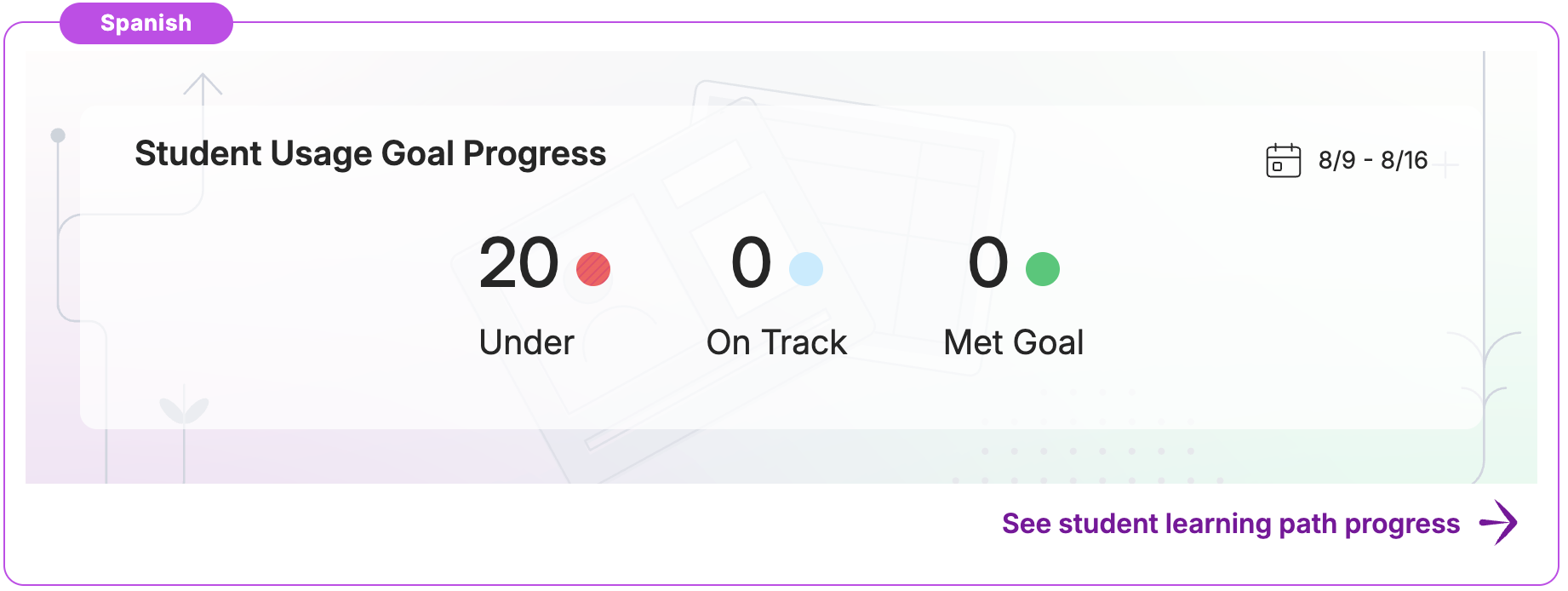
We recommend students using Individual Learning Paths spend at least 30 minutes weekly in their paths.
Weekly Plan
When districts enable Weekly Plan, students are automatically assigned Instruct lessons based on the district's curriculum and scope and sequence, along with any identified skill gaps in related standards. If a district hasn't specified a curriculum, Amira's default scope and sequence is used.
- Navigate to your Growth Dashboard and expand the Instruct widget, if not already expanded.
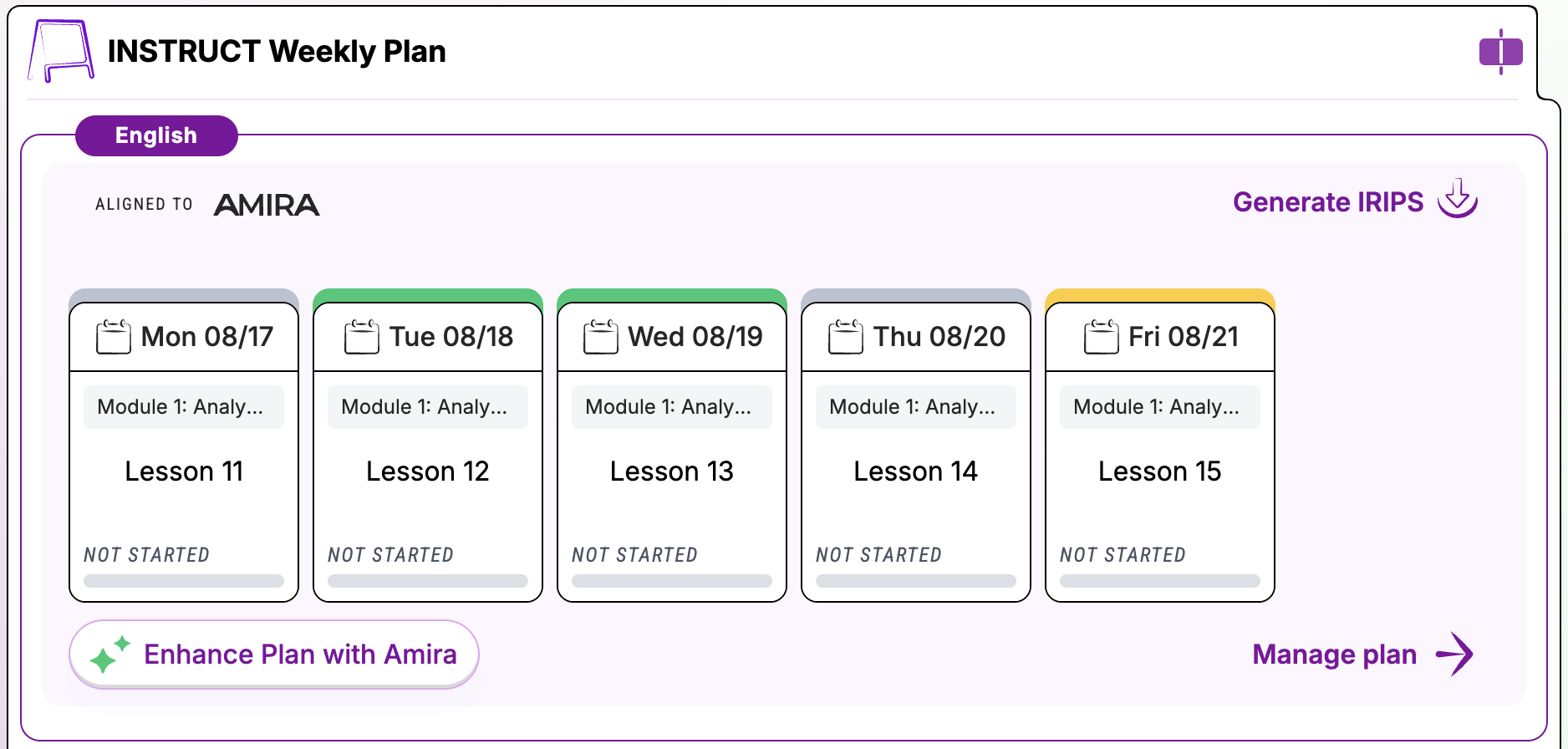
- Review the digital lessons recommended for your class for the calendar week.
- Click Generate IRIPs to download an Individualized Reading Instruction Plan for each student.
- Click Manage Plan to access the AI Lesson Planner and review or adjust lesson assignments.
- Click Enhance Plan with Amira to accept Amira's recommendations for adjustments to the lesson plan.
Review the article How To Use the AI Lesson Planner for details.