Students can access Amira Learning in one of two ways: home.app.amiralearning.com or their single sign-on dashboard.
Accessing Amira Learning at home.app.amiralearning.com
Step 1: Open your Chrome or Edge browser.
Step 2: Enter home.app.amiralearning.com
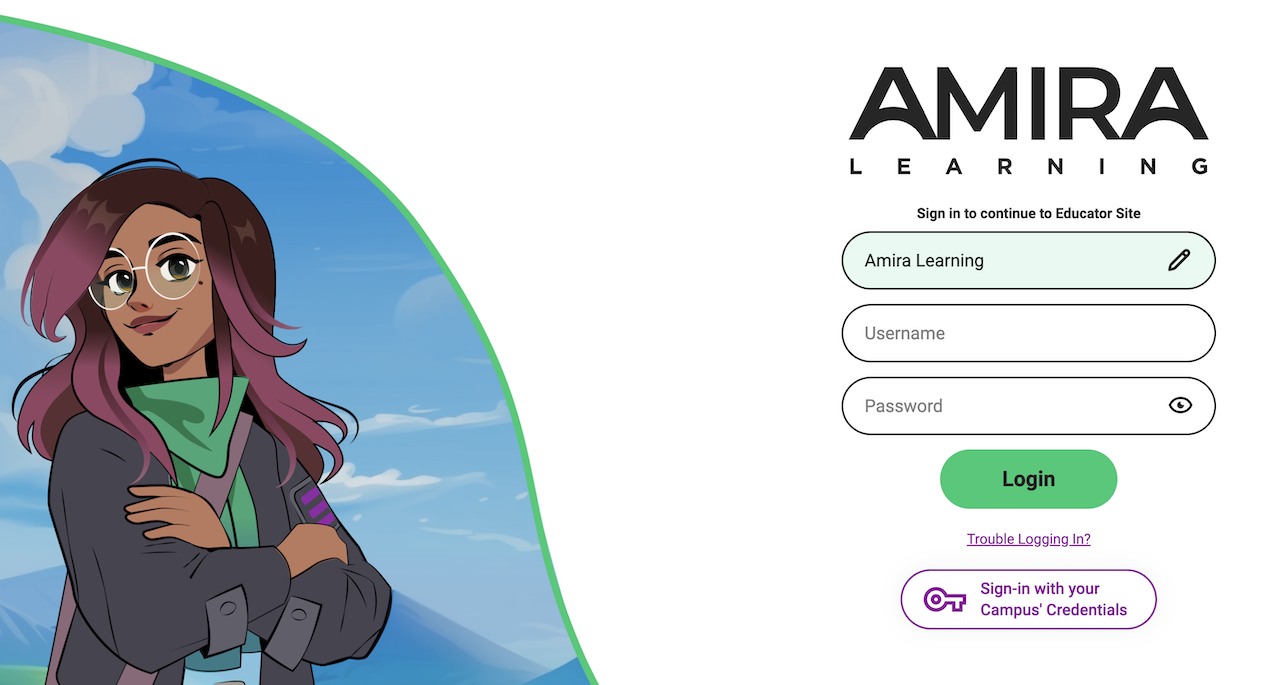
Step 3: Enter your campus or district name.
Step 4: Enter your username and password.
Step 5: Click Login.
Login Guidance for Canada
Step 1: Open your Chrome or Edge browser.
Step 2: Enter home.ca.amiralearning.com
Step 3: Enter your campus or district name.
Step 4: Enter your username and password.
Step 5: Click Login.
Accessing Amira Learning via Single Sign On
Step 1: Click on the single sign-on link for your school district.

Step 2: Enter your username and password, or use the badge provided and hold it up to the document camera.
Step 3: Click on the Amira Learning logo in the portal. This will automatically launch Amira Learning in the default location for accessing the Amira Learning program.