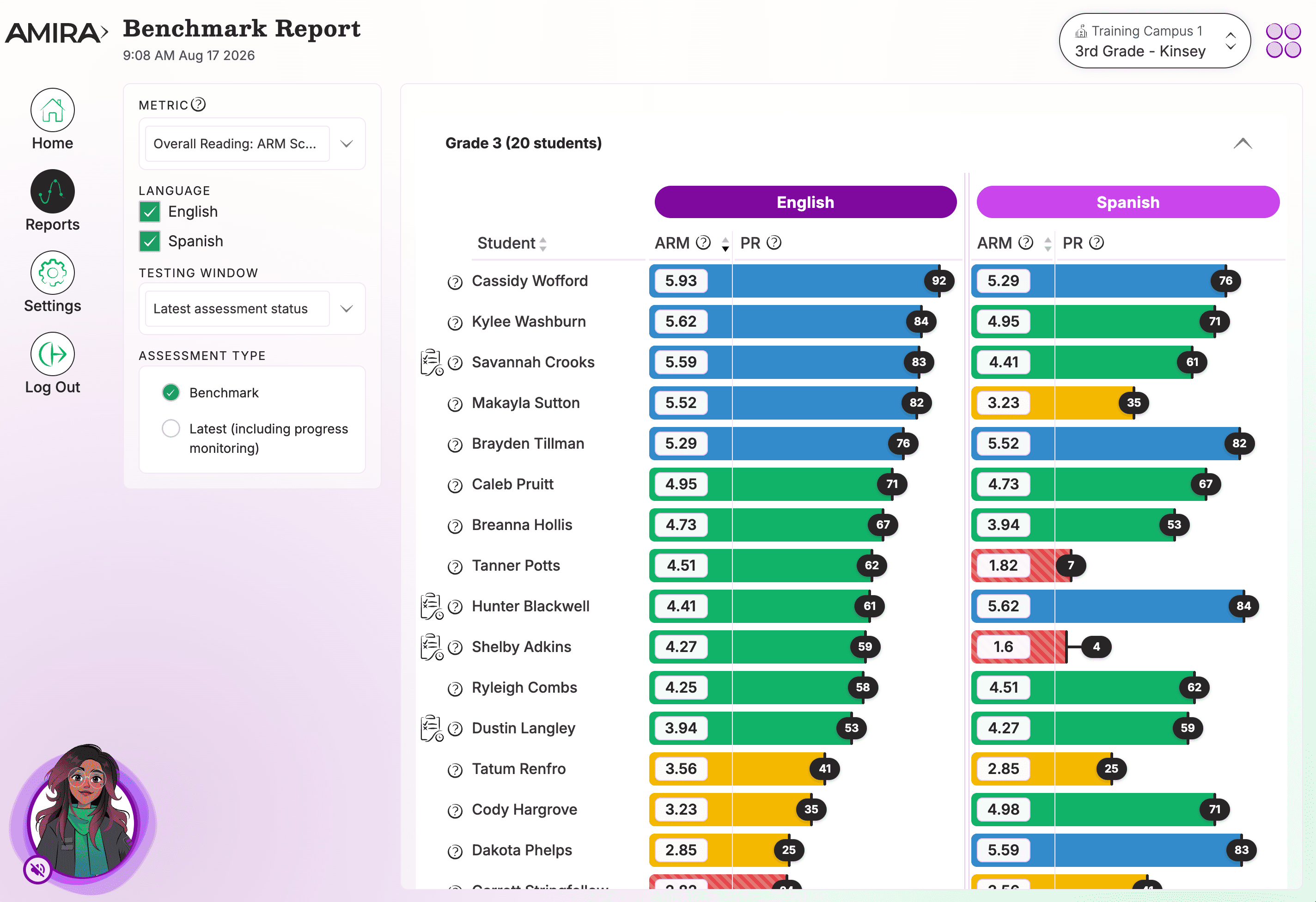
The Benchmark Report gives teachers each student's latest assessment results in one view.
View a walkthrough of the Benchmark Report.
What You'll See
- Each student's ARM Score and Percentile Ranking
- Assessment scores across metrics, percentiles, and class comparisons
- A biliteracy view that displays English and Spanish results side by side
Select the metrics that help you best understand your students' reading performance or see which students are in need of help in a given dimension of reading ability.
- Amira Reading Mastery (ARM): Shows how a student’s reading compares to other students across the country. ARM is a norm-referenced, holistic measure of a student’s reading mastery and incorporates all skills assessed such as oral reading fluency, decoding, and vocabulary.
- Oral Reading Fluency (ORF): How smoothly and naturally a student reads aloud.
- High Frequency Words: Ability to recognize and pronounce common words correctly.
- Phonological Awareness: Ability to recognize and combine sounds to form words, includes rhyming, phonics, and word-sound correspondence.
- Vocabulary Size: Estimated number of words in a student's expressive (spoken) vocabulary.
How to Use This Report
Use this report to view assessment results, pinpoint student performance relative to grade-level expectations, group learners for small-group instruction, and identify students who may need additional intervention.
Data Source(s): Amira Assess
Update Frequency: Within 24 hours.
Frequently Asked Questions
1. How is a student doing compared to national norms?
A Percentile Rank shows how a student is performing compared to peers nationwide, and is expressed as the percentage of students in the comparison group who scored below a student. The ARM Score Percentile Rank shows where a student’s ARM score falls on a scale of 1 to 99, reflecting their standing relative to other students. Example: If a student’s Percentile Rank is 75, this means they are performing better than 75% of students in the same grade nationwide, placing them in the top 25%.
2. Which students are in need of help in a given dimension of reading ability?
By using different metrics, you can quickly view how students perform on different reading dimensions.
3. Where did my student's Benchmark score go?
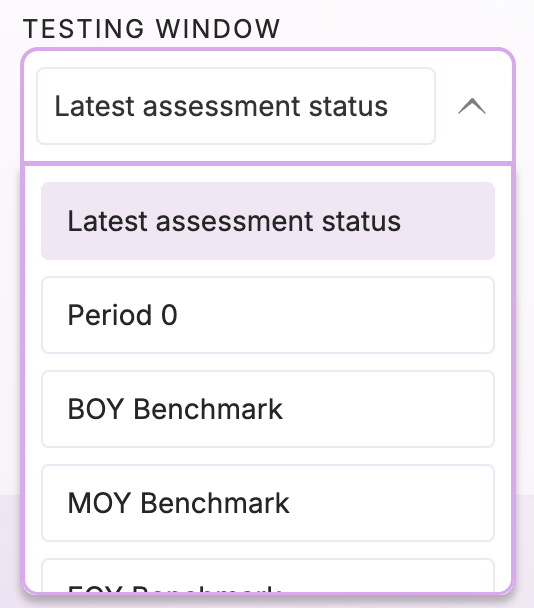
Our assessment windows roll over on 8/1, 12/1 and 4/1. If you're looking for your student's assessment from the previous window you'll need to use the "Testing Window" dropdown menu to select the testing window you'd like to view.
4. Why does the Benchmark Report say "No ARM score"?
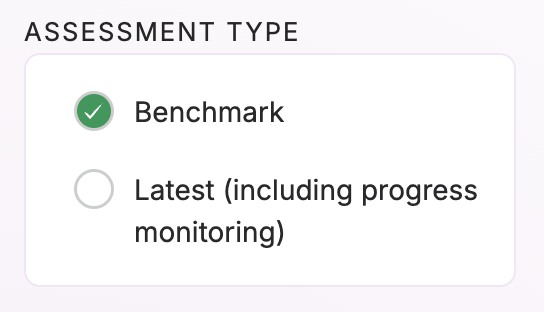
If your student has recently taken a progress monitoring assessment and scored as a pre reader they will show no ARM score when looking at the "latest assessment" view in the Benchmark Report. To toggle back to a student's Benchmark score, select Benchmark under the "Assessment Type" selection. This filter determines whether you are looking at Benchmark Assessments only or the student's latest assessment which includes Progress Monitoring Assessments.
5. What is that Clipboard next to my student's name?
When you see this icon  next to your student's name this indicates that they have taken a new assessment and the scores from that assessment are still pending. Please check the Assessment Status tile for more information on your student's pending assessment.
Related Resources