The Istation Progress Report showcases the most recent information pertaining to what a student is working on in a cycle or unit of instruction in Instruct (Individual Learning Pathway) or Enseñar.
Use this report to quickly determine where in the curriculum students are, or dive deeper to find which skills the digital activities have addressed and how students have performed.
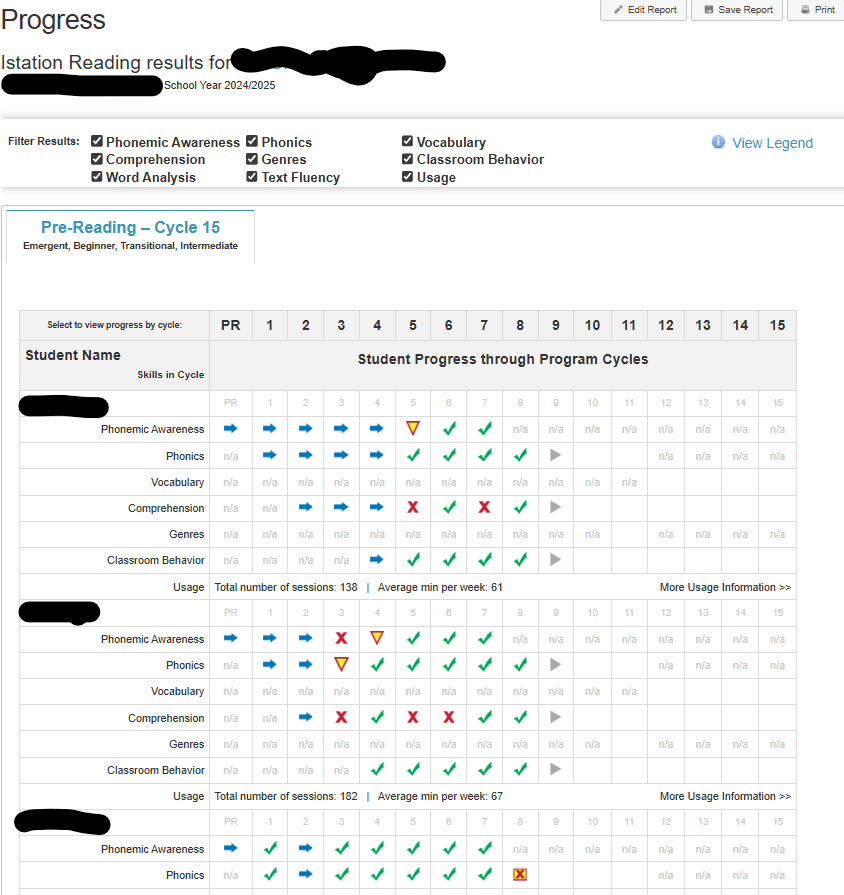
Step-by-Step Guide to Access the Progress Report by Product Starting Point
Instruct (Individual Learning Path) and Enseñar
Step 1: Log in to secure.app.amiralearning.com and select Amira Reading.
Step 2: Expand the Instruct Learning Paths widget from the Growth Dashboard.
Step 3: Click See student learning path progress.
Math
Step 1: Log in to secure.app.amiralearning.com.
Step 2: Click on the Classroom tab.
Step 3: Under Related Reports, click Progress for Math.
Analyzing the Data
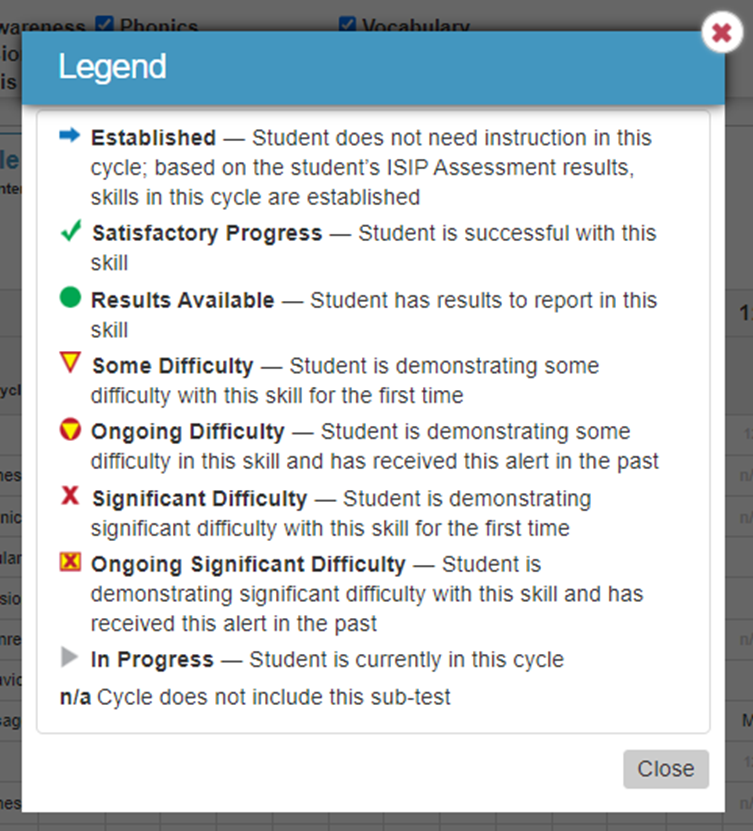
Click View Legend for information about what each symbol represents.
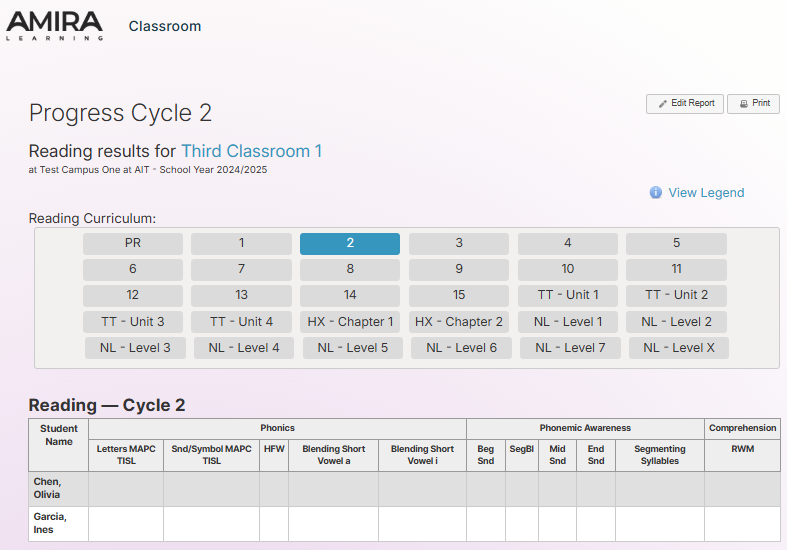
To view by cycle or unit, click on the appropriate column. This will show information about which students have worked in the cycle/unit.
To view individual student progress, scroll down the page.
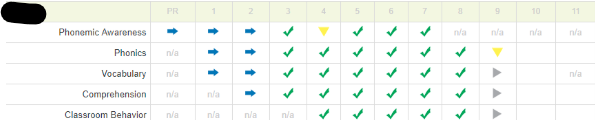
Click on a symbol within the report to view more information.