The Parent Report helps families understand their child's reading progress in accessible, non-technical terms.
View a walkthrough of the Parent Report
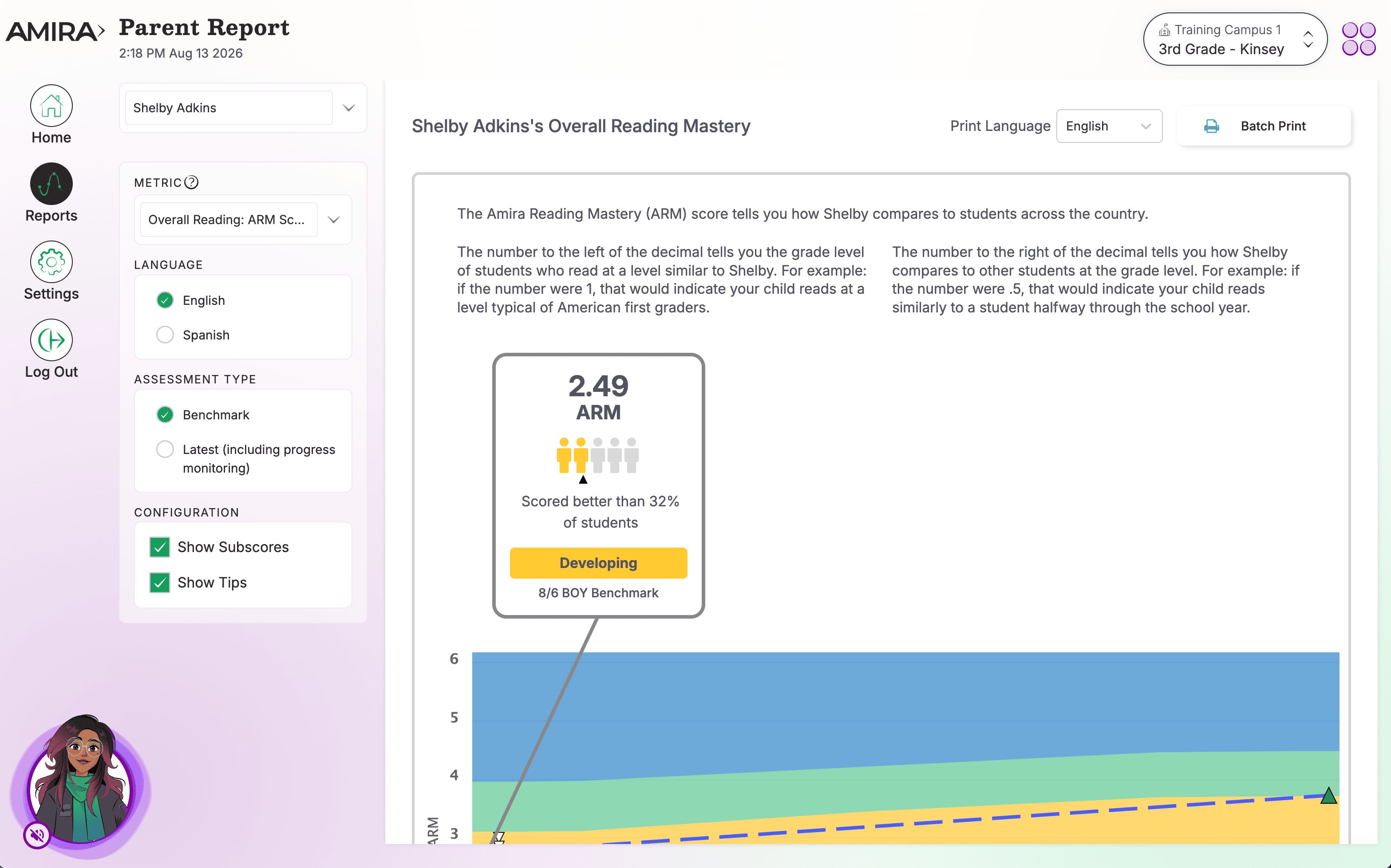
What You'll See
- Arm Scores: Amira displays the ARM score for the BOY, MOY, & EOY assessments. There is also a detailed explanation of the ARM score and how to interpret it as well as a the corresponding percentile ranking.
- Graph: Each dot on the graph represents one assessment or practice session along with the corresponding score. Student performance can be tracked by paying careful attention to which dots represent and assessment (controlled and timed) and Practice/Tutor (fluid and flexible).
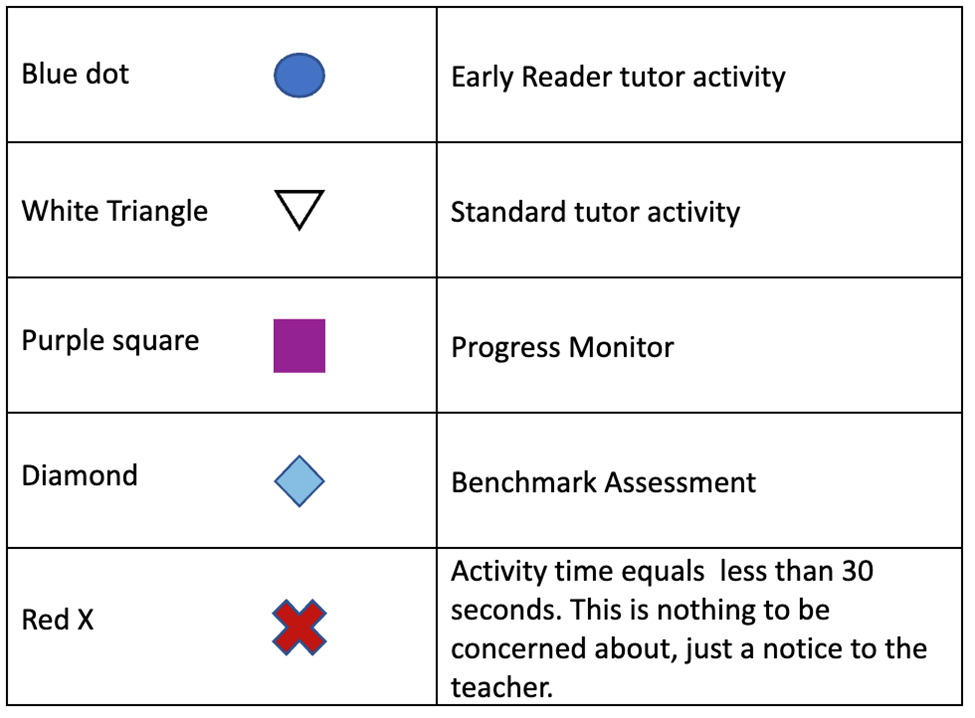
- Subscores: Reading subscores are displayed and explained in parent-friendly language
- Tips for Helping the Student: Tailored, actionable suggestions for supporting learning at home
- Two Metrics:
-
- Amira Reading Mastery (ARM): This is a norm referenced score that allows you tell at a glance how a student is doing. The score is expressed in relation to grade level and month of instruction. A score of 3.1 indicates a student is reading at what would be considered “on level” for a Third grader in the first month of instruction.
- Oral Reading Fluency (ORF): A student’s ability to read aloud smoothly or with a natural ease. This uses the WCPM scale, which can be set to Adjusted (for comparability) or Unadjusted (raw scores)
- Toggling the Language: Use this feature when a student has assessed in Spanish or both Spanish and English to toggle between assessment data for each language.
- Printing Configuration: Teachers can now configure whether they want the assessment subscores and Parent Tips to print as part of the parent report. When Printing with both tips and subscores turned on each report will be two pages and appear like the below.
- Print Language Use Print language selector to choose what language you would like to print a report in. Teachers can now choose to print the English report in Spanish and vice versa
- Printing or Saving the Parent Report as a PDF
-
- Click on Batch Print in the right hand side of the window. (this will generate the batch and may take a few minutes)
- Choose your printer or Save as a PDF from the Destination drop down
- Click Save or Print depending on the previous selection.
Note: Batch-printing is only available at the classroom level.
How to Use This Report
The Parent Report offers a convenient way to share parent-friendly updates on students' progress across different reading metrics from their most recent assessment, along with actionable tips parents can use at home, helping foster productive conversations between teachers and families and building a tighter connection between a student's work at home and in the classroom. Teachers can batch print this report to use during conferences or family communication, making it easy to explain how a student is progressing across key reading skills, serving as a valuable bridge between classroom learning and home support.
Data Source(s): Amira Assess, Amira Tutor, Amira Instruct
Update Frequency: Practice data updates in near real time; assessment data updates within 24 hours.
Related Resources
- Parent Report Walkthrough
- Understanding the Parent Report - guide for families
- Reporting Guide
- Teacher Reports Reference Guide