In 20 minutes or less, Amira listens to students read and speak aloud, using AI to capture, analyze, and interpret more than 10x the measurement points of a traditional assessment. The result is instructional insight for every student, delivered automatically and without teacher scoring.
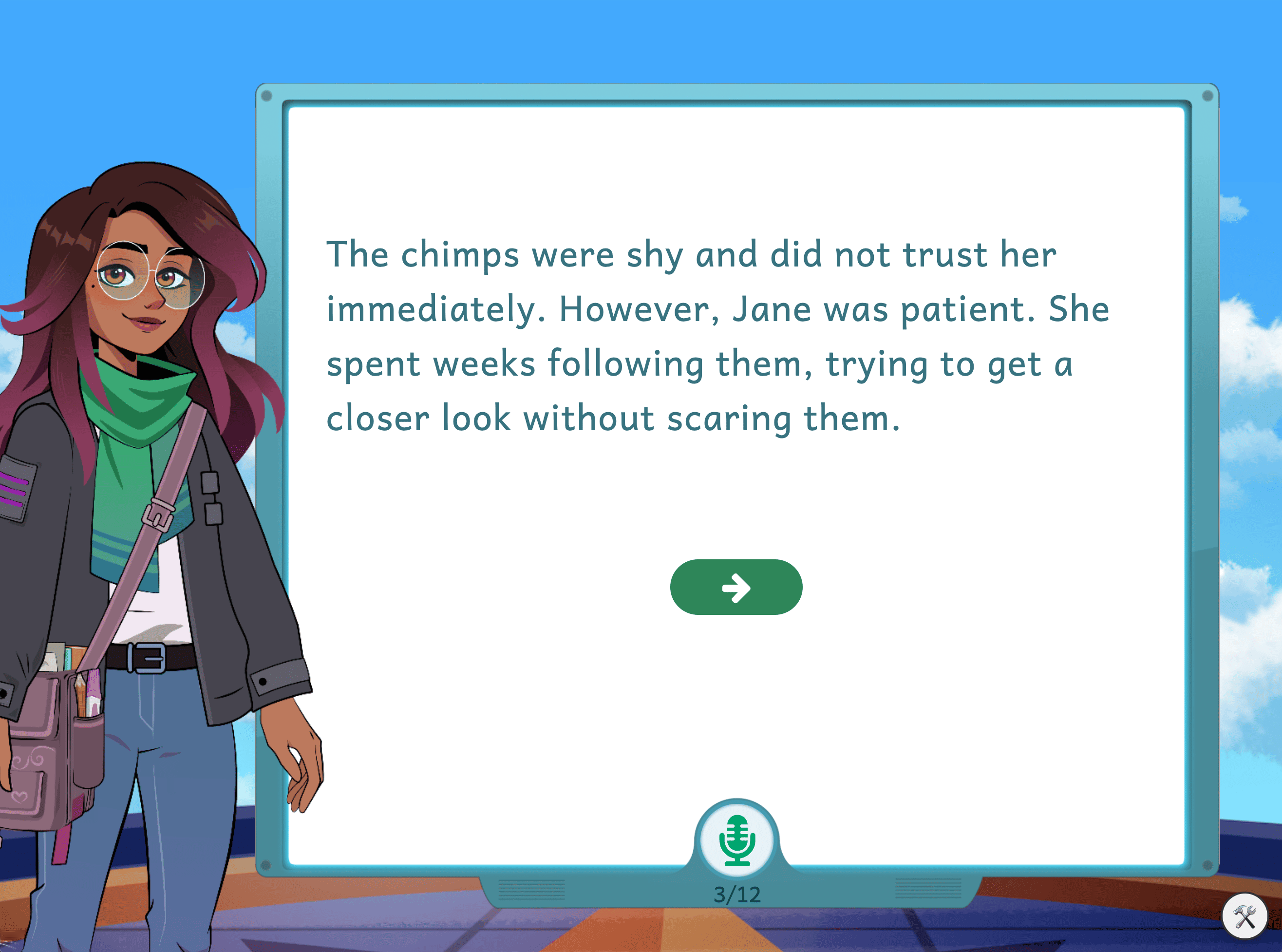
Example student screen with Oral Reading Fluency passage:
How an Assessment Gets Assigned
An administrator or teacher assigns the assessment from their dashboard. Districts can designate up to three assessments as Benchmarks each year, one per season (beginning, middle, and end of year), and configure the testing windows and grade-level components for each.
Walkthrough: How to Assign an Assessment (Teacher-Assigned)
Walkthrough: Admin Screening Windows (District-Assigned)
Example student screen with assigned assessment:
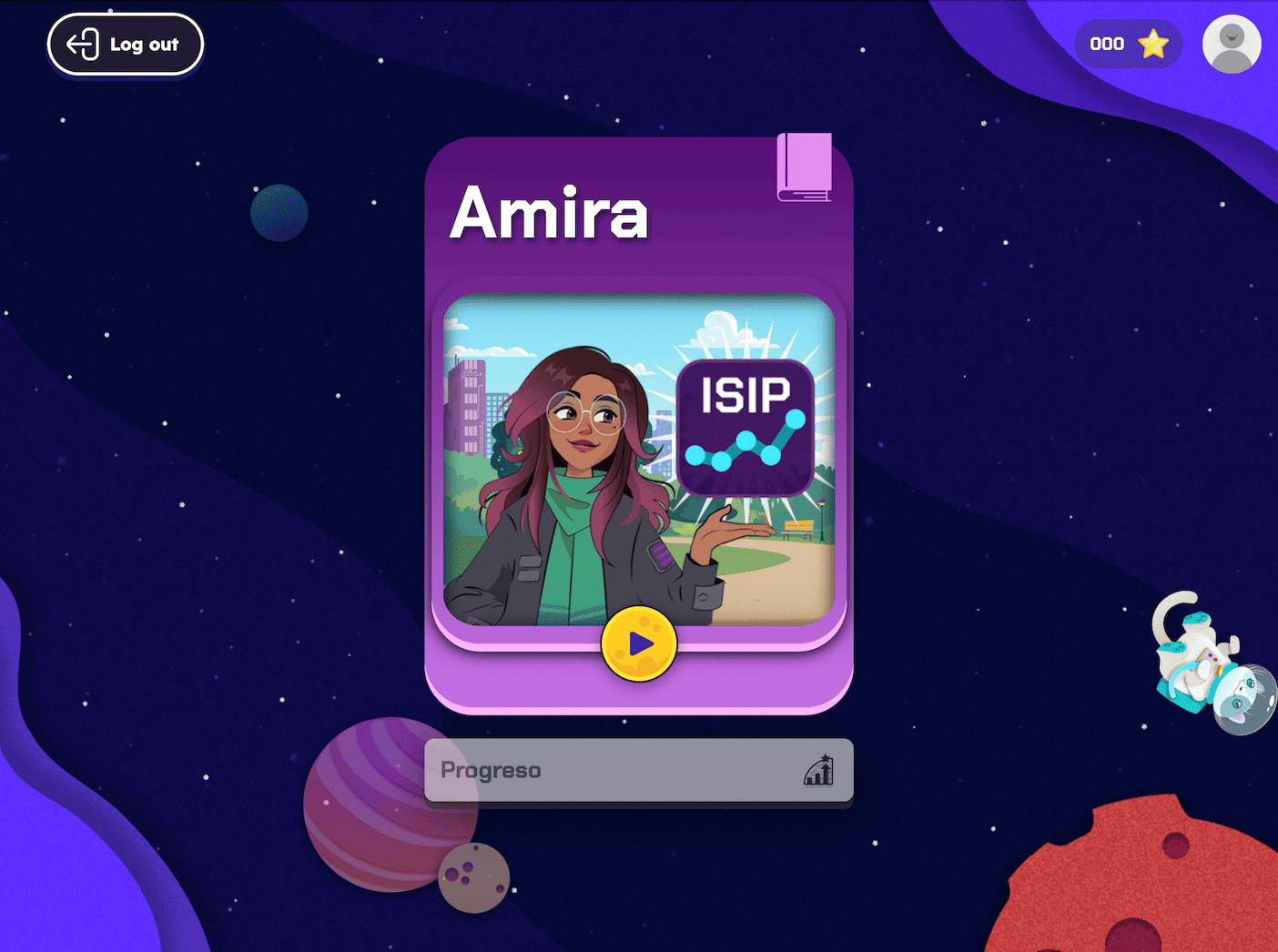
Once an assessment has been scheduled, it takes precedence over any other Amira activities and the student cannot bypass it.
Once launched, Amira, the platform's avatar, proctors the entire experience independently: giving directions, modeling each task, prompting responses, and listening in real time as students read aloud. This removes scoring variability and human bias from the process, producing a more accurate and equitable measure of student performance.
Results populate the Growth Dashboard automatically, highlighting the most important insights so teachers can act with confidence. See the Teacher Support article Growth Dashboard Widgets: ISIP Assess to learn more.
English and Spanish Support
Amira can assess students in English, Spanish, or both if the district has purchased ISIP Assess and Evaluar. Districts set a default language configuration, and teachers can adjust settings for each student individually in the Assessment Settings tab of Manage Amira Settings.
Walkthrough: Assessment Settings
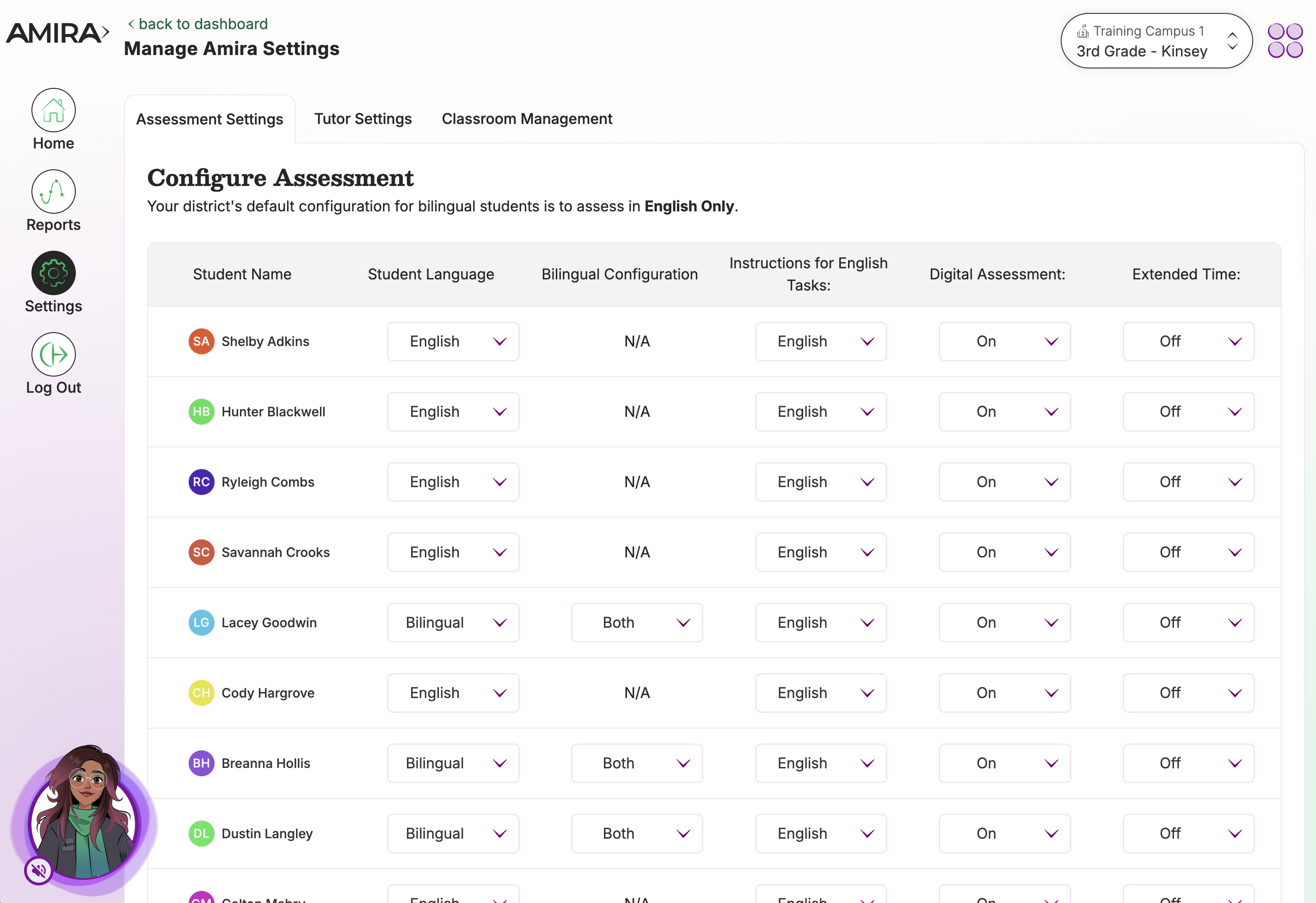
For each student, teachers can choose the language(s) they will assess in. Students may also take an English assessment with directions provided in Spanish. This flexibility supports equity for English learners and Spanish-dominant students, and helps distinguish genuine reading risk from simple unfamiliarity with English.
Assessment Tasks
Amira's assessments go well beyond surface-level reading checks. By listening to students read aloud, Amira measures a wide range of foundational literacy skills and captures hundreds of data points per session. Tasks vary by grade level and by your state or district's configuration.
| Task | What It Measures |
|---|---|
| Rapid Automatized Naming (RAN) | Speed and accuracy naming a sequence of familiar visual stimuli (numbers, colors, objects), linked to processing speed and reading fluency |
| Letter Sound Fluency | Speed and accuracy producing sounds for printed letters, a measure of phonics knowledge |
| Pseudoword (Decoding) Fluency | Ability to decode and read aloud made-up words, a measure of phonics mastery independent of memorized sight words |
| Phonemic Awareness | Ability to identify, segment, blend, and delete the sounds of spoken language |
| Listening Comprehension | Understanding of spoken passages, answered through related questions |
| Vocabulary | Understanding of word meanings |
| Spelling | Ability to encode spoken words into written form |
| Oral Reading Fluency (ORF) | Fluency reading a grade-level passage aloud, for up to 4 minutes or until the passage is complete |
| Reading Comprehension | Understanding of written passages, measured through literal and inferential questions |
For examples of each task type, see: Inside Amira ISIP Assess (English), Inside Amira Evaluar (Spanish).
Preparing Students for Oral Reading Fluency (ORF)
Before the assessment, let students know:
- Amira will explain what to do before they begin reading.
- They'll read a story aloud to Amira using their device's microphone; the story appears on screen.
- Amira is listening the whole time, they should read at a natural pace.
- They should click the green arrow at the bottom of the page only after giving that page their best effort. (The arrow appears gray at first and turns green once the student nears the end of the page.)
- When they finish, Amira will confirm their reading has been saved.
View a full set of slide decks and videos for introducing Amira to students in the Teacher Resource Hub.
Progress Monitoring Assessments
Progress Monitoring Assessments track student reading growth between benchmark periods. The tasks mirror what students experience in a Benchmark Assessment, and can be assigned automatically at the district level or manually by teachers.
- If your district does not use Amira Tutor, we recommend administering a Progress Monitoring Assessment once a month to enable timely instructional adjustments.
- If your district does use Amira Tutor, see our article Progress Monitoring: Estimated Mastery, Tutor generates continuous, real-time mastery data as students practice, which can reduce how often separate progress monitoring assessments are needed.
Progress monitoring can be delivered three ways:
- District-level screening windows, administrators set up recurring windows (benchmark or progress-monitoring) that assign automatically when students log in.
- On-Demand Assessments (ODAs), full assessments teachers assign at any time; these function as progress monitors when given outside a district window.
- Amira Tutor, ongoing formative data generated automatically as students practice.
Walkthrough: How to Assign a Progress Monitoring Assessment
Subtest On-Demand Assessments (SODAs)
Subtest On-Demand Assessments are short, teacher-assigned assessments that target a single reading skill, such as phonemic awareness, vocabulary, or comprehension, rather than the full battery.
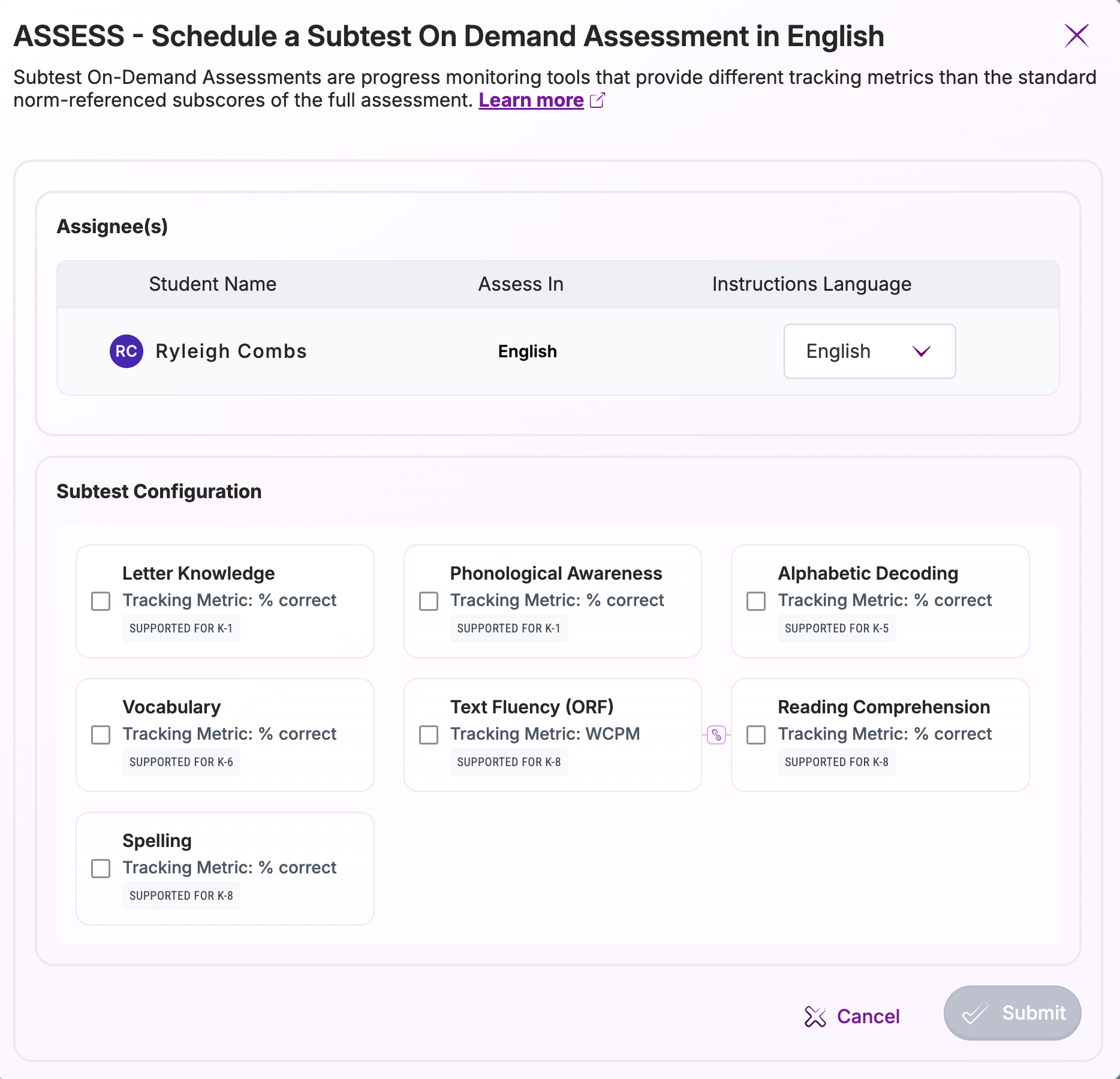
Key features:
- Takes about 5 to 7 minutes
- Targets one specific construct through a fixed-form assessment
- Generates a tracking metric to monitor growth, without replacing benchmark data
Common use cases:
- Frequent progress monitoring for students in Tier 2 or Tier 3 interventions
- Reassessing after an unexpectedly low subtest score
- Covering a single skill area affected by a disrupted assessment (e.g., a fire drill)
- Checking mid-point progress during short summer programs
- Supporting documentation for parent communication or IEP compliance
A note on scoring: SODA tracking metrics aren't always directly comparable to the subscores from a full assessment, especially for high-performing students, differences in item difficulty between assessment types can make a strong student's SODA score look artificially low. For this reason, SODA tracking metrics are best used to monitor growth for lower-performing students receiving targeted intervention, rather than to compare performance across an entire class.
Walkthrough: How to Assign a Subtest On Demand Assessment
Walkthrough: Student Summary Report
Practitioner's Guide: Subtest On Demand Assessments
State Approval
If ISIP Assess and/or Amira is currently state-approved, Amira ISIP will remain approved for the 2025-26 school year.