The ISIP Assess Outcomes widget on the Growth Dashboard gives teachers a quick view of student assessment results, with direct access to the full reports behind them.
View a walkthrough: how to view assessment results
Viewing Assessment Results
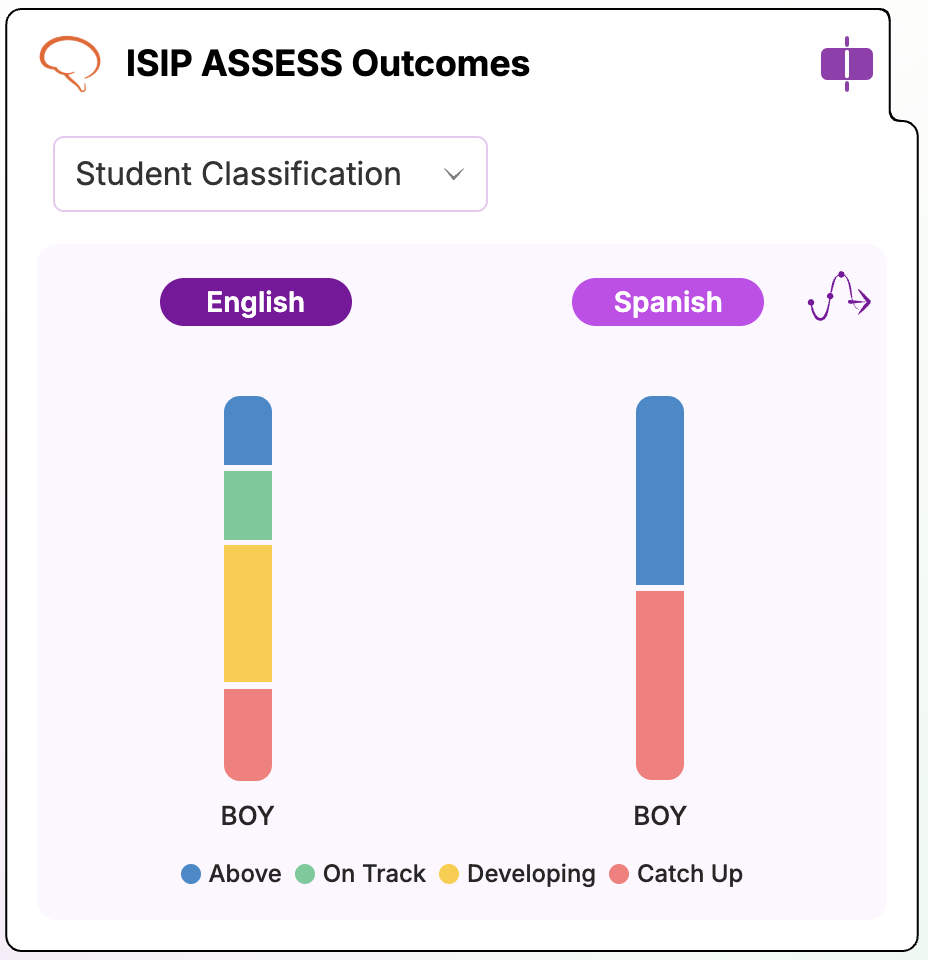
- From your Growth Dashboard, locate the ISIP Assess Outcomes widget.
- Use the dropdown menu on the widget to switch between views:
- Student Classification
- Reading Risk
- When toggled to Student Classification, see an overview of class performance based on the bands set by the district. Click on the widget to navigate to the Class Progress Report.
- When toggled to Reading Risk, see an overview of risk levels for the class. Click on the widget to navigate to the Reading Risk Report.
Viewing Assessment Scores - Single Assessment View
Shows each student's assessment results for a single assessment. Useful for identifying which students are on track and which may need additional support, adn for viewing English and Spanish assessment results side-by-side.
Viewing Assessment Scores - Assessments Across the School Year
Walkthrough: Class Progress Report
Gives a class-wide view of student progress over time by presenting assessment results for each Benchmark (fall, winter, spring) or each month across the school year. Useful for spotting overall growth patterns across assessment periods.
Viewing Assessment Scores - Reading Risk
Walkthrough: Reading Risk Report
Displays students' reading risk levels based on their assessment results, flagging those who may be at risk for reading difficulties. Useful for prioritizing intervention and support efforts.