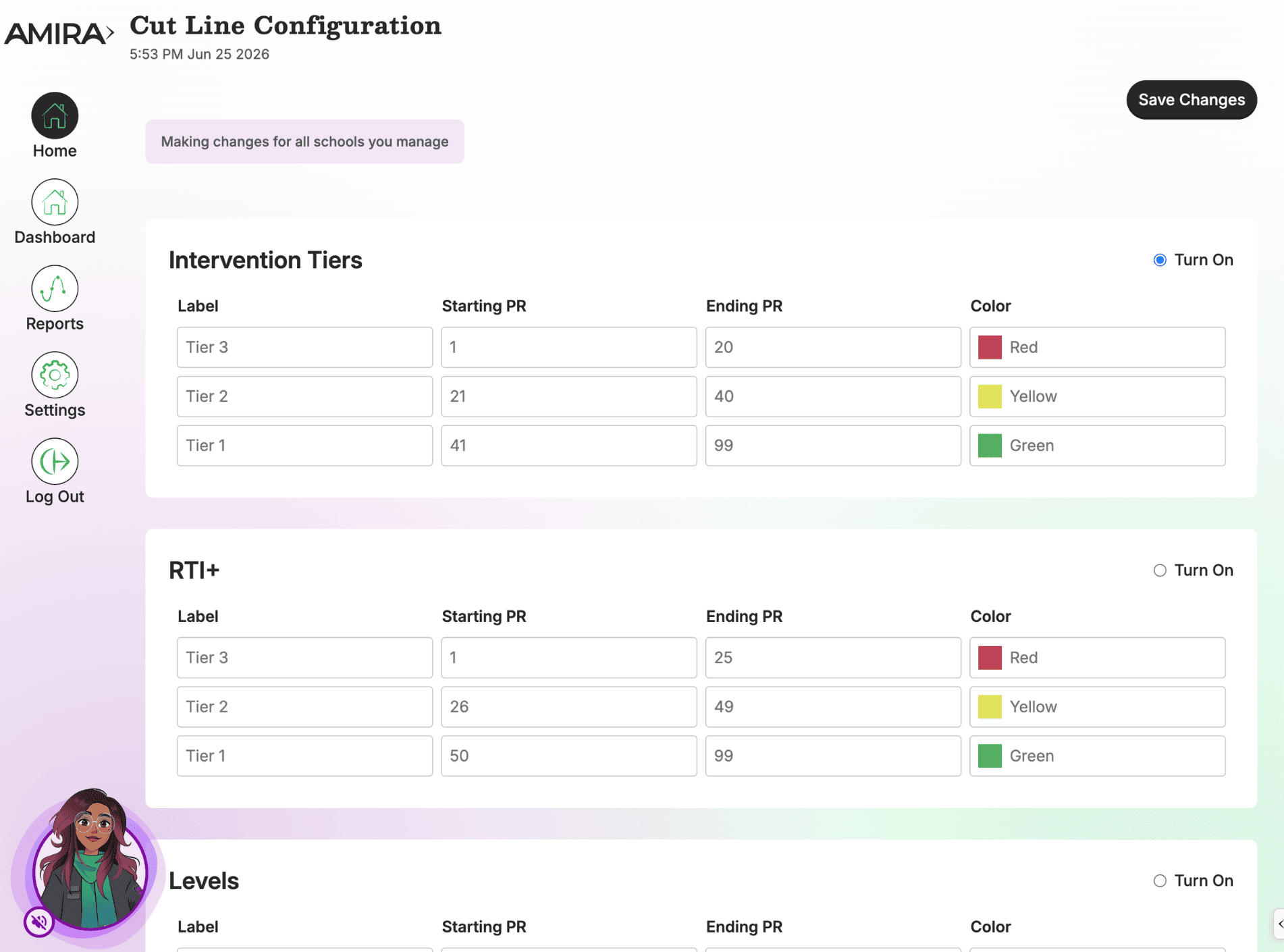
The Cut Line Configuration tile sets the thresholds that determine how student performance is categorized, tiers, percentile ranges, and color bands, throughout Amira's reporting suite.
Walkthrough: Cut Line Configuration
What it does
- Sets the number of proficiency tiers/levels
- Sets starting and ending Percentile Ranks (PR) for each tier
- Sets the color bands displayed on reports
When to use it
- Early in implementation, so reports are meaningful from day one
- When your district adopts a new tiering model or state benchmark
What's inside
- Cut Line Selection: Choose tiers, PR ranges, and colors to match your district's proficiency model, this single setting drives tiering across all reports.