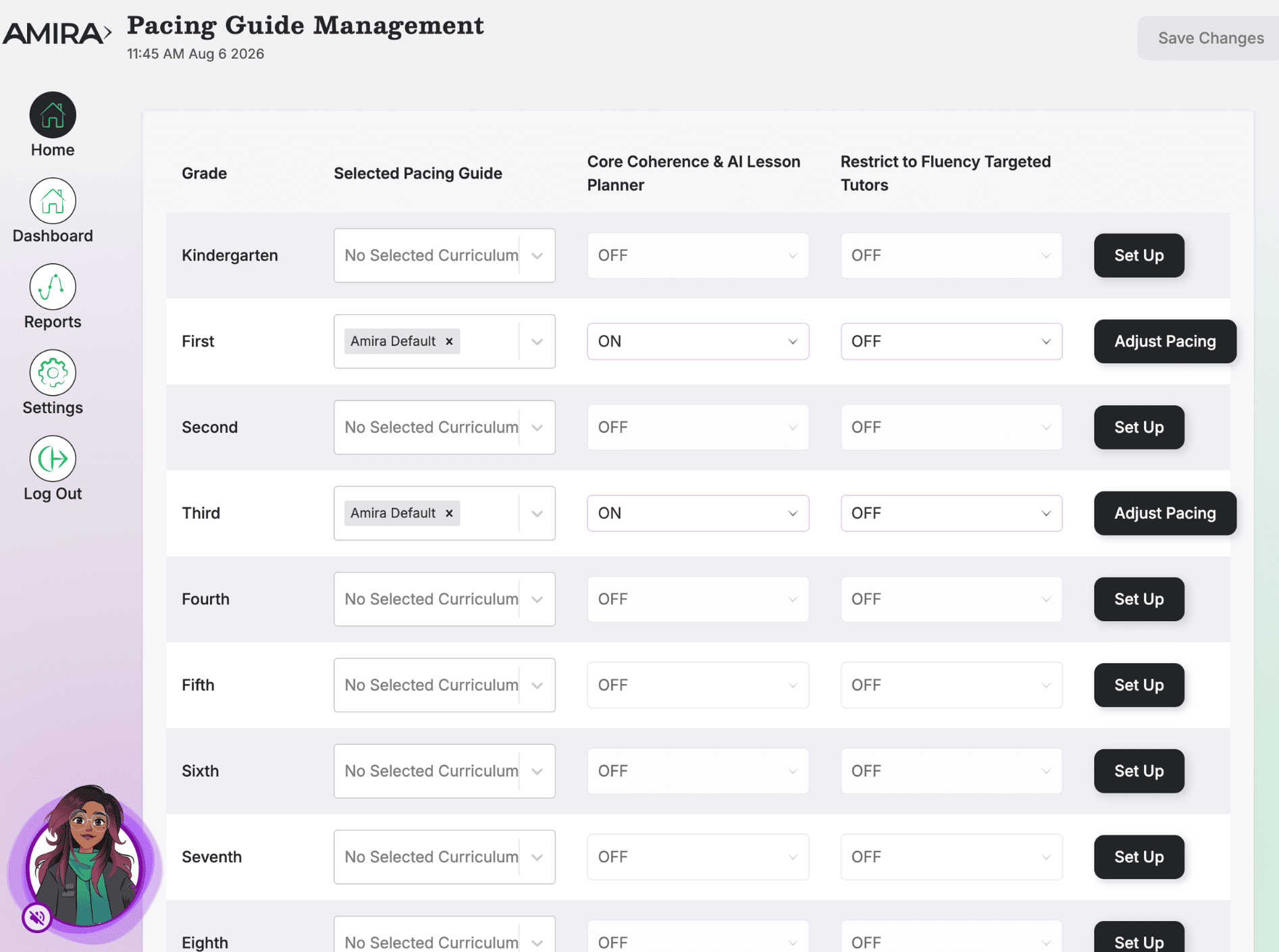
This tile lets administrators align Amira Instruct/Enseñar to their district's curriculum, assigning a pacing guide per grade, enabling instructional tools, filtering tutor content for early readers, and adjusting scope and sequence as the calendar shifts.
Walkthrough: Curriculum Management (with Instruct)
What it does
- Assigns a pacing guide/curriculum per grade level
- Enables/disables Core Coherence & AI Lesson Planner access by grade
- Filters Targeted Tutors to fluency-focused content by grade
- Adjusts lesson order, pacing, and instructional dates
When to use it
- Initial setup happens during Instruct onboarding, use this tile mainly for adjustments
- When your instructional calendar shifts (snow days, schedule changes)
- Districts not yet onboarded to Curriculum Coherence should contact their Success Team first
What's inside
- Pacing Guide Selection: Choose the curriculum used per grade (or Amira Default for a standard Science of Reading progression).
- Core Coherence & AI Lesson Planner: Toggle by grade to give teachers access to micro-lessons and the AI Lesson Planner.
- Restrict to Fluency Targeted Tutors: Optional grade-level filter limiting tutors to fluency-focused, accessible texts, most useful for K, 1.
- Pacing Adjustments: Edit scope & sequence, lesson order, and dates per grade.
- Automatic Text Set Assignments: Turning this on will allow students to receive text passages aligned to the curriculum scope & sequence selected during their Amira Tutor practice.