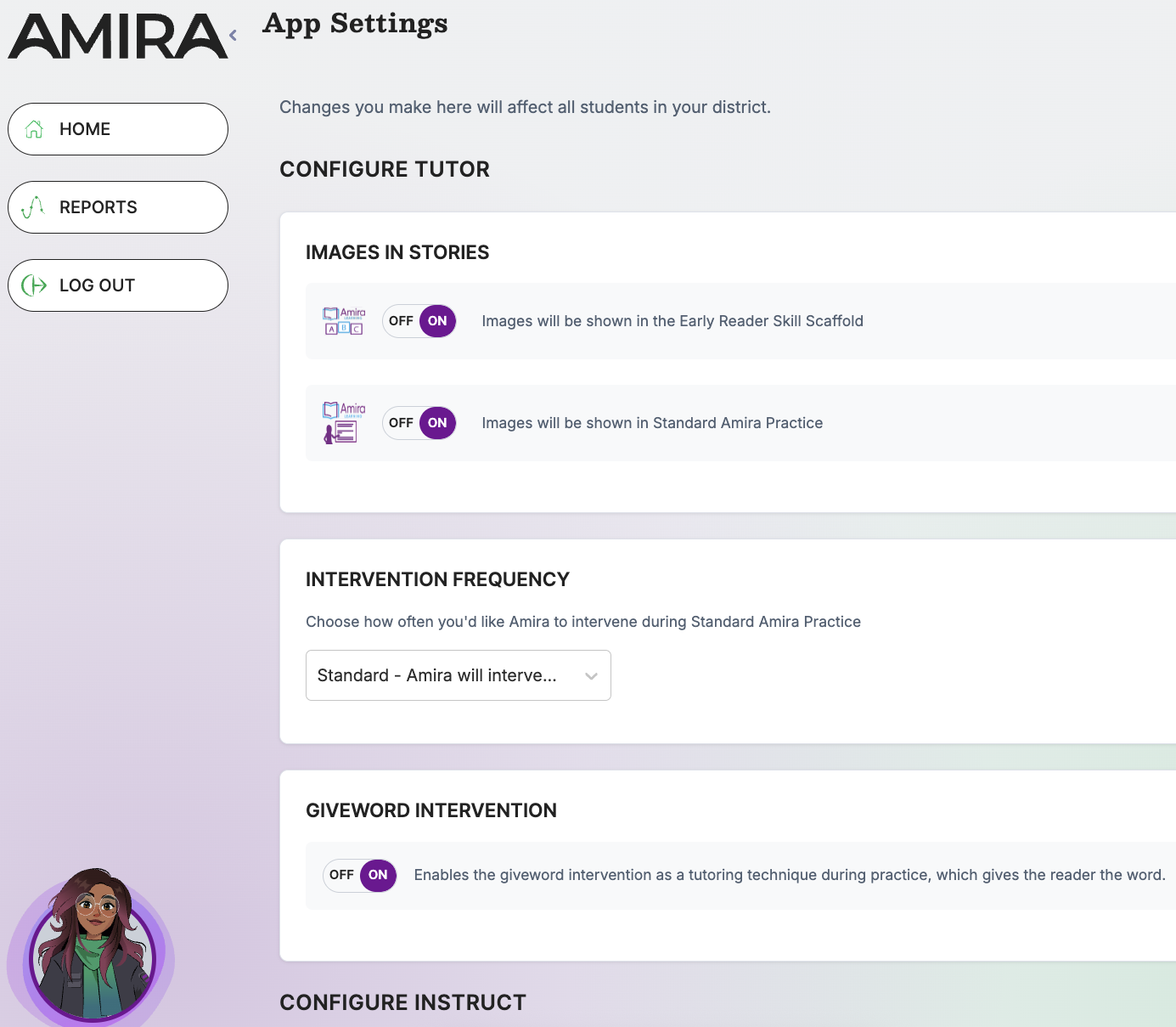
The App Settings admin tile controls behavior across Amira Tutor/Tutora, Instruct/Enseñar, and reporting, from intervention style during reading practice to which standards and reading-level scales appear on reports.
What it does
- Configures Tutor/Tutora behavior (images, intervention style, Giveword)
- Enables/disables the Individual Learning Pathway (English/Spanish)
- Sets reporting standards, curriculum, and reading-level scales
- Controls transcript detail and family communication ID display
When to use it
- During initial setup, to align Tutor behavior and reporting with district philosophy
- When adopting new state standards or a new reading-level scale
- When adjusting how much support Amira Tutor gives struggling readers
What's inside
Tutor/Tutora
- Images in Stories - choose whether images will be displayed in the Early Reader Skills Scaffold (ERSS) or in Standard Amira Practice.
- Intervention Frequency - Choose how often you'd like Amira to intervene during Standard Amira Practice.
- Giveword Intervention - Enables the giveword intervention as a tutoring technique during practice, which gives the reader the word.
Instruct/Enseñar
- Individual Learning Path Mode (English and Spanish) - When enabled, students will follow an individualized learning path based on their performance and needs.
Reporting
-
Choose Standard used in Reporting - Amira will show the chosen standards associated with skills in reports.
- Choose Curriculum available in Reports - Amira will show the selected curriculum's scope and sequence in skills reports. This can be selected for English or Spanish.
- Choose Scales used in Reporting - Enable DRA scales to display in reports. Note: These levels are based on a concordance with the DRA scale and apply only to the Oral Reading Fluency (ORF) passage.
- F&P Reading level in Reports - When enabled, Amira will show the F&P reading level on the Benchmark Report.
- Show extended columns in transcripts - Amira will show the self-corrections, skips, and mistakes columns on the Review Activity screen