Please Note: Managers/teachers should not archive data before summer school or update existing classes for the current school year to include summer school students. Summer school classes must be created separately to prevent the loss of student data, and they should be created under the campus at which summer school is being held.
For Summer School imports with Clever, please view Clever's support articles:
Preparing for Summer School | Summer School and Clever
Step-by-Step Guide
Step 1: Log in to secure.app.amiralearning.com and select Amira Reading.
Step 2: From your Home page, select Roster Management.
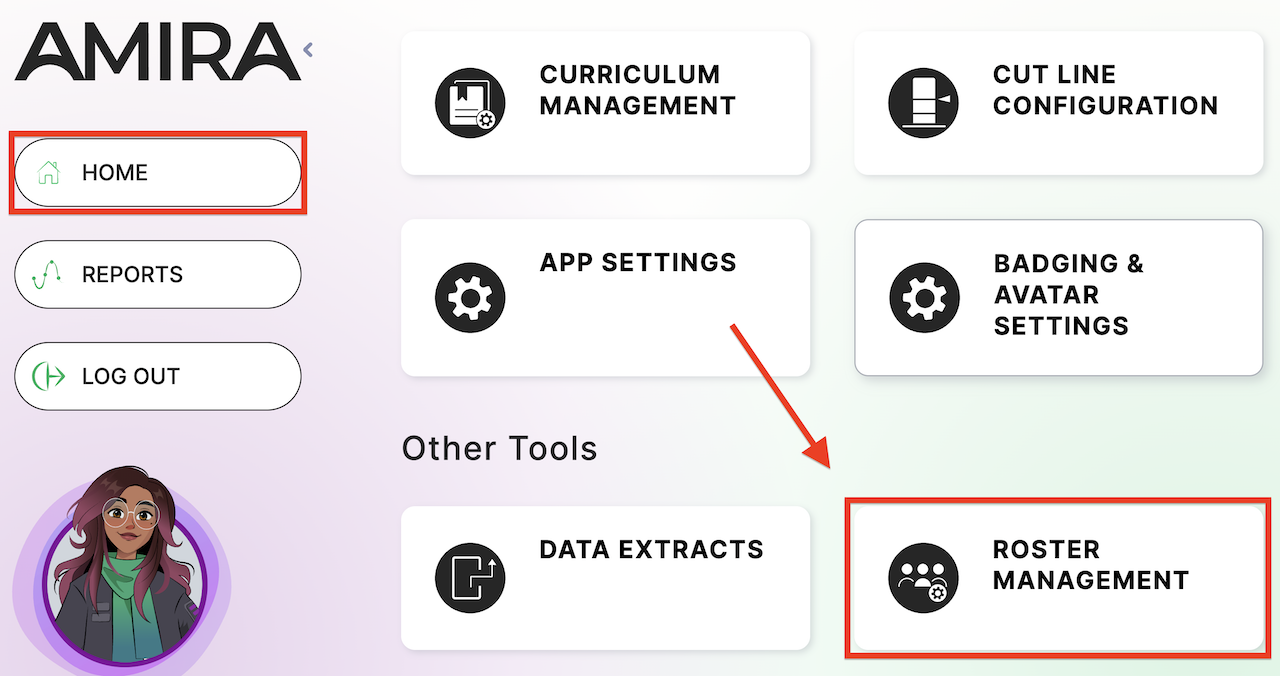
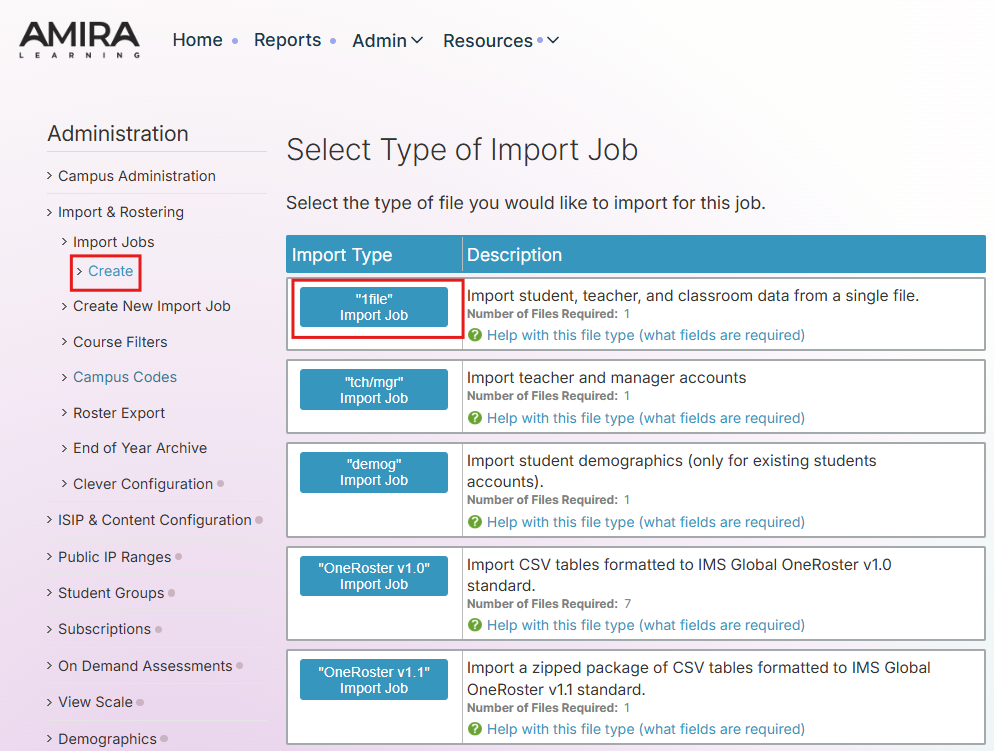
Step 3: Select Create New Import Job from the left-side menu.
Step 4: Select "1file" Import Job.
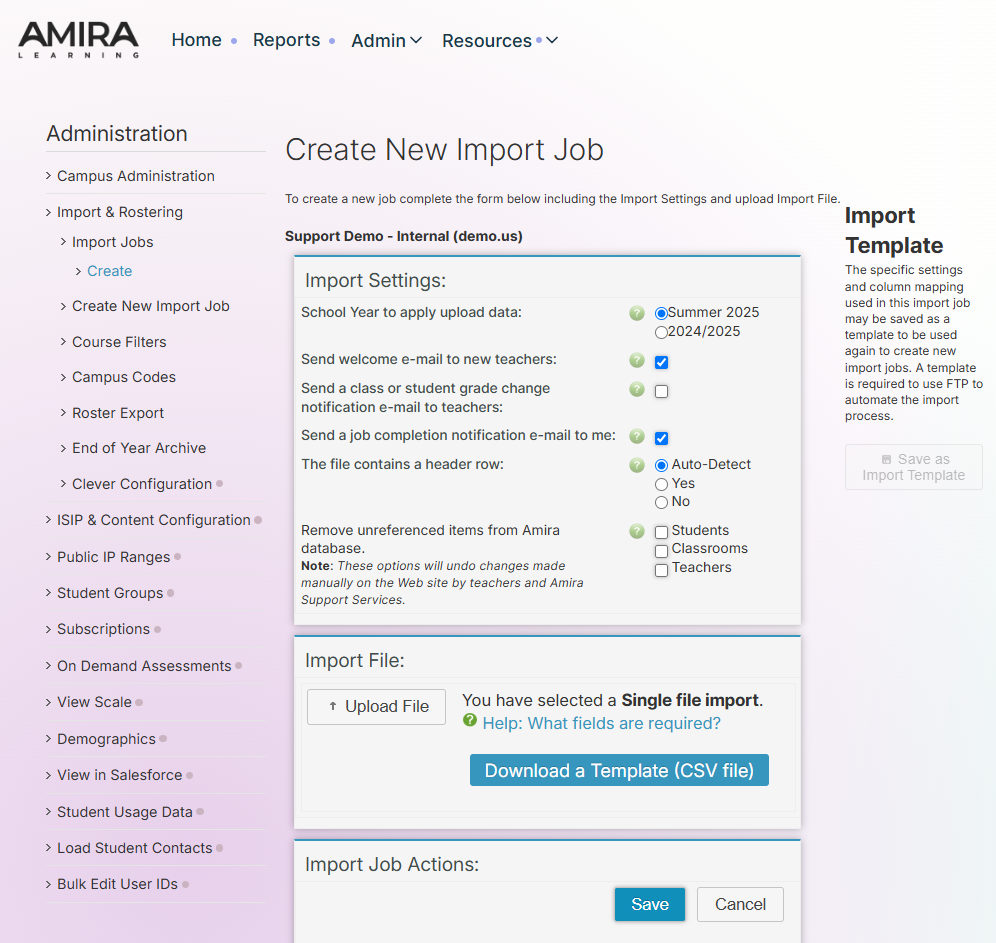
Step 5: Select Summer 20XX for the school year and then click Upload File to select the import file saved on your computer, or click Download a Template (CSV file) for a template.
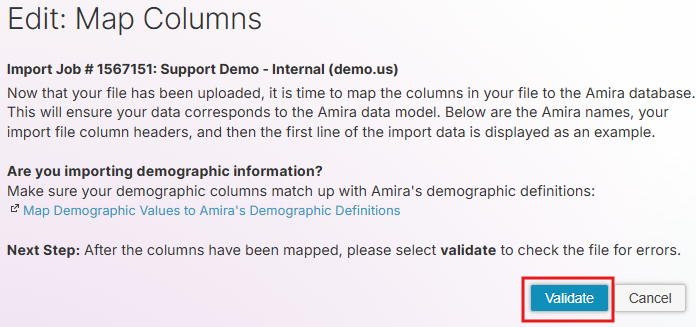
Step 6: Map the column headers in your file to the corresponding fields in Amira Learning.
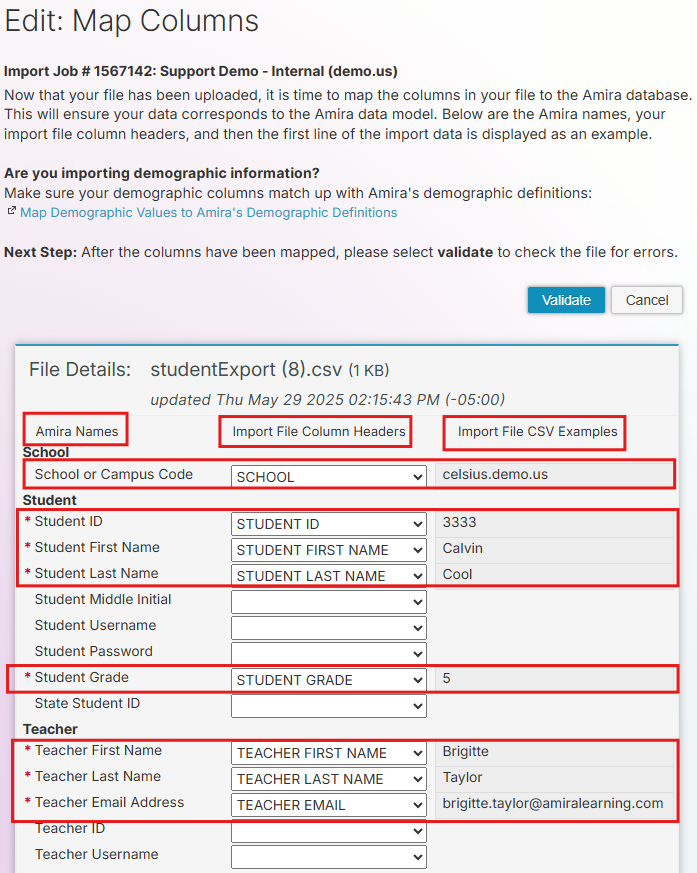
Step 7: Click Validate towards the top or at the bottom of the page.
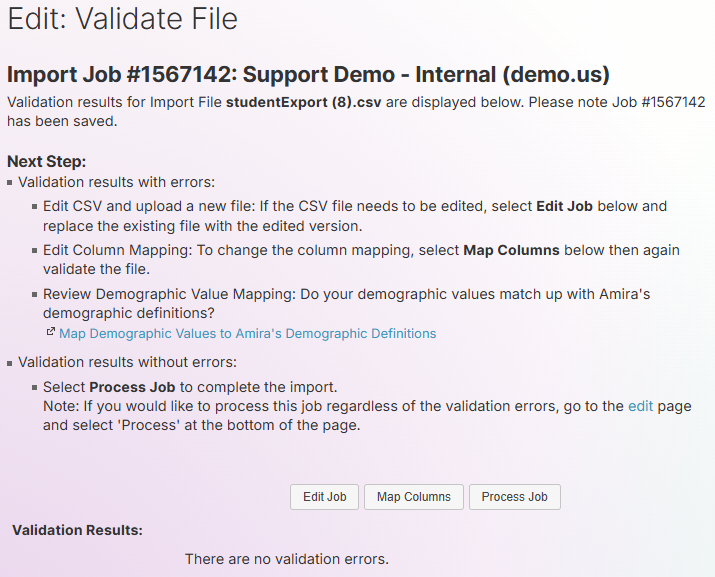
Step 8: If there are no errors, click Process Job to finalize the import.
Summer School Importing FAQs
Q: Do students need to be removed from their home campus if summer school is held at another campus?
A: No, summer school classrooms have special logic to allow student accounts to "exist" at two domains (campuses).
Q: Why do we need to make separate rosters for summer school?
A: Adding students to summer school classrooms makes it easy to review data and minimize technology
Admins can review the normal school year data without the concern of having invalid data due to tier 2 and tier 3 students moving to another campus for summer school. Be assured that the reports will be unchanged as long as students are added to summer school classrooms at the domain that will be hosting summer school (the district level reports will not include summer school classrooms).
Q: Will student data for summer school be accessible at their home campus or their summer school campus?
A: The data will be linked to their home campus, however, the data can also be viewed at the summer school campus during the summer school session.
Q: When students are logging in at the summer school campus, will they need to change the domain?
A: No, once the students are put into the summer school classes, it will temporarily change their domain to the summer school campus domain.
Q: What if the summer school campus does not currently have an Amira Learning subscription but the home campus does?
A: The solution would be:
Bookmark the Amira Learning student website at Campus B
Create accounts at Campus A
Or use Campus A's domain at the Amira Learning student website.
Have the district give us the public IP range for Campus B
Support will then add the IP range to Campus A
Example: