Before students can access Amira in HMH Ed, the program needs to be assigned to their class. If you're on the Discover tab and don't see the Amira button, this is usually why, Amira hasn't been enabled for that class yet.
View a step-by-step walkthrough.
Here's how to add Amira to classes in HMH Ed:
|
1. Click the My Classes tab. | 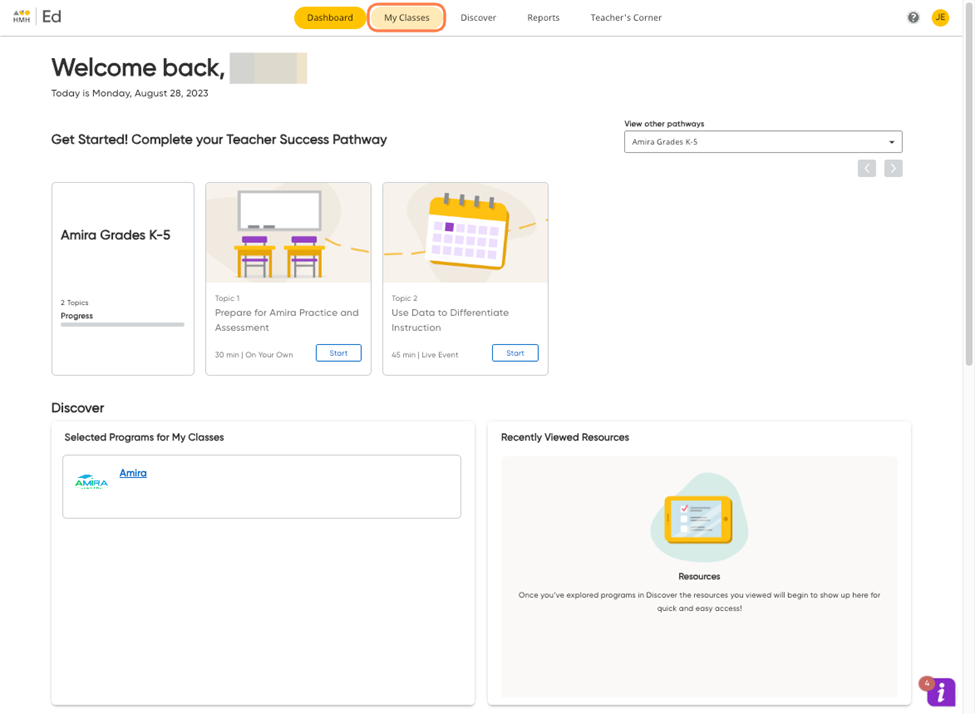 |
|
2. Choose the class you'd like to use Amira with. Click View Class. | 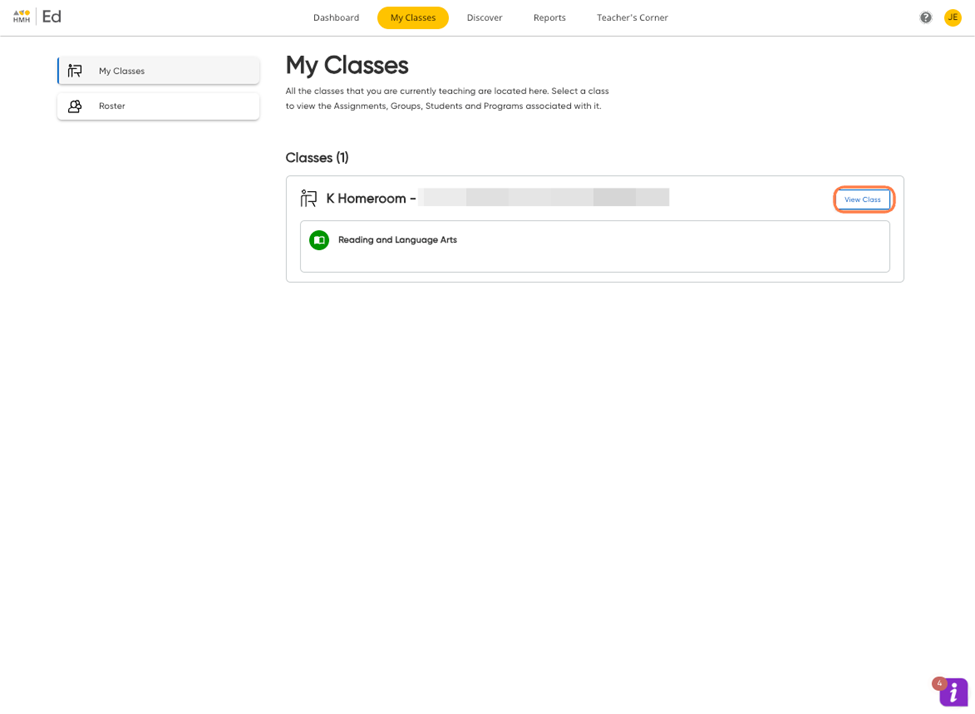 |
|
3. Click Program Settings on the left side of the page. | 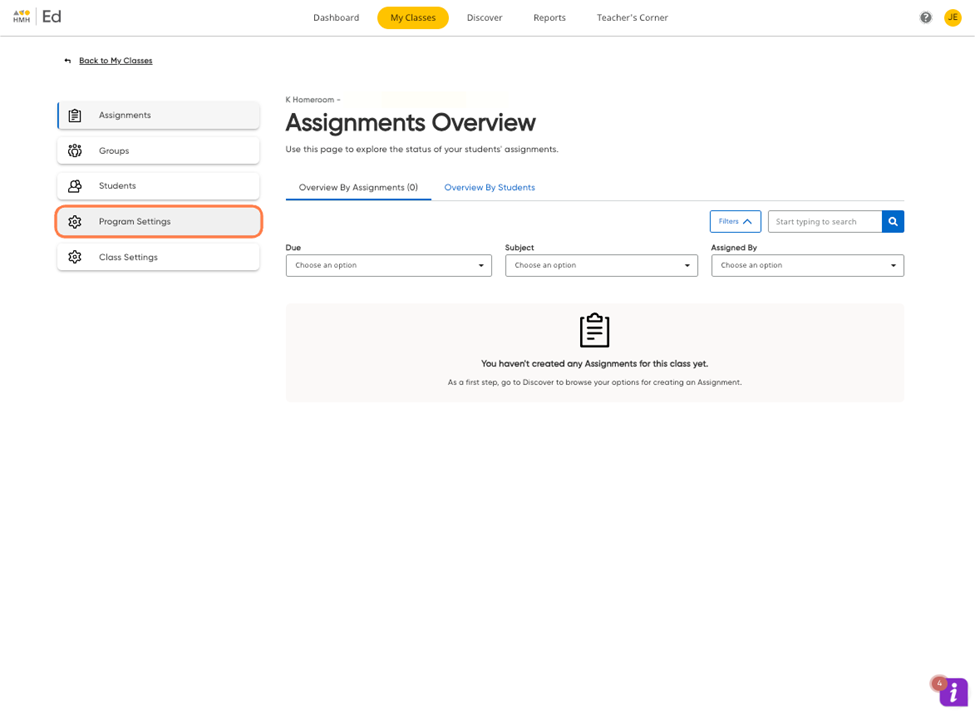 |
|
4. Check the box next to Amira, then click Save and Update. | 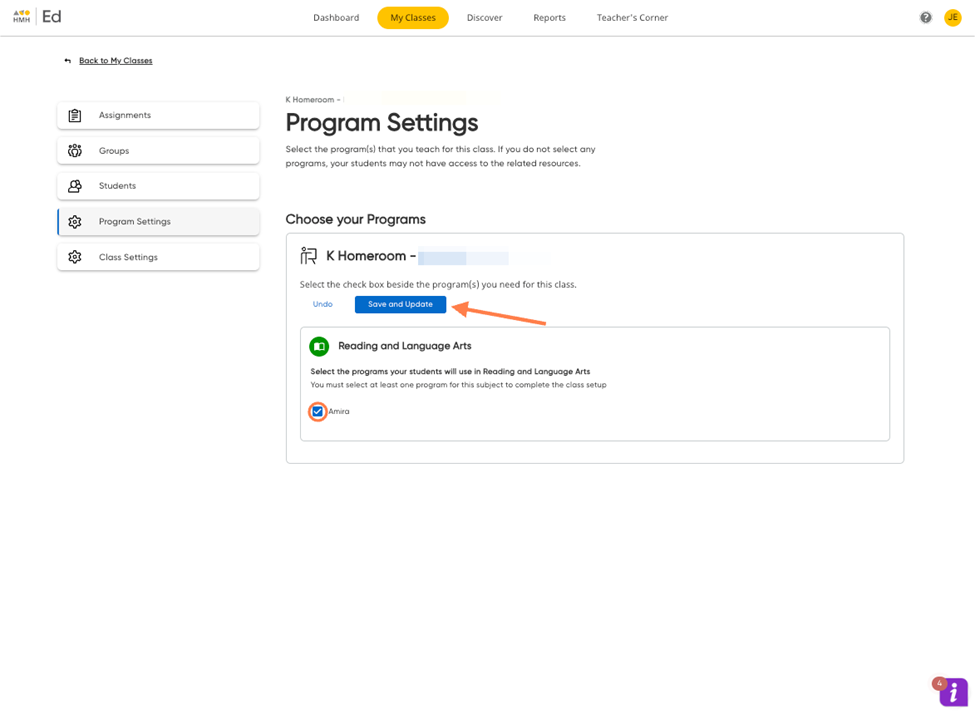 |
Once you've saved your changes, Amira will appear on the Discover tab for that class, and your students will be able to access it.