A list of either active student accounts or of active teacher and manager accounts in Amira Learning’s database can be exported to a CSV file.
The Student Roster Export will contain classroom data for students and grade level as well as any previously imported demographic information. The Teacher/Manager export will contain teacher and manager data included during their account creation.
AMIRA READING SUITE
Step 1: Log in to secure.app.amiralearning.com and select Amira Reading.
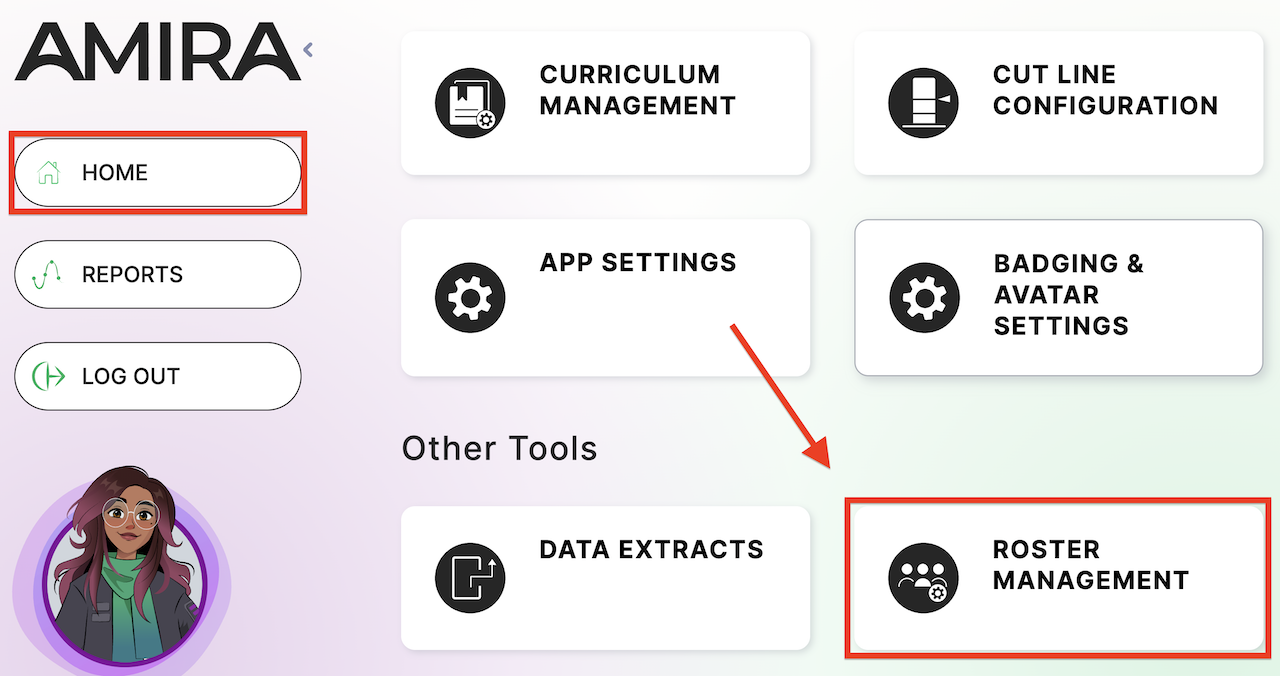
Step 2: From your Home page, select Roster Management.
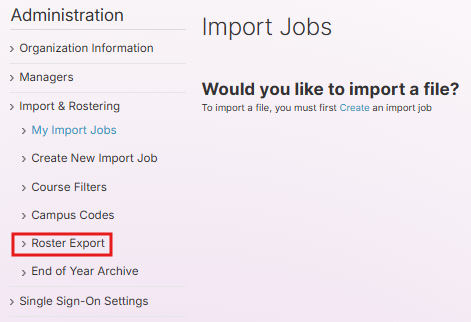
Step 3: Select Roster Export from the left-side menu.
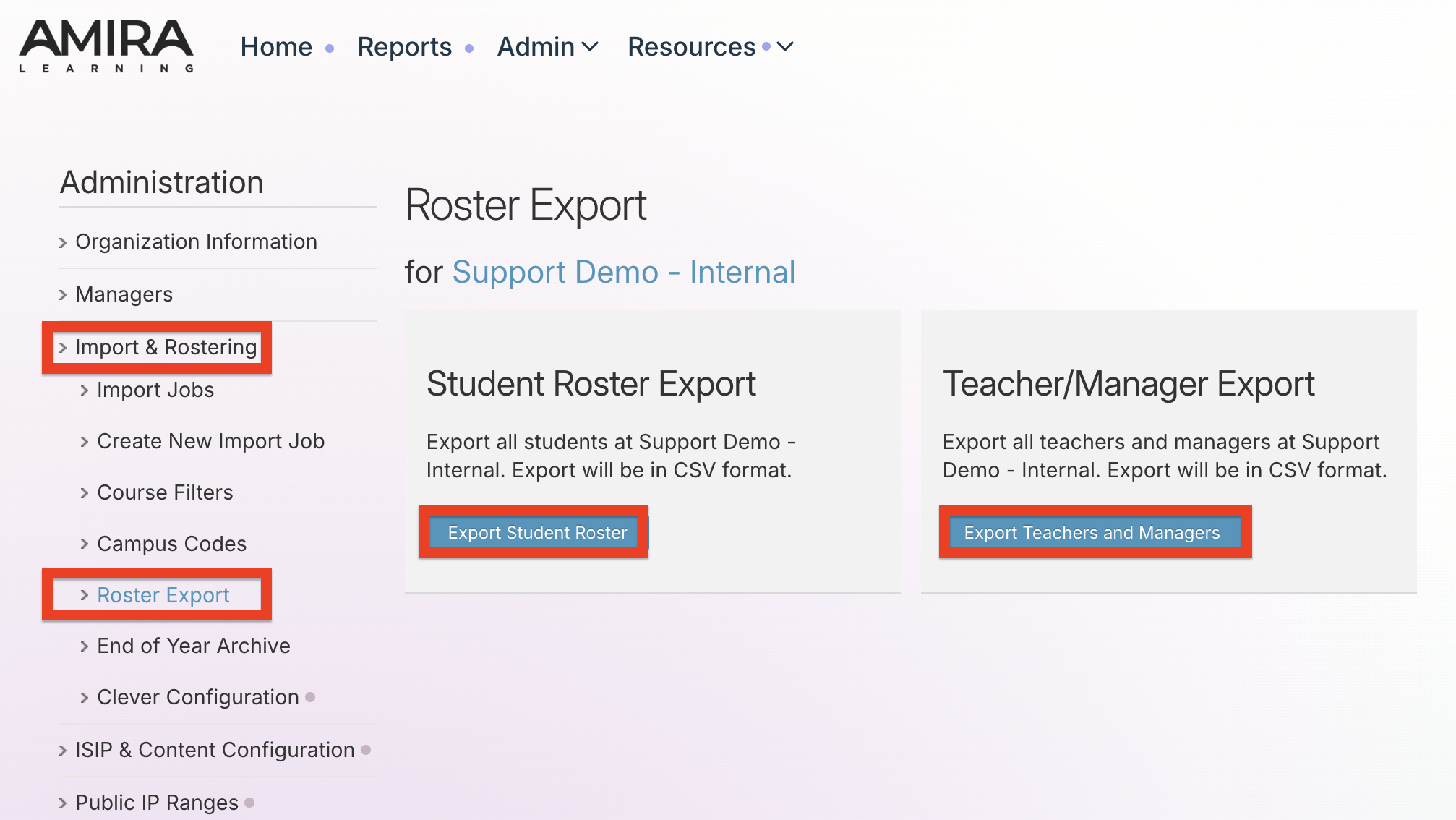
Step 4: Select Export Student Roster or Export Teachers and Managers.
LECTURA/MATH
Step 1: Log in to secure.app.amiralearning.com and select Lectura & Math.
Step 2: Select the Admin or Campus tab.
Step 3: Select Import & Roster Management, and then select Roster Export from the left-side menu.
Step 4: Select Export Student Roster or Export Teachers and Managers.