Overview
LTI integrates learning applications with Learning Management Systems (LMSs).
LTI stands for Learning Tools Interoperability and was developed by IMS Global Learning. If your LMS is ClassLink, you use LTI. It uses a trust relationship between a primary system and partner systems. Only district managers and campus managers of stand-alone campuses can set up the connection. Once enabled, teachers and managers are launched into the educator website and students into either the student website.
How to Access LTI Single Sign-On Settings
The path to access LTI settings depends on which Amira products your organization uses:
Reading Products (Reading Only or Reading + Other Products)
Step 1: Log in at secure.app.amiralearning.com or log in via SSO if that's your usual pathway.
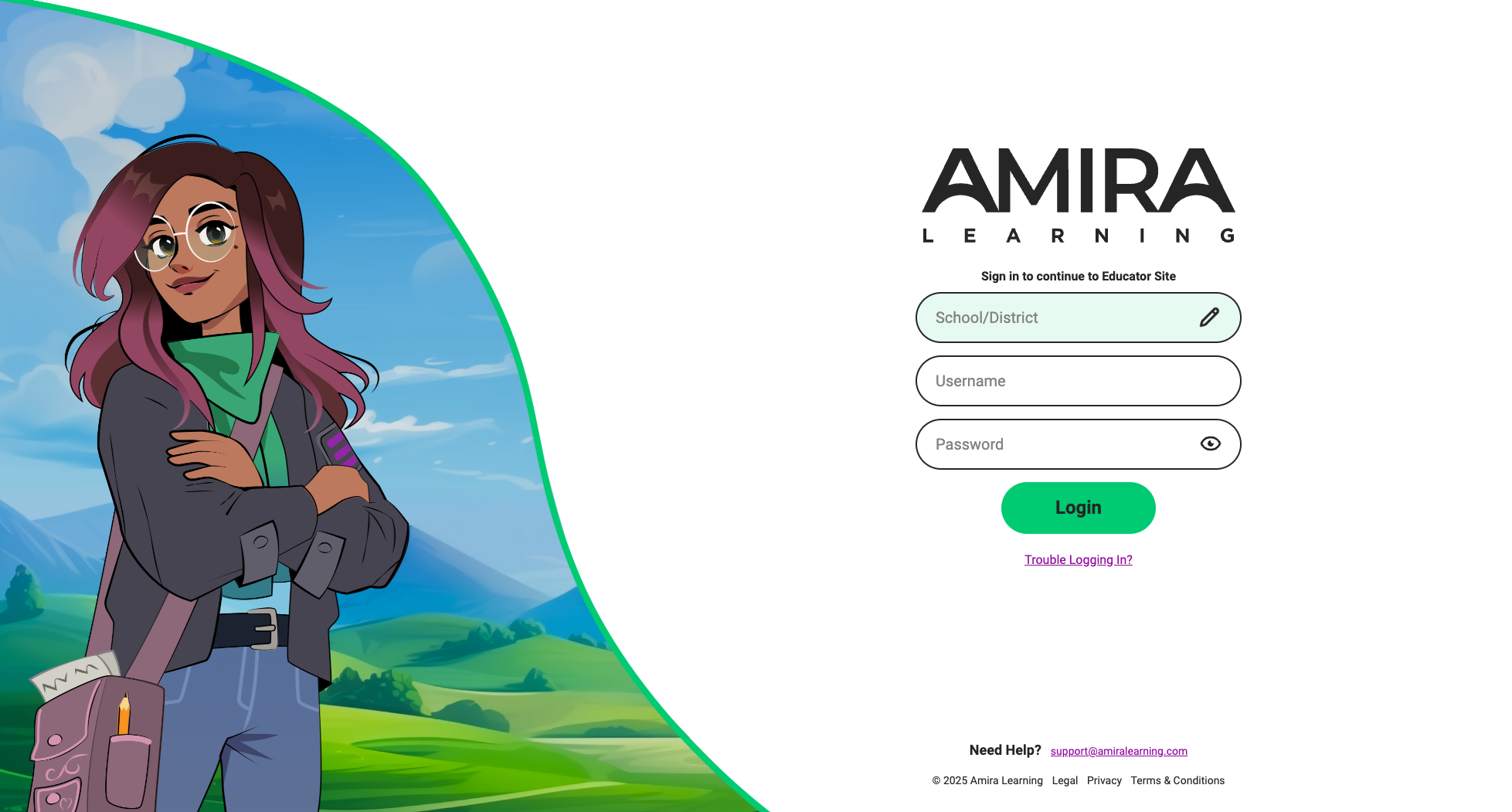
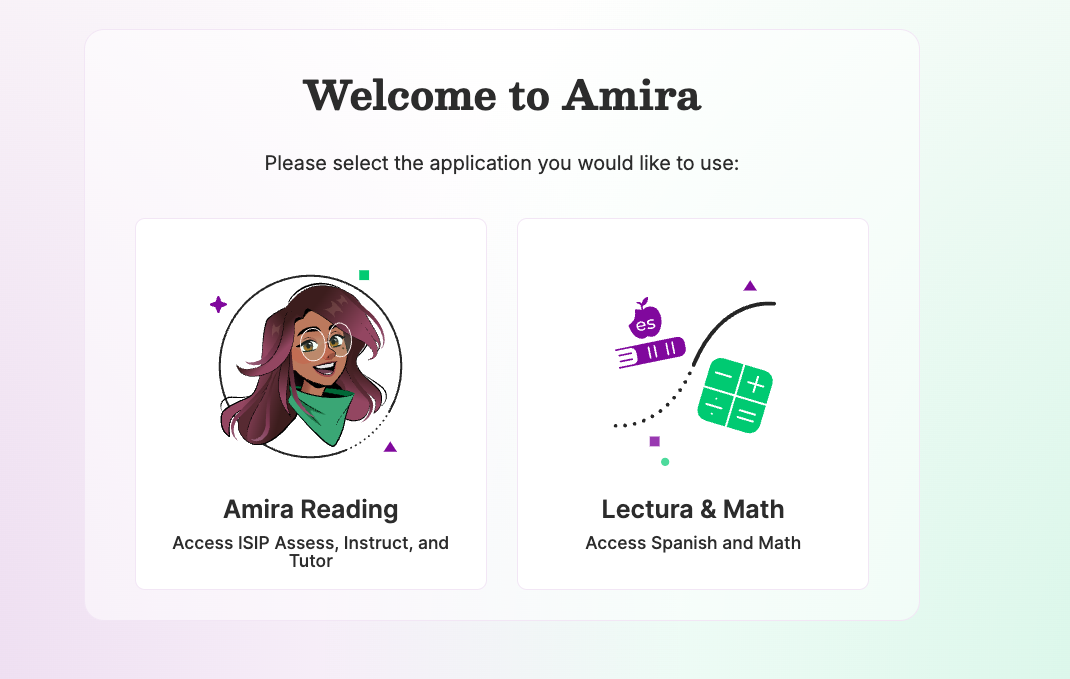
Step 2: Select Amira Reading. If this is your only product, it will automatically launch into the Admin Dashboard view.
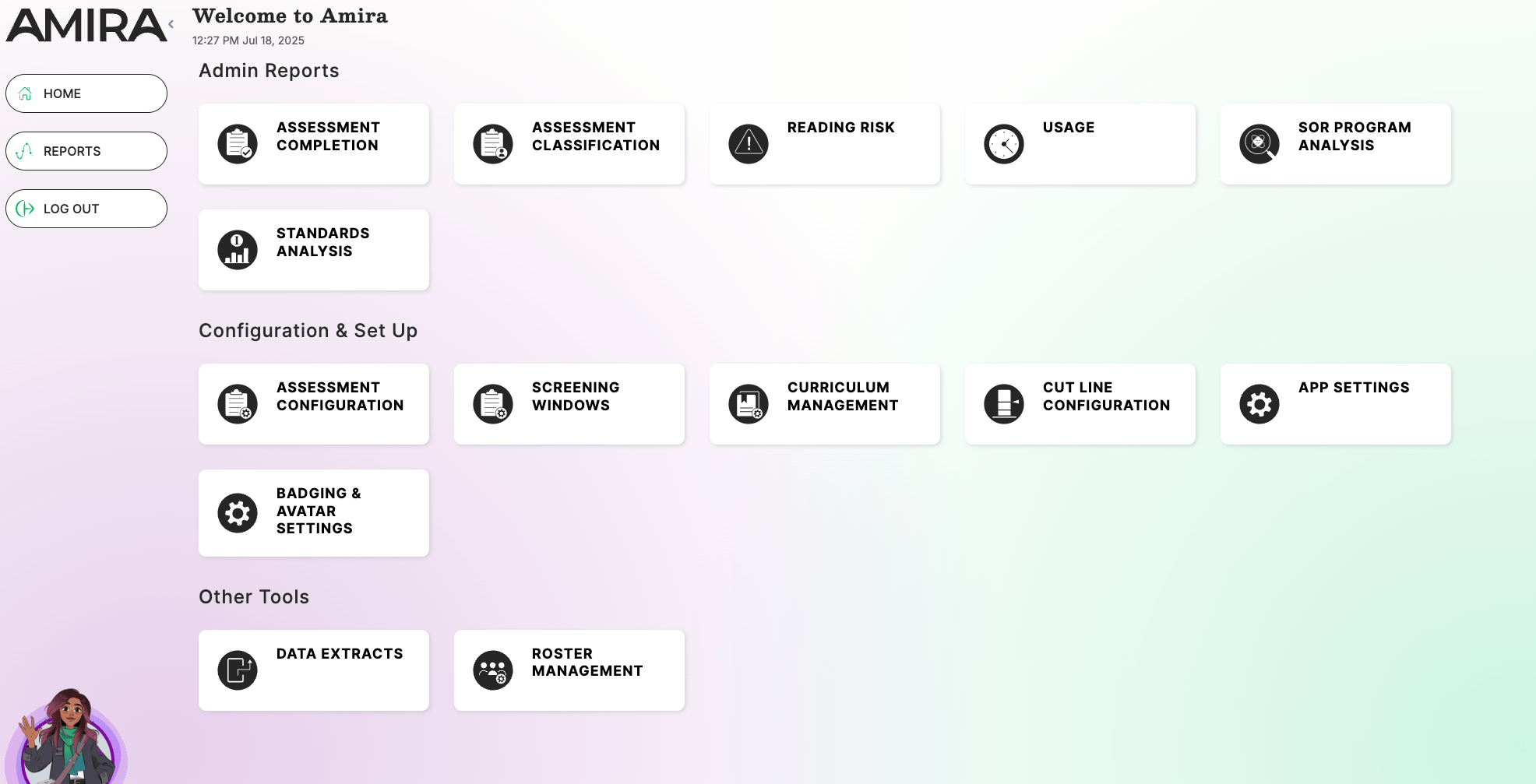
Step 3: From the dashboard page, under the Other Tools section, select Roster Management.
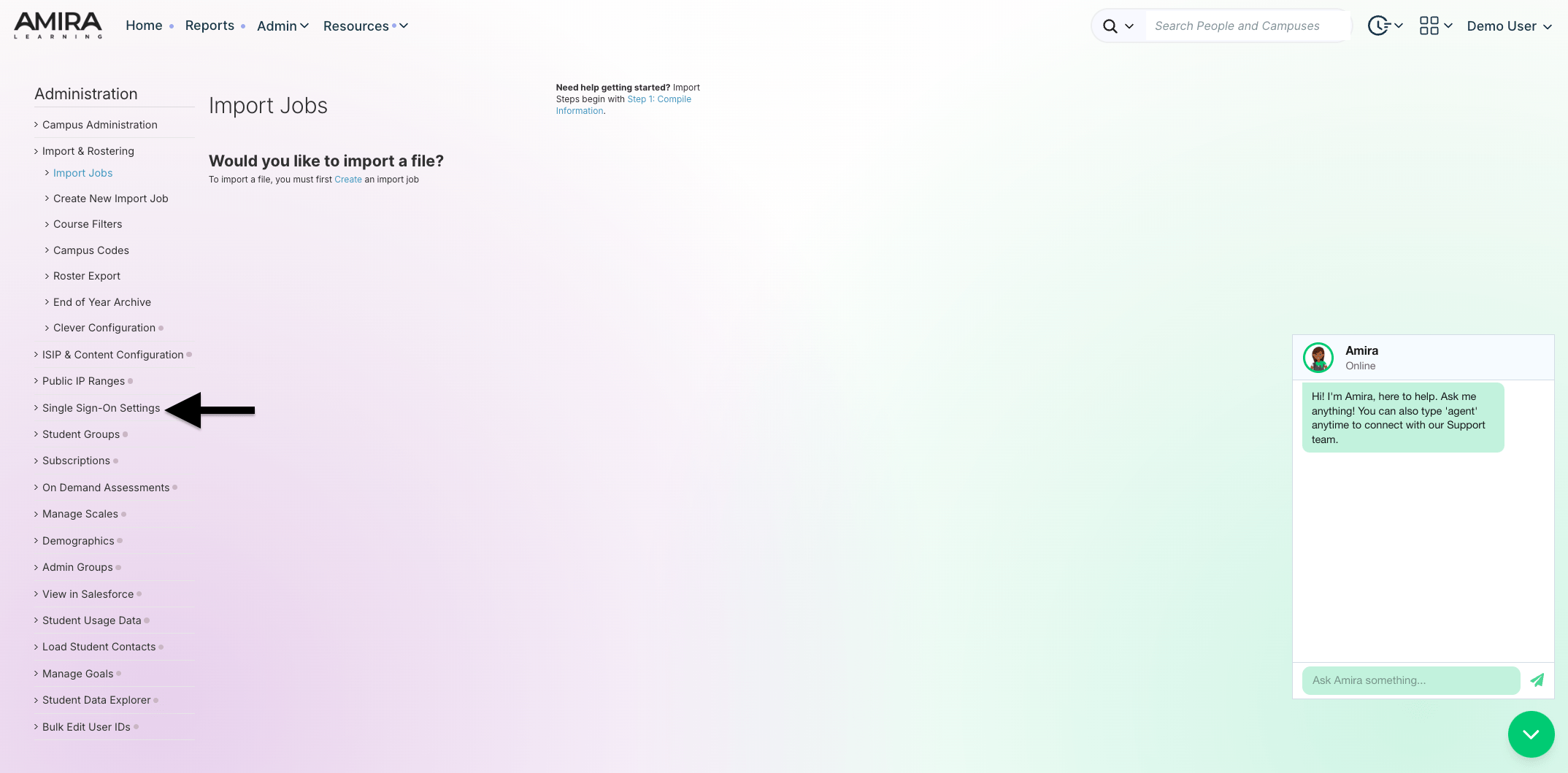
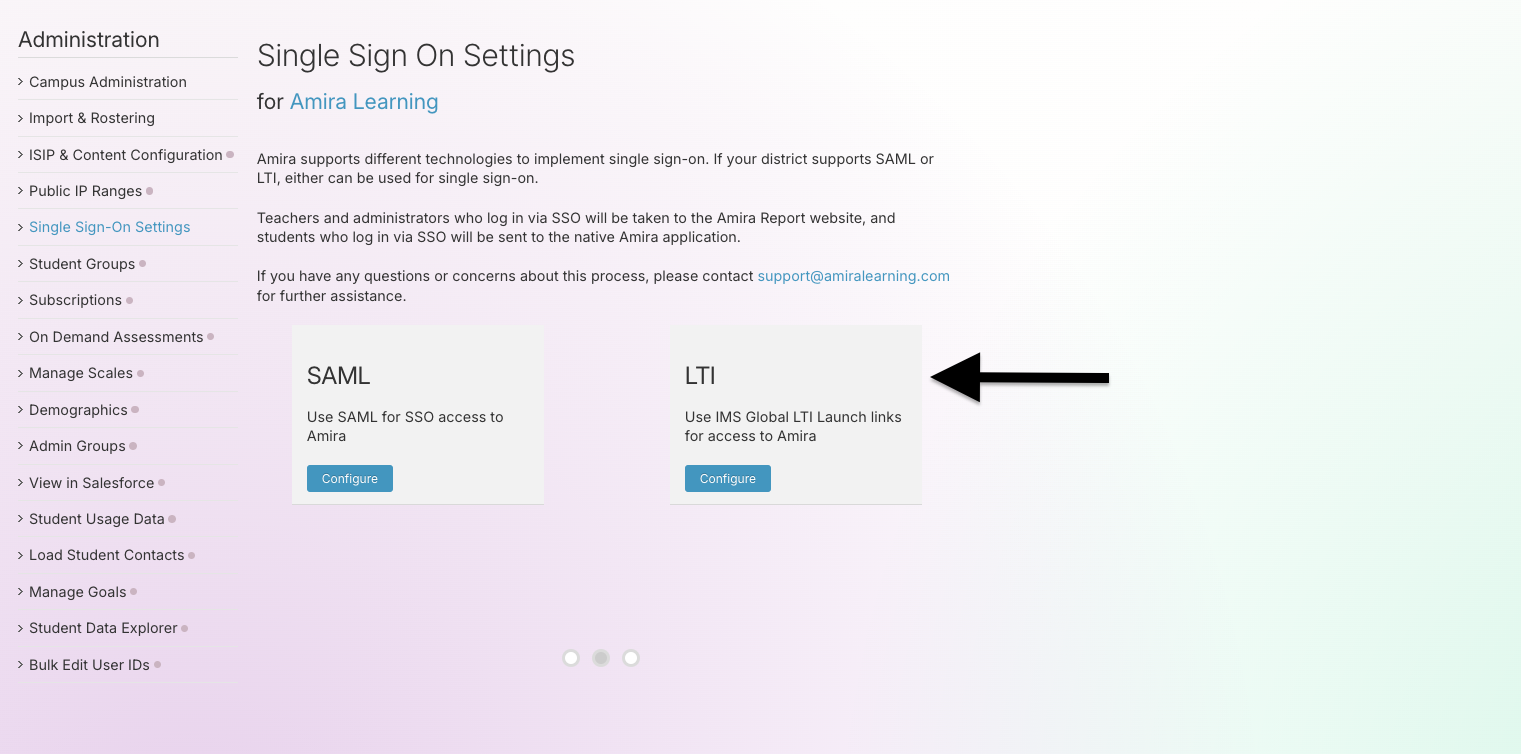
Step 4: Select Single Sign-On Settings from the left-hand Administration menu.
Step 5: On the Single Sign-On Settings page, you'll see two options: SAML and LTI. Click Configure in the LTI box.
Math, Spanish, and/or Lectura (No Reading)
Step 1: Log in at secure.app.amiralearning.com or log in via SSO if that's your usual pathway.
Step 2: Select Admin at the top of the page, and then Admin within the list
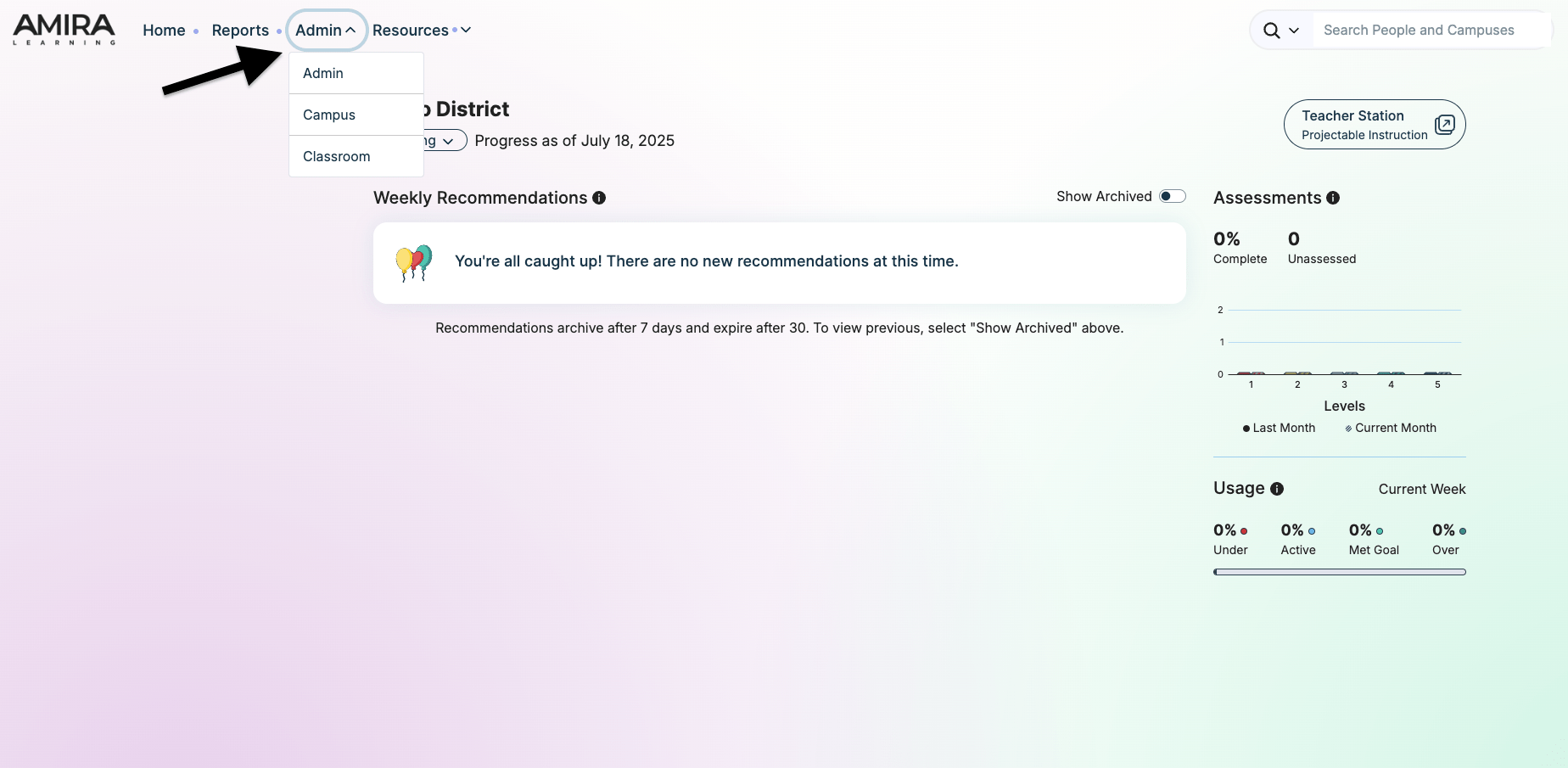
Step 3: Select Single Sign-On Settings from the left-hand Administration menu.
Step 4: On the Single Sign-On Settings page, you'll see two options: SAML and LTI. Click Configure in the LTI box.
LTI Configuration Fields
LTI Version Comparison
| Field | Description | LTI 1.0 & 1.2 | LTI 1.3 |
|---|---|---|---|
| LTI Launch URL | URL endpoint for LTI authentication | https://sso.app.amiralearning.com/dwe-lti-sso/Launch/lti | https://sso.app.amiralearning.com/dwe-lti-sso/Launch/lti/1.3/init |
| LTI User_ID | Field name used for LTI authentication | Required | Required |
| Consumer Key | Identifies the Tool Consumer to Amira | Required | Required |
| Consumer Secret | Validates LTI Launch links from your LMS (auto-populated) | Required | Required |
| Authorization Request URL | Base URL + authentication endpoint (e.g., https://moodle.schoolname.com/mod/lti/auth.php) | Not applicable | Required |
| JWKS URL | Base URL + certificate endpoint (e.g., https://moodle.schoolname.com/mod/lti/certs.php) | Not applicable | Required |
| Client ID | Unique Client ID assigned by LMS | Not applicable | Required |
| Issuer ID (LMS URL) | LMS base URL (e.g., https://moodle.schoolname.com) | Not applicable | Required |
| Deployment ID | Unique identifier for this deployment | Not applicable | Required |
| LTI field for user id | Field name for authentication (default: "user_id"), do not alter. | Required | Required |
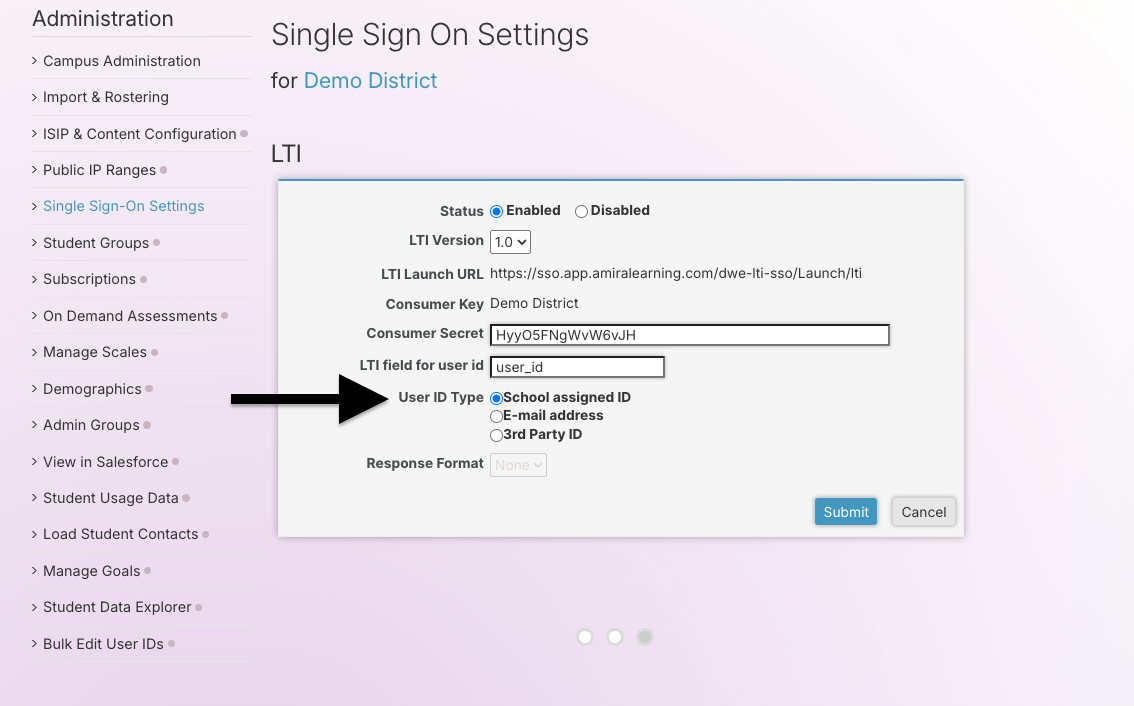
User ID Type Options
All LTI versions support these User ID Type options:
| Option | Description | Status |
| School Assigned ID | Student ID for students, ID/Employee Number for teachers and managers | Most common setup |
| 3rd party ID | It is usually the Sourced ID from your roster (e.g., ClassLink) or an email address. Can also be used for another value that is found in both student and staff and that exists in a singular field. | Recommended |
| E-mail address | Uses email addresses for identification | Not viable (students lack the email field) |
LTI Version-Specific Setup
LTI 1.0 & 1.2
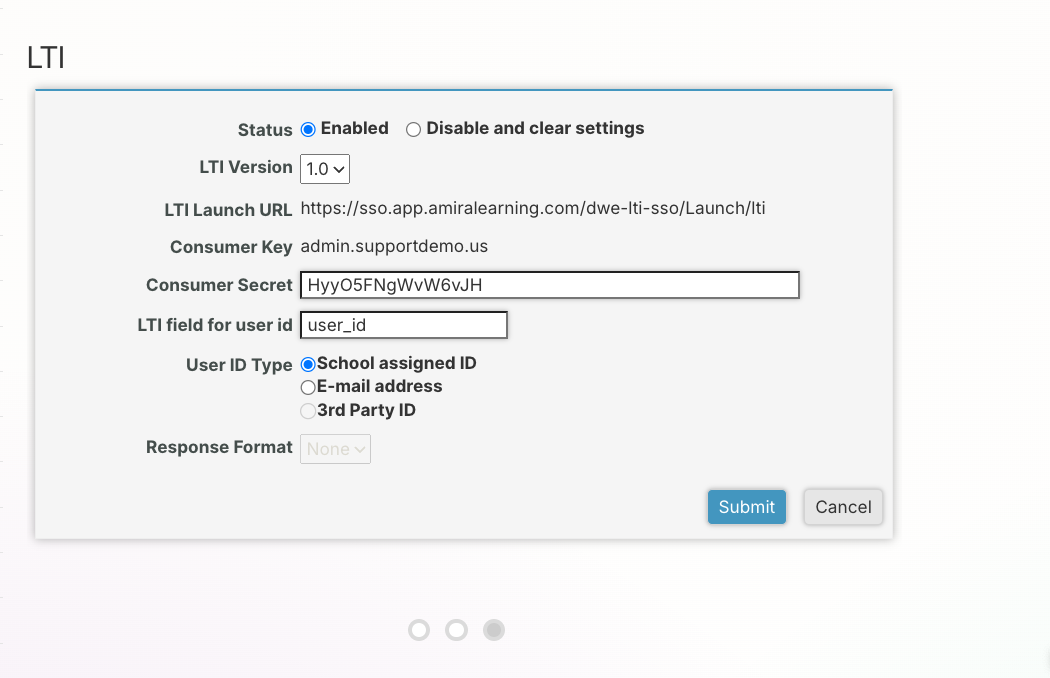
To configure LTI 1.0 & 1.2:
- Set Status to "Enabled"
- Update LTI field for user id to match your LMS (default is "user_id")
- All other fields are pre-configured
LTI 1.3
To configure LTI 1.3:
- Set Status to "Enabled"
- Enter the values provided by your LMS (these come from your LMS configuration):
- Authorization request URL: Provided by your LMS (e.g.,
https://moodle.schoolname.com/mod/lti/auth.php) - JWKS URL: Provided by your LMS (e.g.,
https://moodle.schoolname.com/mod/lti/certs.php) - Client ID: Generated by your LMS (e.g.,
PLVGz2jFF2Hkcdcx) - Issuer ID (LMS URL): Your LMS base URL (e.g.,
https://moodle.schoolname.com) - Deployment ID: Generated by your LMS (e.g.,
10832:7db538f4ca75c02373788b2ac73869cf572b0b68)
- Authorization request URL: Provided by your LMS (e.g.,
- Update LTI field for user id to match your LMS (default is "user_id")
- All other fields are pre-configured
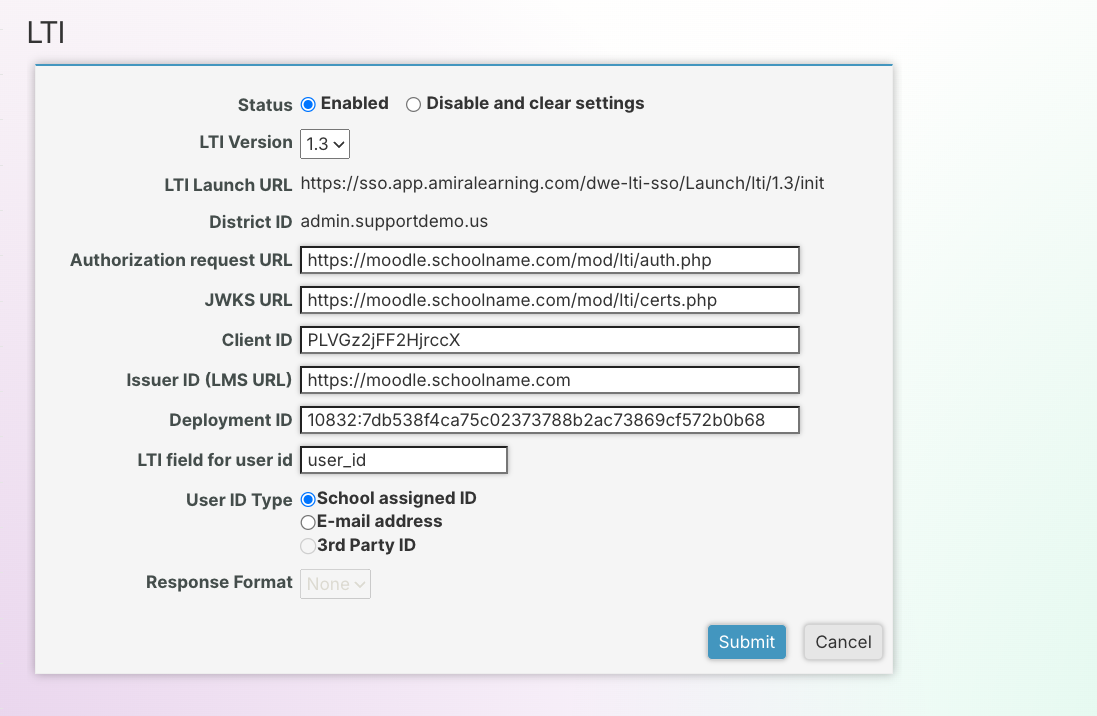
Note: Your LMS administrator will provide these values after configuring the Amira tool in your LMS system.
Support
If you have any questions or concerns about this process, please contact support@amiralearning.com for further assistance.