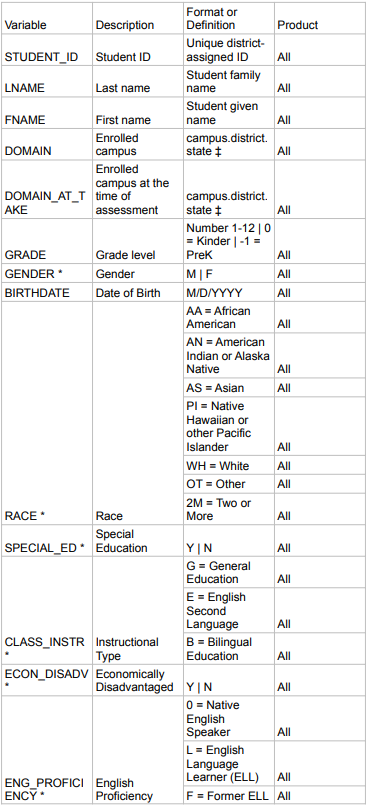
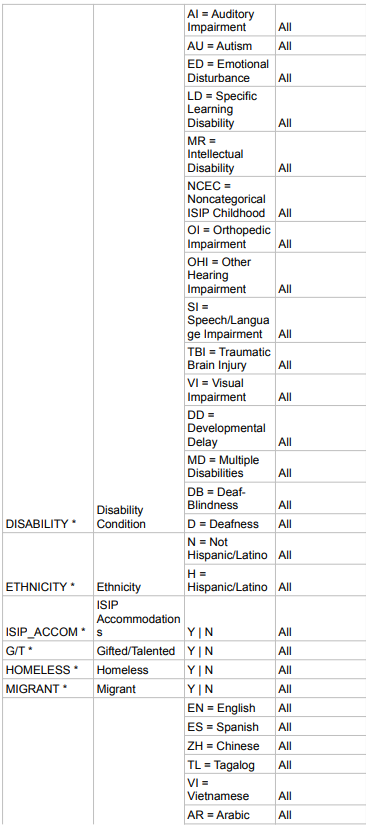
This Assessment Data Dictionary is a helpful tool that explains the data elements found in roster exports.
The following fields are included in exports of student assessment data. Exports can display data in one of two ways: pivoted data and unpivoted data. The fields available will vary depending on the type of export and assessment type.
Default Export Format
This is the default for data exported through the reporting website. This data is pivoted, and each assessment in the export has its own column. For more information on how to run reports and export data, please visit Export Data and Print Reports.
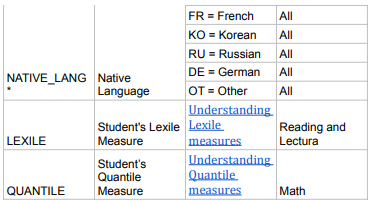
Understanding Lexile Measures and Understanding Quantile Measures
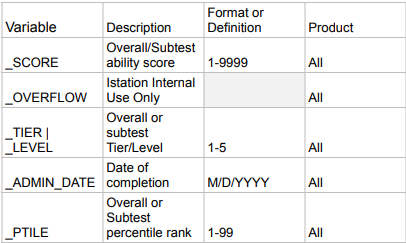
Suffixes
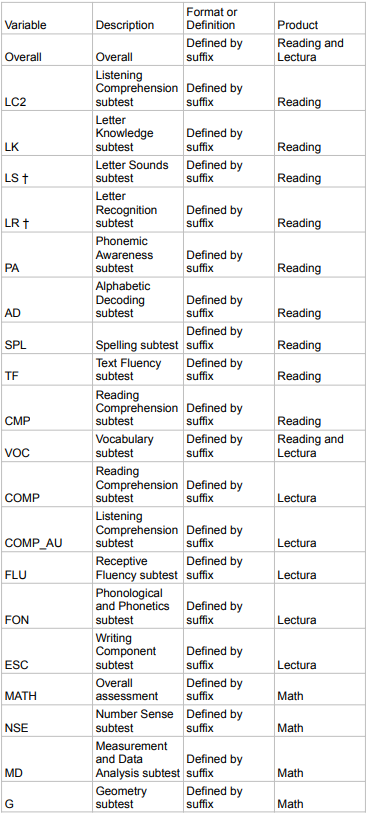
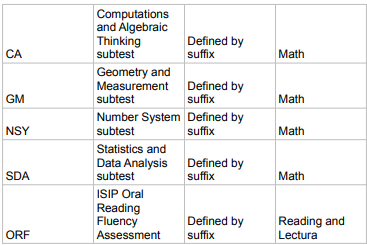
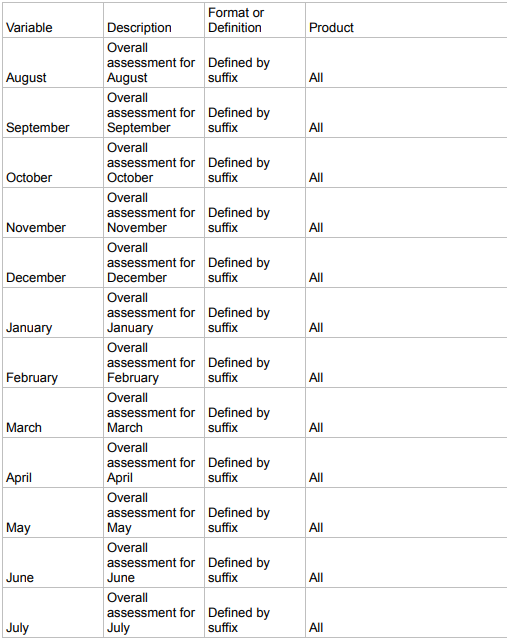
These suffixes are added to the end of a skill (for single-month exports) or a period (for full-year exports)
Skills
Overall Assessment/Subtest
Periods
Month the assessment was completed
Alternative Export Format