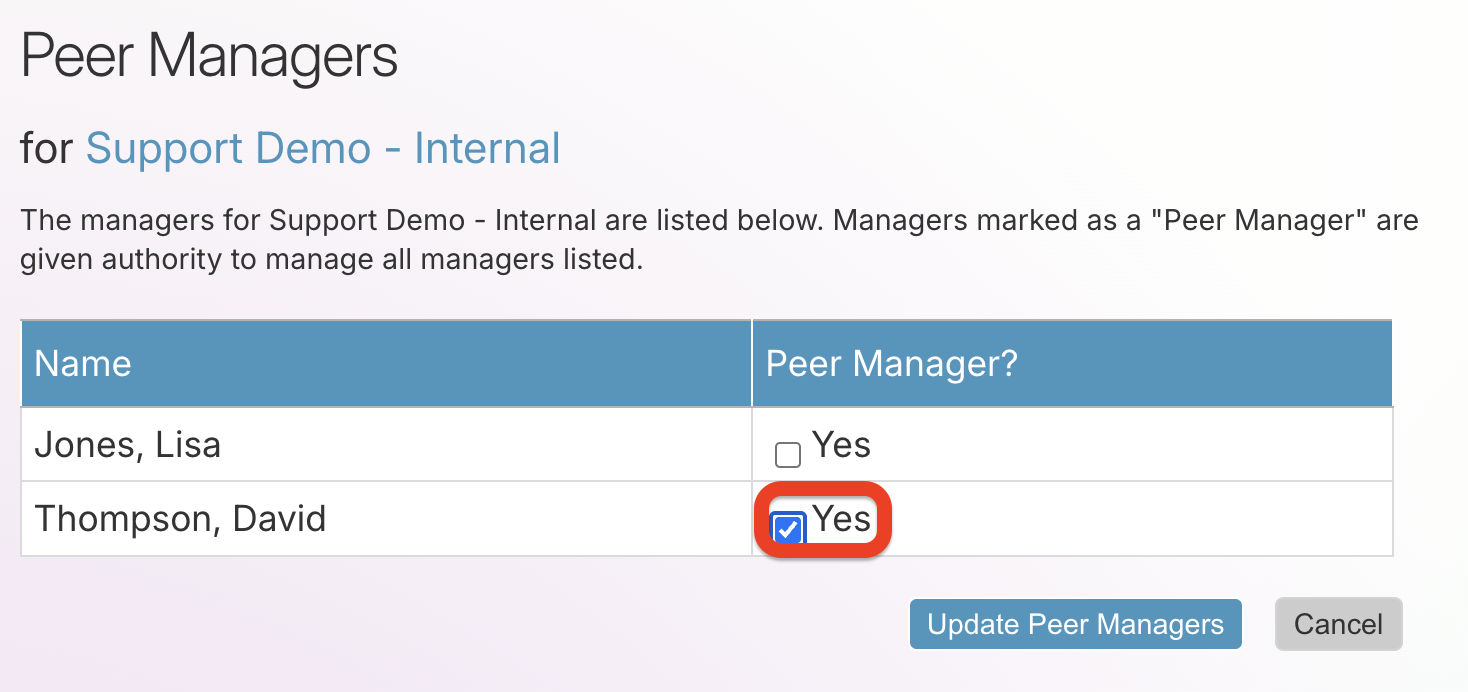
A Peer Manager is a specific role that allows a designated Manager to add, edit, or remove other Manager accounts.
To gain Peer Manager access, please contact Amira Learning Support via email by following these guidelines:
- The request must be submitted by an existing Manager.
- For security and privacy reasons, the request must be submitted via email.
- The written request must include the first name, last name, and e-mail address of the Manager account that is to be granted Peer Manager access.
- Submit the request to support@amiralearning.com
Update Peer Managers
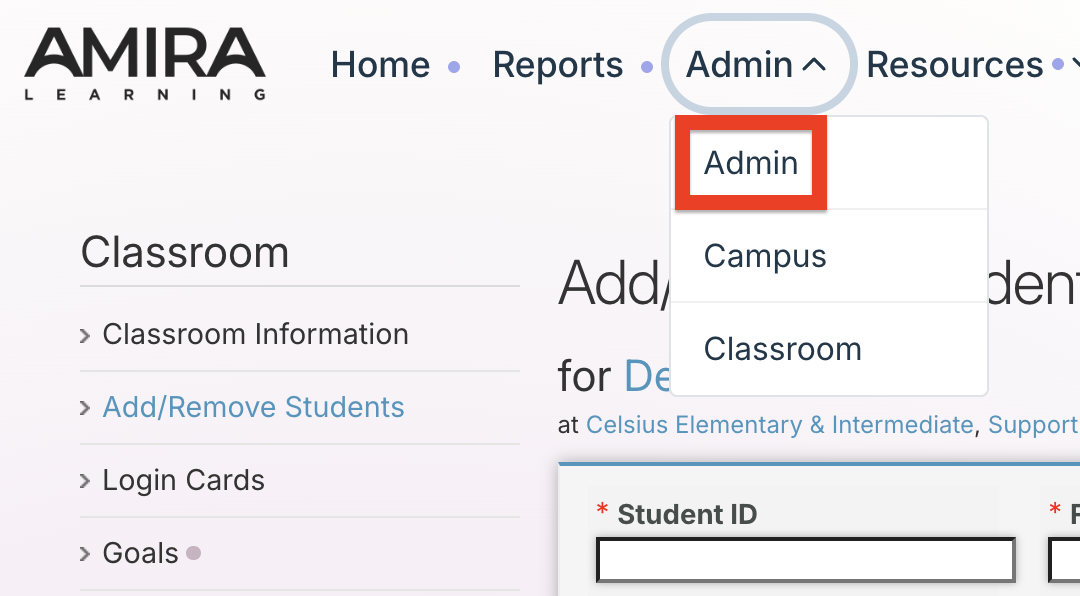
Step 1: Log into Amira Learning and select Admin within the Admin tab.
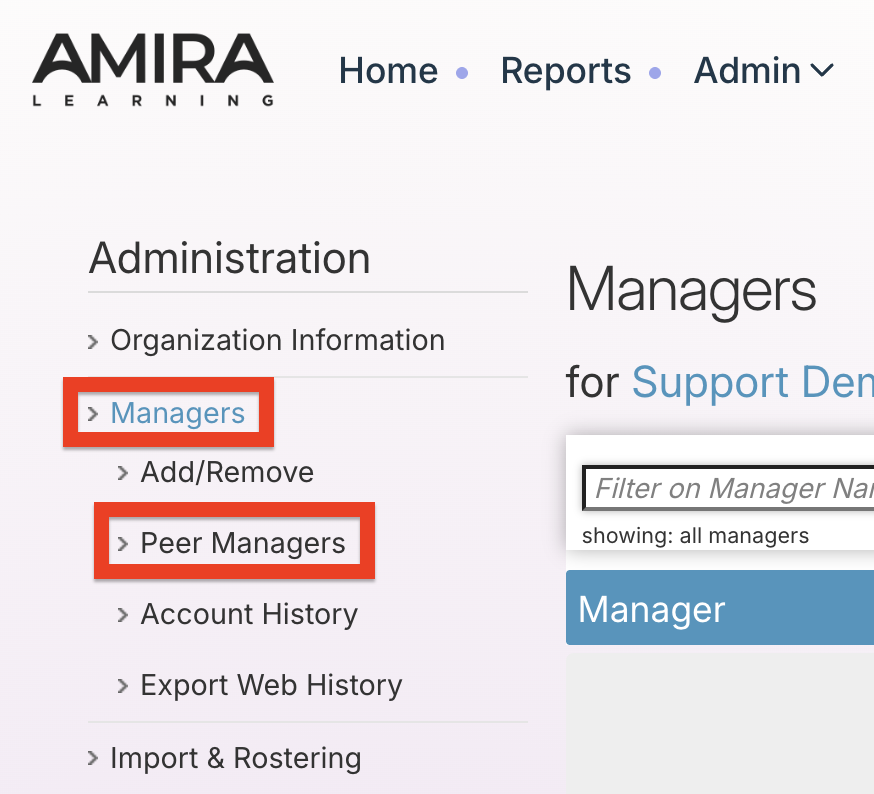
Step 2: From the left-side menu, select Managers, then Peer Managers.
Step 3a: To add a Peer Manager, check the box next to the Manager's name, then select Update Peer Managers.
Step 3b: To remove a Peer Manager, uncheck the box next to the Manager's name, then select Update Peer Managers.