There are several ways to get help with Amira, depending on how quickly you need an answer and how in-depth your question is. This article walks through each option, from chatting with Amira in real time to submitting a detailed support ticket, plus the self-serve resources available to you any time.
1. Chat with Amira from your dashboard
The fastest way to get help is right from your dashboard.
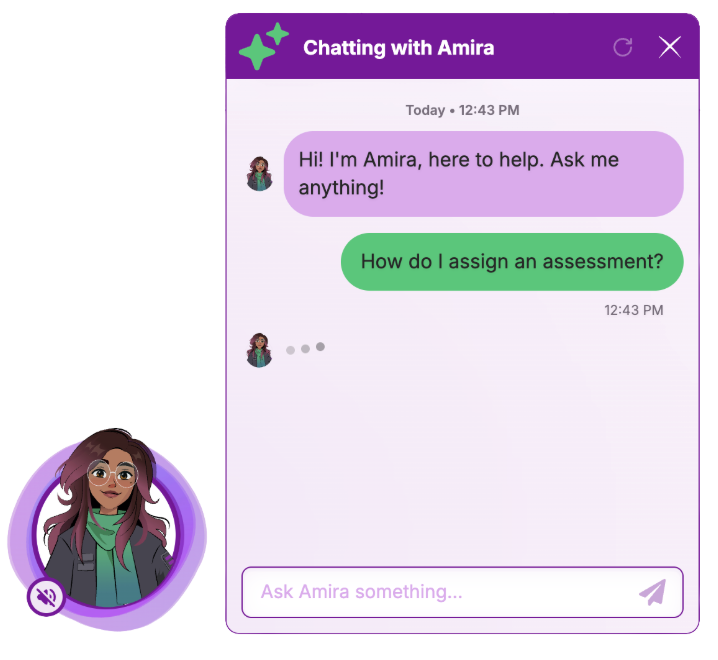
- Log in to your Amira account.
- Look for the chat icon in the bottom left corner of your dashboard.
- Click the icon to open the chat window.
- Type your question. Amira's chat assistant can answer common questions about student progress, assessments, reports, rostering, and account settings.
The chat assistant is available anytime you're logged in, so it's a great first stop for quick questions.
Asking for a live agent in chat
If the chat assistant can't resolve your issue, or you'd rather speak with a real person, you can request a live agent directly in the same chat window:
- In the chat, type something like "I'd like to speak with a live agent" or "Connect me to support."
- The chat will transfer you to a live support agent (during business hours) or let you know the expected wait time.
- Stay in the chat window, the agent will pick up the conversation where you left off, so you don't need to repeat your question from scratch.
This is a good option when your issue is time-sensitive or when it involves something specific to your account that the automated assistant can't fully resolve.
Live chat support is available Monday through Friday from 7:00 AM EST to 7:00 PM EST.
2. Email support@amiralearning.com
For issues that need deeper investigation, or if you prefer email, you can reach the support team directly at support@amiralearning.com. This opens a support ticket with a support specialist who will follow up with you.
To help the team resolve your issue as quickly as possible, include as much detail as you can in your email:
- District, the name of your school district
- School, the name of your school
- Teacher, the teacher's name (and your own name/role, if different)
- Student, the student's name or ID, if the issue is specific to one student
- A clear explanation of the issue or question, what you were trying to do, what happened instead, and any error messages you saw
- A screenshot, if possible, a picture of the screen where the issue occurred can help the support team diagnose the problem much faster
The more detail you provide up front, the fewer back-and-forth emails it takes to get your issue resolved.
3. Self-serve resources
If you'd rather find an answer on your own, Amira offers several resources you can explore anytime.
Help Center
The Help Center is a searchable library of articles covering common questions about Amira, everything from setting up your roster to understanding assessment scores. It's a good first stop for "how do I..." questions. (If you're reading this article, you're in the Help Center!)
Teacher Resource Hub
The Teacher Resource Hub has classroom-ready materials designed to help you use Amira effectively with students, including lesson ideas, printable resources, and guidance on interpreting student results.
Amira Academy
Amira Academy offers self-paced training courses for educators who want to go deeper on how Amira works, best practices for implementation, and how to get the most out of the platform's features and reports.
Champions Community Hub
The Champions Community Hub connects you with other Amira educators. It's a place to ask questions, share tips, and learn from other teachers and administrators who use Amira in their own classrooms and schools.