The Skills Status Report gives teachers a comprehensive view of class-wide skill mastery from Pre-K through 8th grade.
View a walkthrough of the Skills Status Report
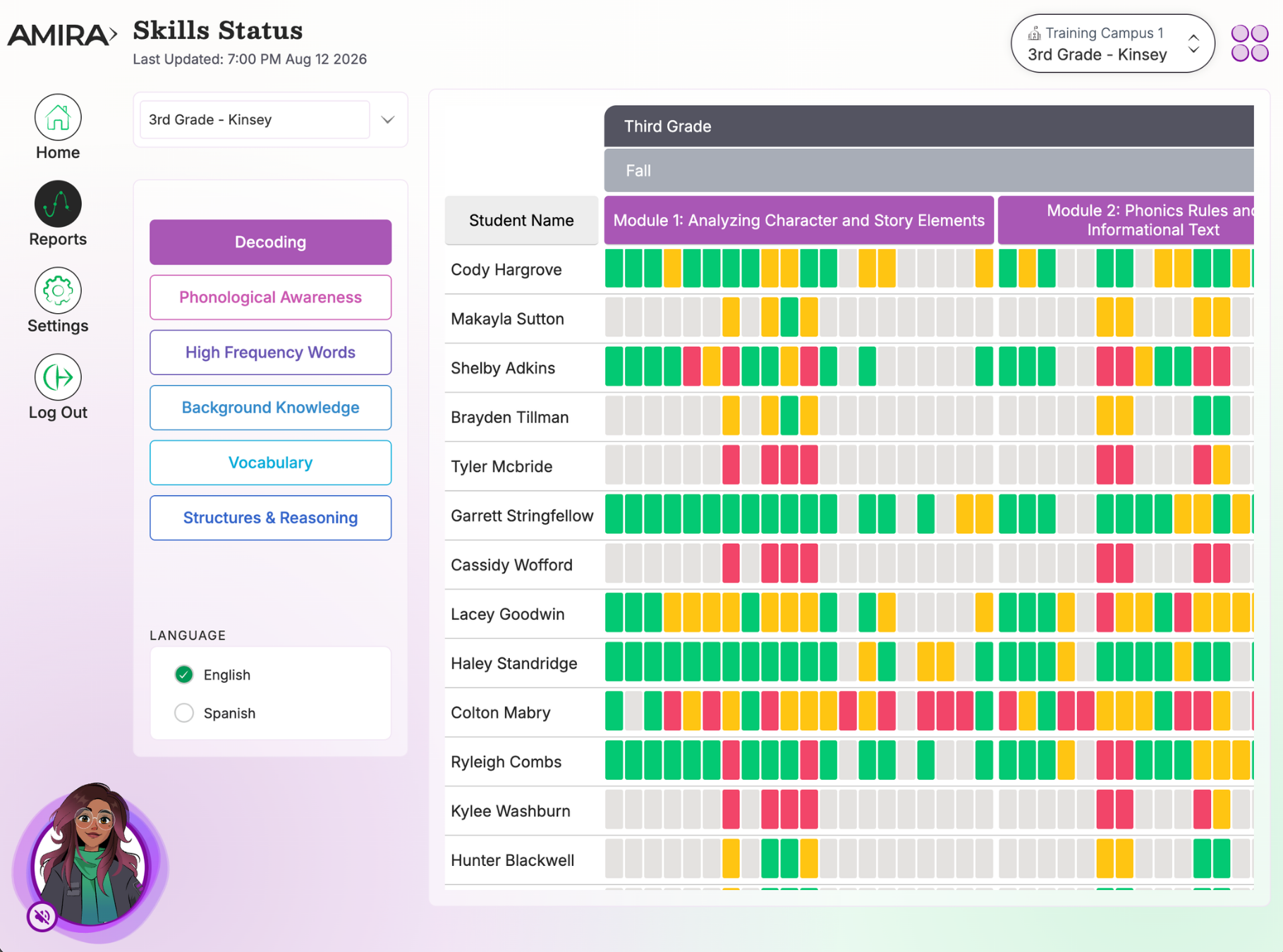
What You'll See
-
Skill Areas are listed in the order they're typically acquired, spanning a continuum from Kindergarten through 8th Grade. In short, the report shows when a student "should" develop each skill on the path to reading mastery.
-
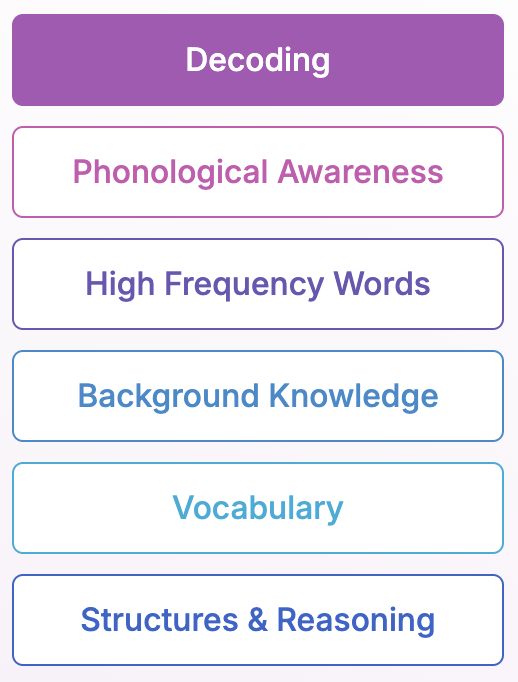
Option to select any strand of the Reading Rope to view skill mastery for that component.
-
Color-coded skill boxes displaying each student's mastery of the skill.
-
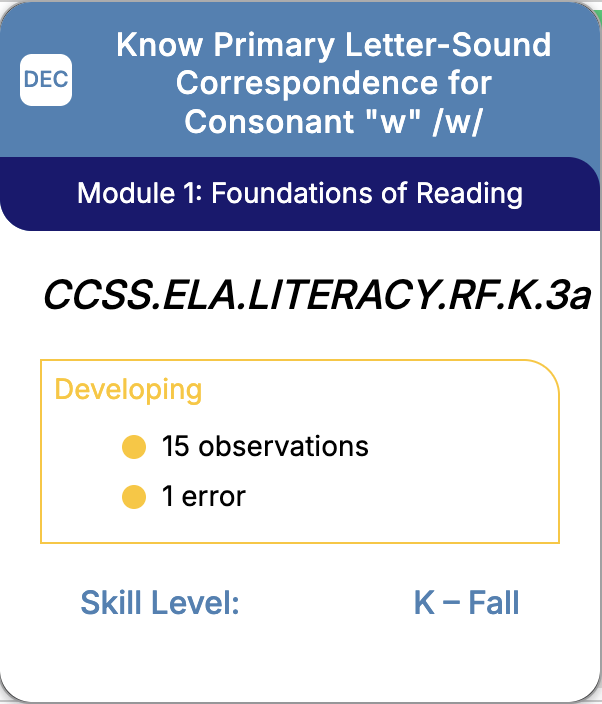
Hovering over a skill reveals its description, aligned standard, and the number of observations and errors recorded by Amira
-
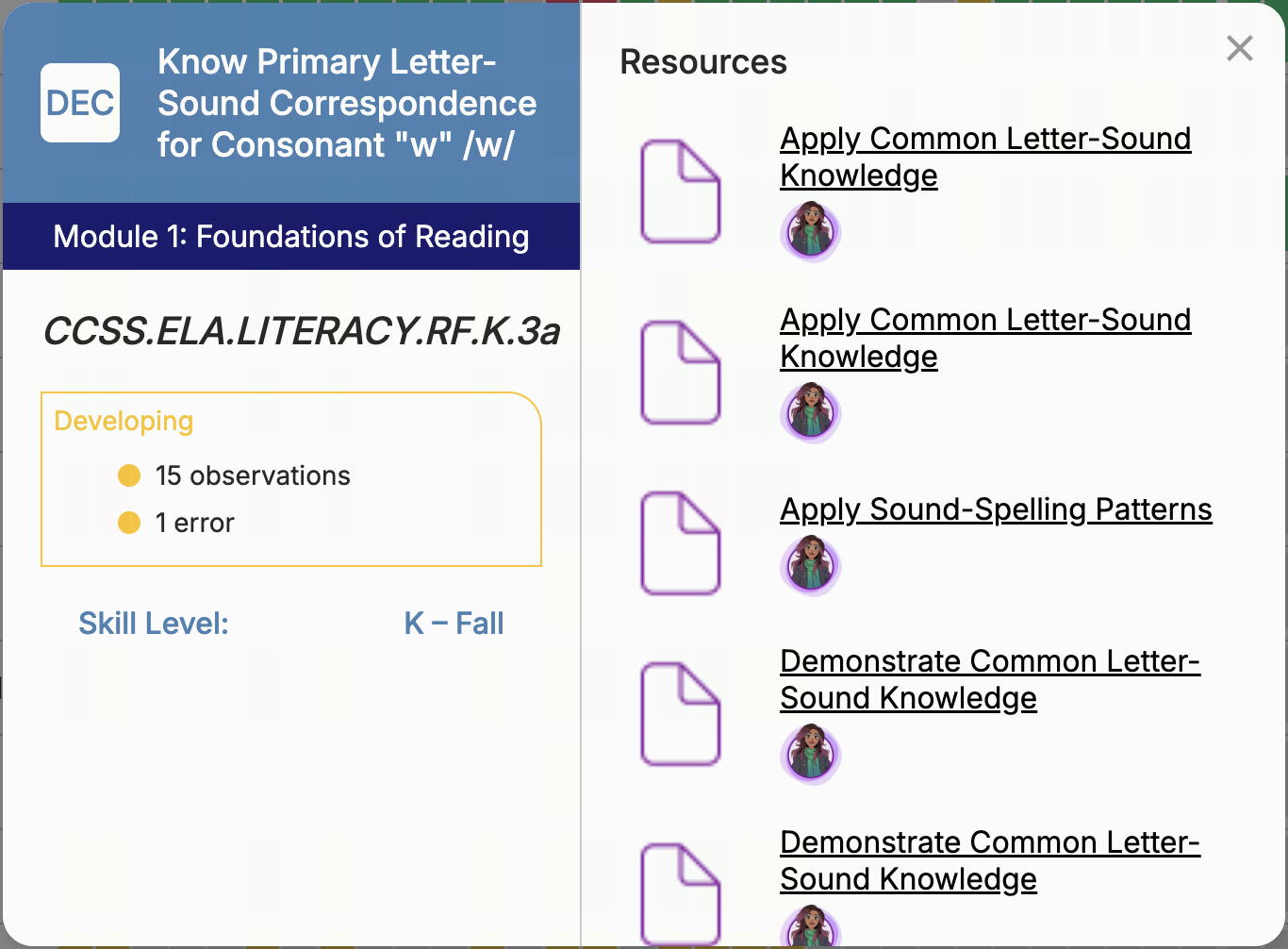
Clicking on a skill opens downloadable resources aligned to the skill that teachers can use for whole group or small group instruction.
-
Drag and drop student names to re-order them, helping teacher form small groups based on skill mastery and aligned learning needs.
-
Automatic updates from every Amira reading session, practice or assessment
Understanding the Red/Yellow/Green Skill Assessment System
The R/Y/G color reflects a skill's Estimated Mastery probability, how likely it is that a student has mastered that skill.
Amira begins with a grade-level normative prior for each skill, then updates that estimate using the student's item-level responses through Bayesian updating and calibrated two-parameter item-response-theory (2-PL IRT) parameters. This means the estimate synthesizes evidence from across Amira Assess, Tutor, and Instruct, not just the specific observations and errors displayed in that skill's detail view. The report updates overnight, so newly generated interaction data appears the following day.
The colors map to probability bands:
- Red: below 0.40
- Yellow: 0.40 to 0.69
- Green: 0.70 or higher
- Grey: insufficient data to provide reporting on skill mastery
Why can a skill show 0 errors and 0 observations but still have a color status?
Because the displayed observation and error counts are useful supporting detail, but they aren't the direct basis for the color. A 0/0 skill can still show a status because the model draws on broader evidence, a grade-level prior, or interactions from Assess, Tutor, and Instruct, beyond just those two visible counts.
How to Use This Report
Use this report to group students by skill need based on real-time data, click any skill box for aligned teaching resources, and drag and drop student names to reorganize groupings for instruction or comparison.
Data Source(s): Amira Assess, Amira Tutor, Amira Instruct
Update Frequency: Overnight
Related Resources