The Skills Diagnostic Report gives teachers a detailed, student-specific view of skill mastery across every component of the Reading Rope in one screen, allowing them to see the full profile of a single student's reading abilities and compare all of that student's reading skills and mastery levels holistically. Teachers can toggle over exact skills to see a description of each one along with the number of observations and errors, giving MTSS teams, intervention coordinators, and even parents a clearer understanding of a student as a reader while helping teachers weigh all of a student's reading strengths and growth areas together. Essentially, this report takes all of the data Amira gathers on a student while they read and hands it directly to their teacher, and it's generated every time a student reads with Amira, whether during practice or an assessment.
View a walkthrough of the Skills Diagnostic Report
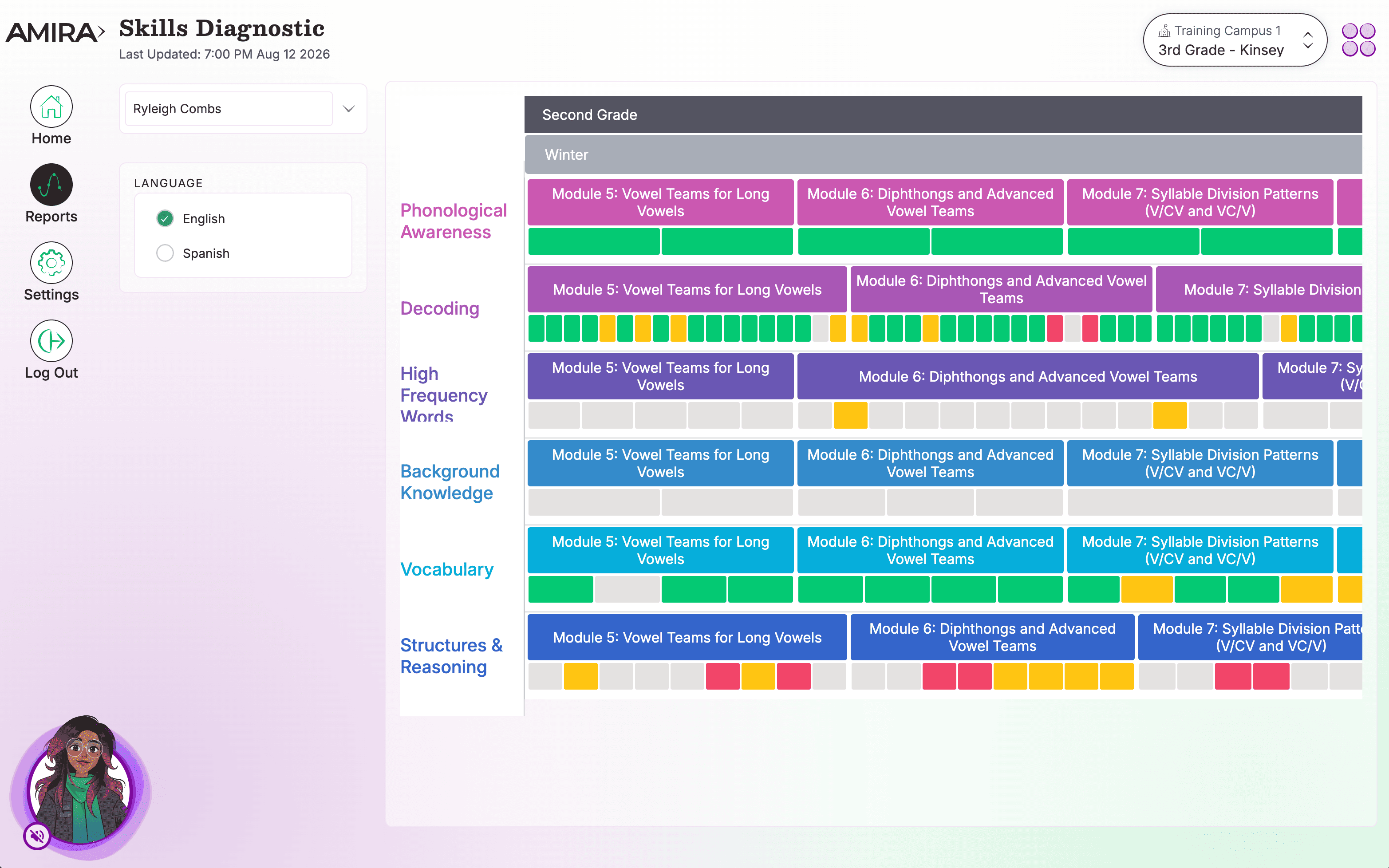
What You'll See
- Each skill shown as a color-coded box representing mastery level
- Skills ordered by grade level from Kindergarten through 8th grade
- Hovering over a box reveals the skill description, aligned standard, and the number of observations and errors recorded by Amira
- Clicking on a box provides downloadable resources teachers can use for instruction
Understanding the Red/Yellow/Green Skill Assessment System
The R/Y/G color system evaluates a student's familiarity and proficiency with specific skills, taking into consideration two main factors:
- Number of Exposures to the Skill: This refers to how many times a student has encountered or practiced a particular skill.
- Error Rate Percentage: This is determined by the observations made by Amira.
Here's how it works:
- Fewer Exposures: If a student has had fewer interactions with a skill, they're allowed a higher error percentage before being categorized as yellow or green.
- More Exposures: The more a student is exposed to a skill, the lower their allowable error percentage becomes to still qualify for the yellow or green categories.
Find the thresholds below:
| Exposures | Green | Yellow | Red |
| 1-5 | See below* | ||
| 6 | 0-24% | 24-49% | 49%+ |
| 7 | 0-24% | 24-40% | 40%+ |
| 8 | 0-30% | 30-49% | 49%+ |
| 9-10 | 0-24% | 24-49% | 49%+ |
| 11-20 | 0-19% | 20-39% | 40%+ |
| 21-30 | 0-14% | 15-32% | 33%+ |
| 31+ | 0-14% | 15-29% | 30%+ |
*For 1-5 exposures:
- 1 correct and 0 incorrect -> yellow
- 1 or more incorrect and 0 correct -> red
- 2 or more correct and 0 incorrect -> green
- Any other combo of correct and incorrect -> yellow
How to Use This Report
MTSS teams, intervention coordinators, and teachers use this report to pinpoint specific strengths and skill gaps, click any box for instructional resources supporting targeted skill development, and track how a student's reading abilities develop over time. It's ideal for goal setting, progress monitoring, and family communication.
Data Source(s): Amira Assess, Amira Tutor, Amira Instruct
Update Frequency: Overnight
Frequently Asked Questions
How does a student have skills higher than their grade level in the Skills Diagnostic Report?
- There are two different grade level systems at play. One is the grade level of the student; the other is the grade level of each skill that might be addressed by items that the student has completed. The grade levels of skills are assigned and sequenced based on various factors including alignment to common core / state standards and to curriculum sequencing. There are items in every grade's screener which may touch upon skills that are sequenced for higher grades. If a student completes enough items tagged with a higher grade's skill, they will get data displayed for that skill.
What do the check marks mean?
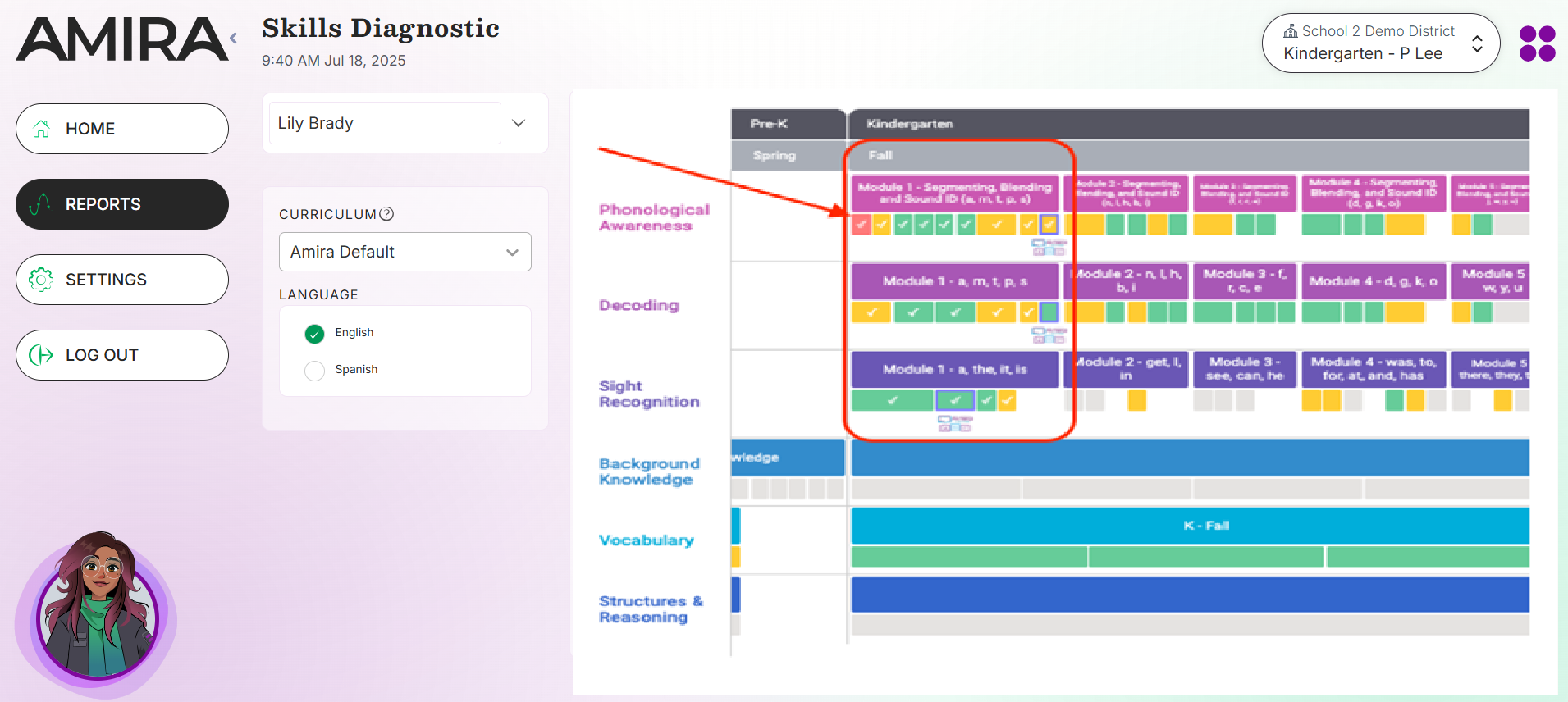
Students who are working in the Early Reader Skills Scaffold will be indicated with an image for the ERSS  , and they will receive a check mark in the box for a specific skill when they have completed the associated activity in the Skills Scaffold.
Related Resources