The Class Progress Report lets teachers view and compare assessment scores for every student in a class across the school year, all in one place.
View a walkthrough of the Class Progress Report
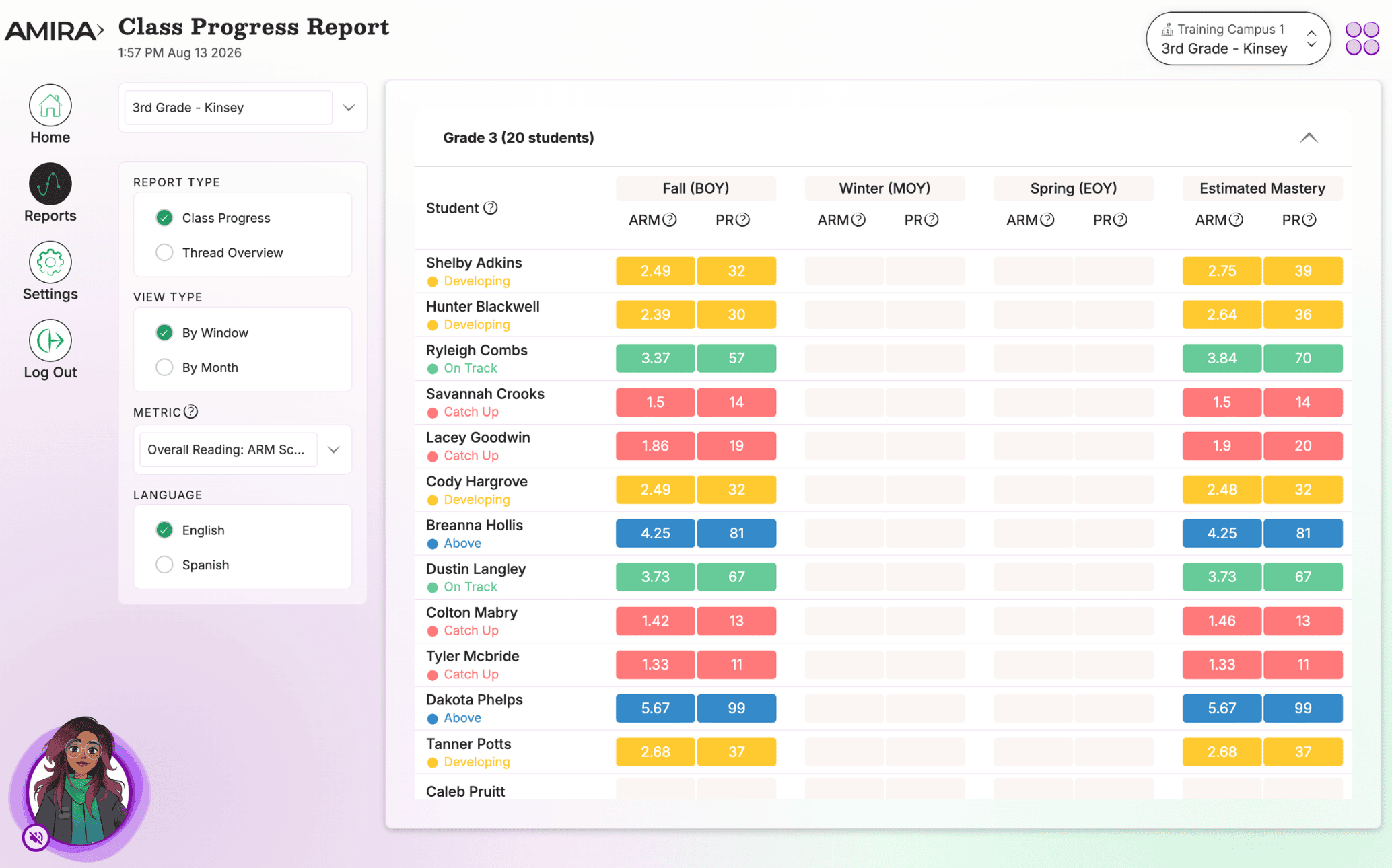
What You'll See
- Scores displayed by monthly assessments or by assessment window, depending on your district's setup.
- Each student's ARM Score and Percentile Ranking.
- A toggle to the Thread Overview, which breaks down each student's latest assessment results by Reading Rope strand (e.g., Word Recognition, Language Comprehension).
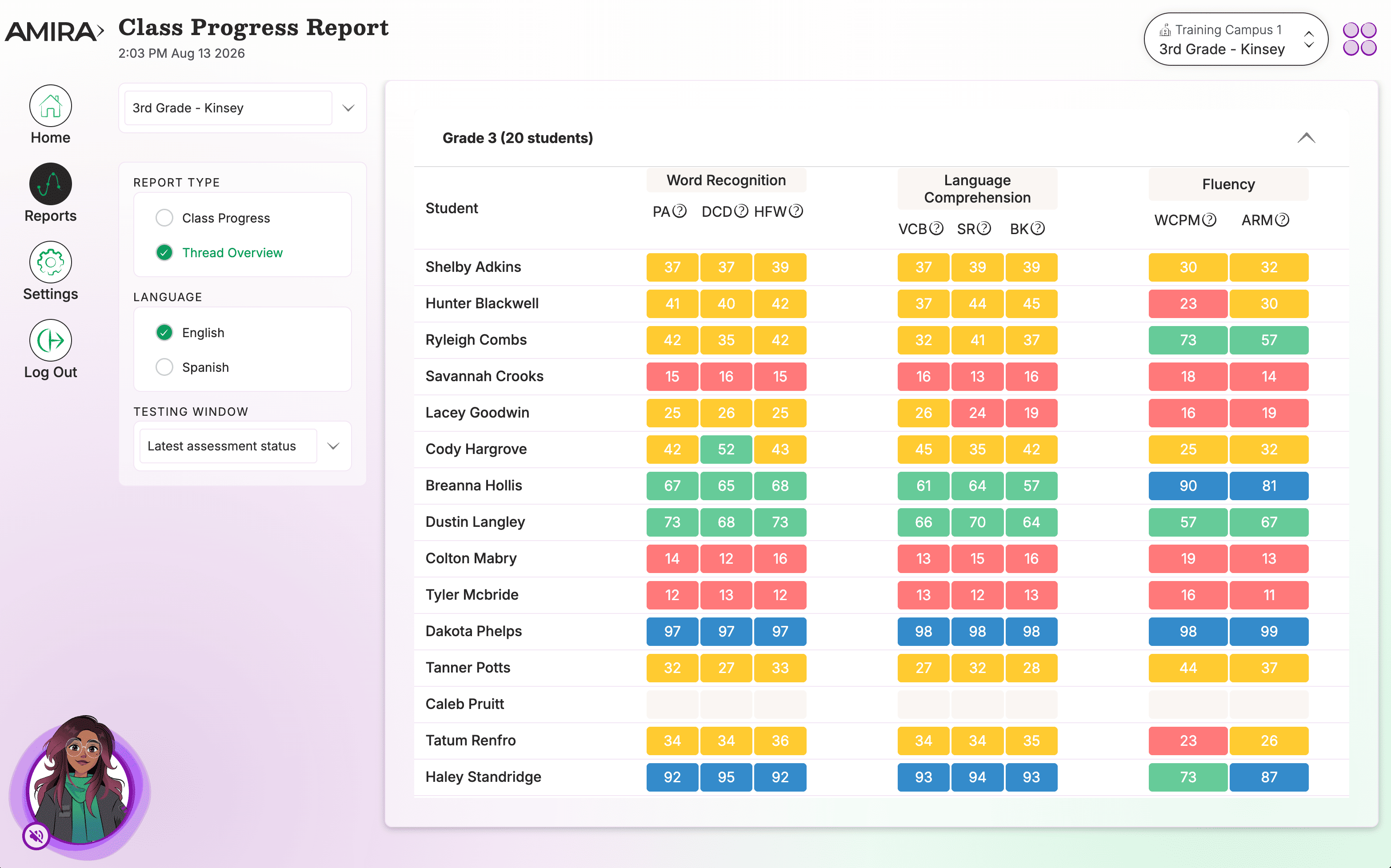
How to Use This Report
Use the Class Progress Report for a high-level view of class-wide performance, spot trends, monitor growth across the school year, and see which students are progressing steadily versus those who may need extra support.
Data Source(s): Amira Assess, Amira Tutor
Update Frequency: Practice data updates in near real time; assessment data updates within 24 hours.
Summary: The Class Progress Report shows every student's assessment scores and Reading Rope domain breakdown across the school year, giving teachers a class-wide view of growth over time.
Related Resources