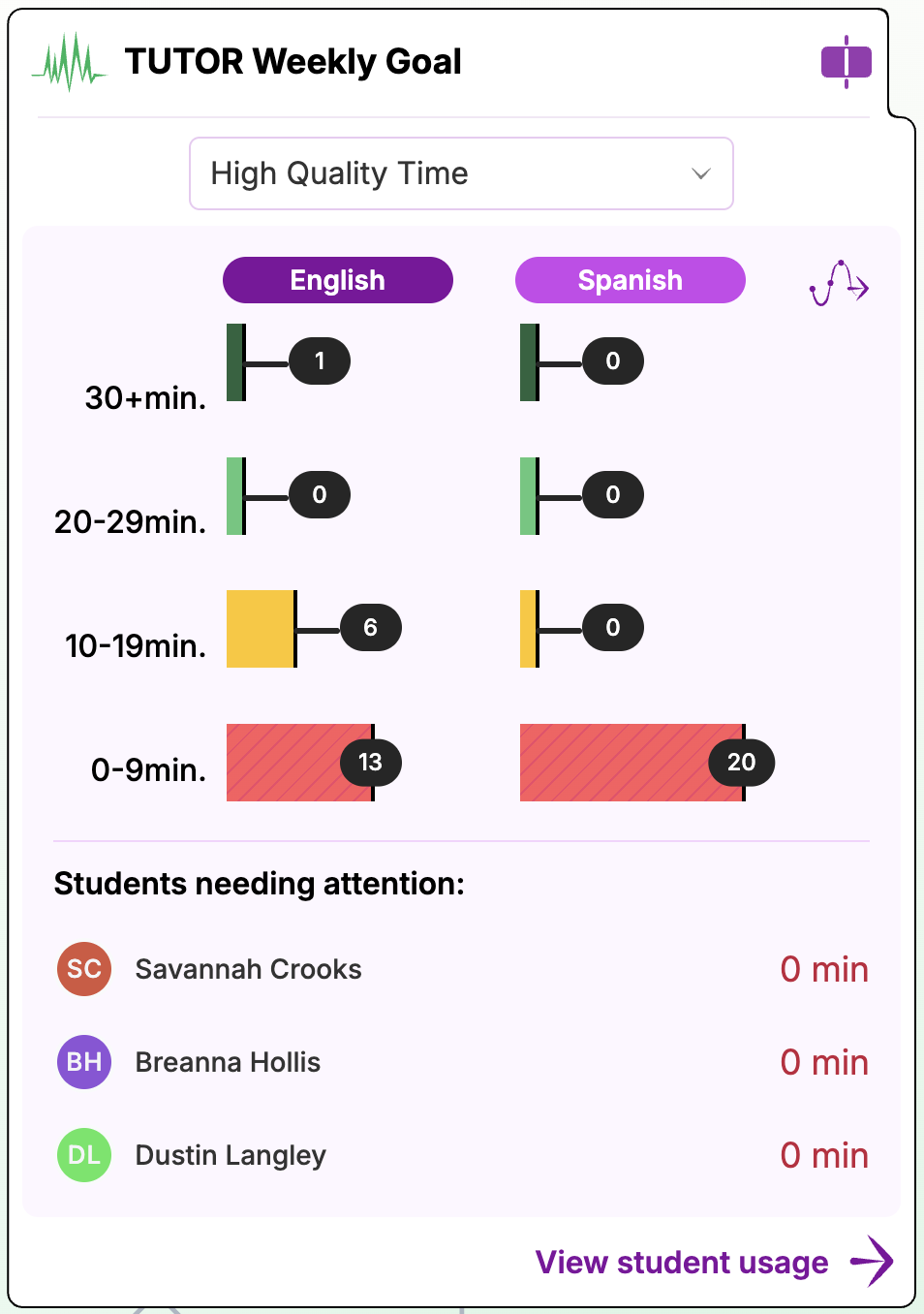
The Tutor Weekly Goal widget on the Growth Dashboard gives teachers a quick view of how much reading time their class is logging with Amira Tutor and Tutora against the recommended weekly goal of 30 minutes per week, and flags which students may need encouragement to log more time.
View a walkthrough of the Growth Dashboard.
Viewing Your Class's Weekly Usage
- Navigate to your Growth Dashboard and locate the Tutor Weekly Goal widget.
- Use the dropdown to choose which measure to view:
- Total Time, all minutes spent reading with Amira.
- High Quality Time, only minutes from finished stories.
- Review the usage graph, which shows your class's tutoring minutes for the current week, broken into bands (30+ min, 20 to 29 min, 10 to 19 min, 0 to 9 min), split by English and Spanish.
Identifying Students Who Need Attention
The Students needing attention list surfaces students who may need additional support to reach their weekly goal, so you can quickly see who to check in with without digging through individual reports.
Getting More Detail
Click View Student Usage to navigate to the Usage Report, where you can see a full breakdown of each student's weekly usage.