The Standards Report groups the standards that relate to each assessment skill in Math and provides actionable steps to help improve each skill.
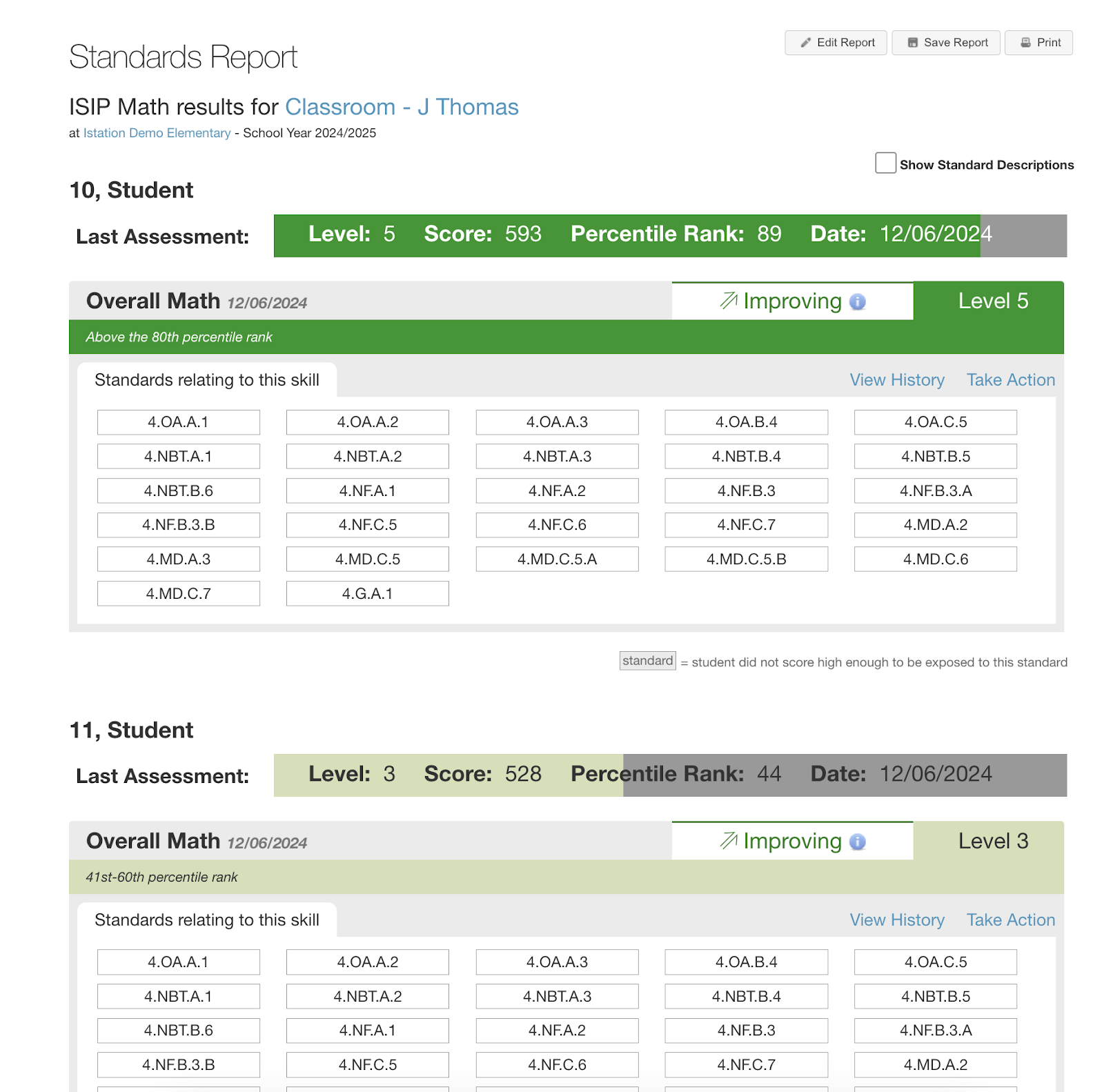
Report Details
Who is listed on this report?
This is a classroom-level report. Educators can run it for the whole classroom or customize it in the Quick Report Builder to choose specific students under Targeted Users. Students are listed in alphabetical order according to last name.
How can I navigate this report?
The student's most recent overall assessment data is in each student's top band.
Each subtest section is highlighted with the color of the tier/level the student earned for that subtest, and the band is labeled Improving or Declining to indicate whether their score has gone up or down since they last tested. Subtests are shown with the standards grouped for that subtest based on the questions the student answered. Educators can click View History to generate the Domain Growth Details report and Take Action to view printable lessons that address the student's needs in that skill or schedule an On Demand Assessment.
Gray standard boxes show that a student did not score high enough to be exposed to that standard.
How can I run this report?
Step 1: Log in to secure.app.amiralearning.com.
Step 2: Select the Report tab.
Step 3: Select Math from the assessment Products.
Step 4: Select Standards Report.
Step 5: Click Run Selected Report.
Suggested Instructional Uses
-
Review monthly or after the most recent assessment
-
Monitor the class’s progress in skill acquisition
-
Determine the need for whole-group instruction
-
Group students for small group instruction