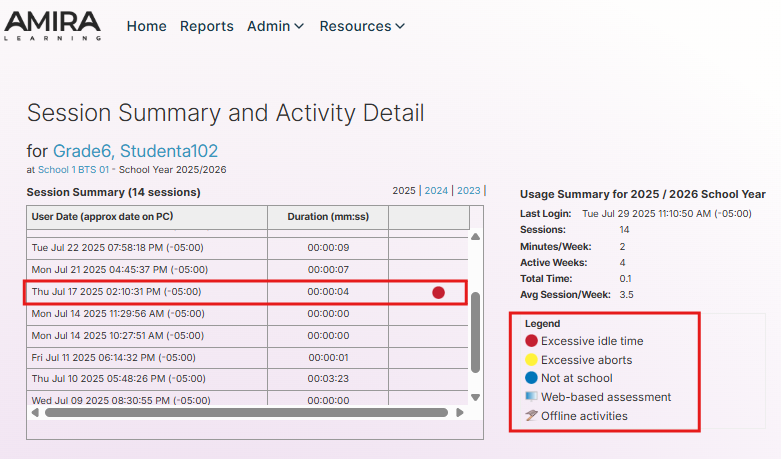
The Session Summary/Activity Detail shows the date, time, and duration of use each time the program was accessed by the student. Teachers can find all products used by the students in the Session Summary/Activity Detail. We recommend using it to:
- Identify areas to address during an intervention.
- Identify behaviors to monitor while the student is using the Istation Application.
- Review activities completed during sessions.
- Recommend changes in usage at home.
Session Summary and Activity Detail Legend
The colored dots in the third column below are explained in the legend.
Excessive idle time icon, the student did not interact with the mouse or keyboard for at least two minutes
Excessive aborts icon , student logged in and out of Istation multiple times during the session
Not at school icon, shows the activities that were completed outside of the school’s network
Web-based assessment icon, shows assessment sessions completed through the Web-based assessment instead of through the Istation Application
Offline activities, shows activities that the student completed though there was not an active internet connection during the session
Session Details
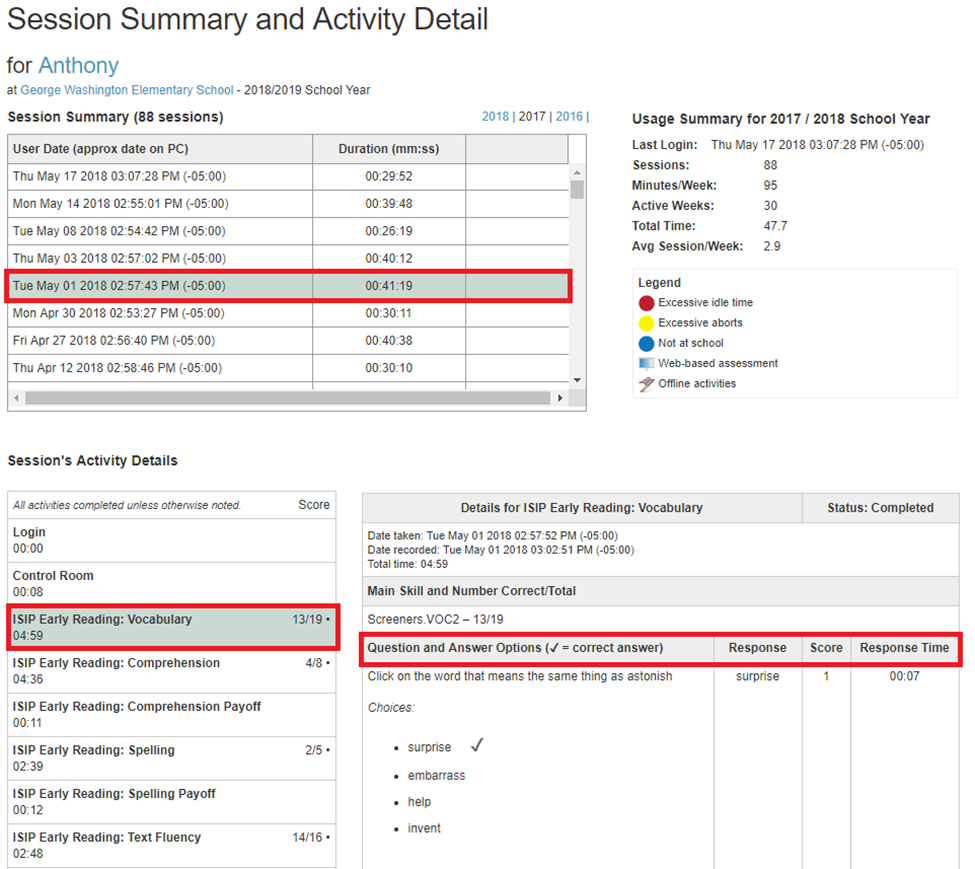
By clicking on any session date, the Session's Activity Details will display below the Session Summary table.
The Session's Activity Details show student responses, including ISIP and Individual Learning Path, while using the program. The following information is listed in the Session's Activity Details:
- the questions asked during the activity
- the multiple-choice options given with each question
- the correct answer is indicated by a checkmark
- the student's response
- the score for that question (1=correct, 0=incorrect)
- the student's response time
NOTE: Because of the computer-adaptive nature of the ISIP, scores should not be viewed just as a percentage for grade purposes. (Ex: A 3/5 cannot be seen as a 60% for the grade book because that could be 3 out of 5 questions correct on above-, on-, or below- grade-level questions.)
Quick Access to Session Summary and Activity Details
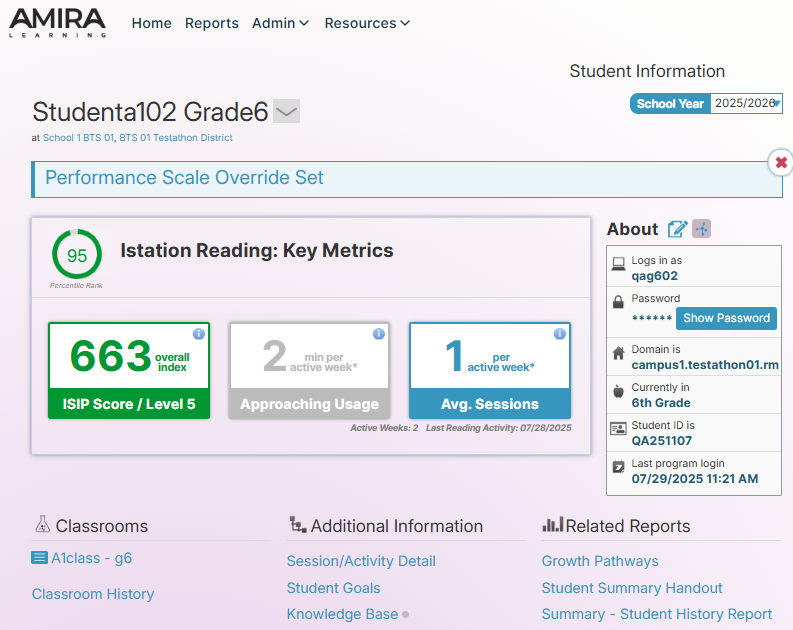
For quick access, a link to this report can be found on the Student Information page.
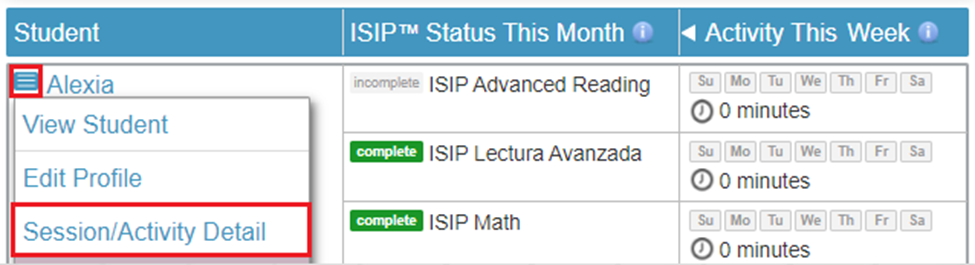
You can also access the student's Session/Activity Detail by clicking on the blue box next to a student's name within the Classroom tab.