| Math/Lectura |
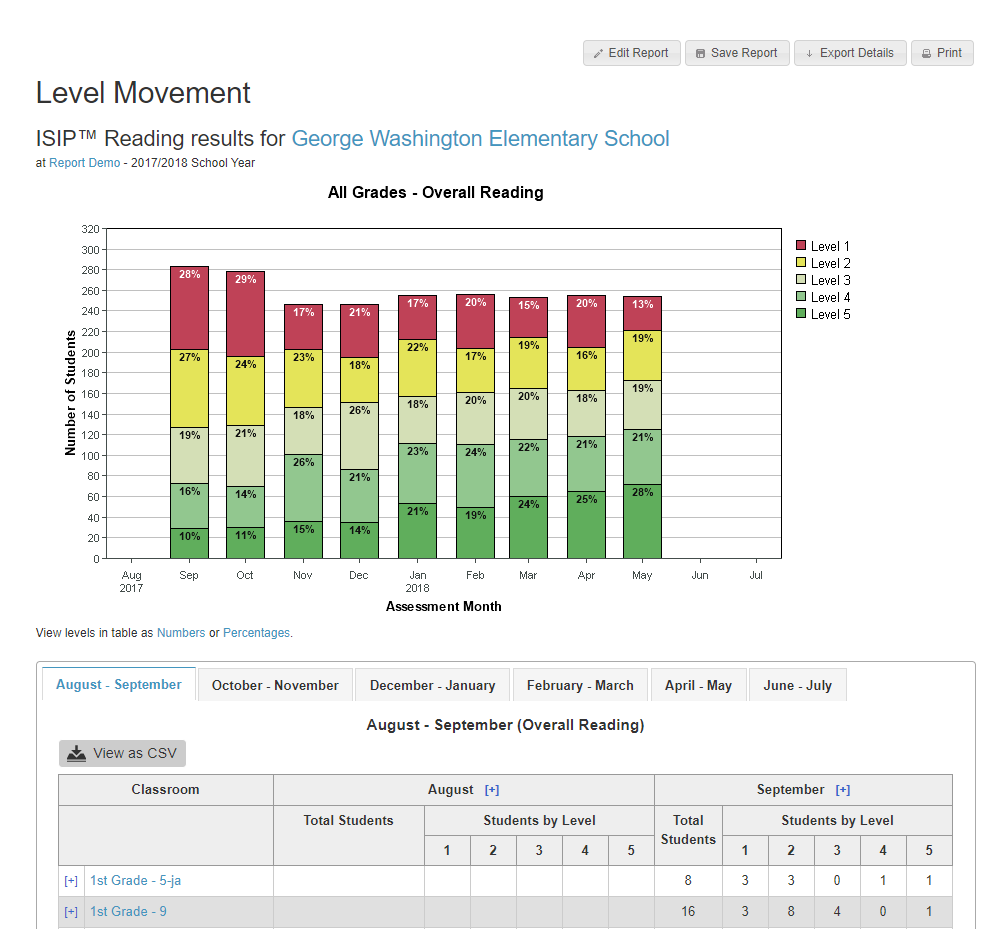
The Tier/Level Movement report shows the percentage and number of students per tier/level by month, allowing student movement between tiers or levels to be tracked.
Individual student tier/level movement is presented in the table below from the classroom view.
Report Details
Who is listed on this report?
At the classroom level, students are listed on the report in alphabetic order according to their last name. At the campus level, classrooms are listed in alphabetical order. Clicking on a classroom will provide student information. At the district level, campuses are listed in alphabetical order. Clicking on a campus will allow you to drill down to classroom and student information.
How can I navigate this report?
At the district/campus level, administrators will see a snapshot of data for that specific assessment period. In the table below, administrators can toggle Students by Tier/Level between Numbers and Percentages. At the classroom level, teachers will see what level each student has earned every month of the school year. Clicking the blue plus symbol next to a student's name generates that student's Student History Report. At any level, the graph shows percentages of students in each tier/level per month. Clicking a bar or the blue plus symbol by any month heading in the table will generate that month's Summary report.
How can I run this report?
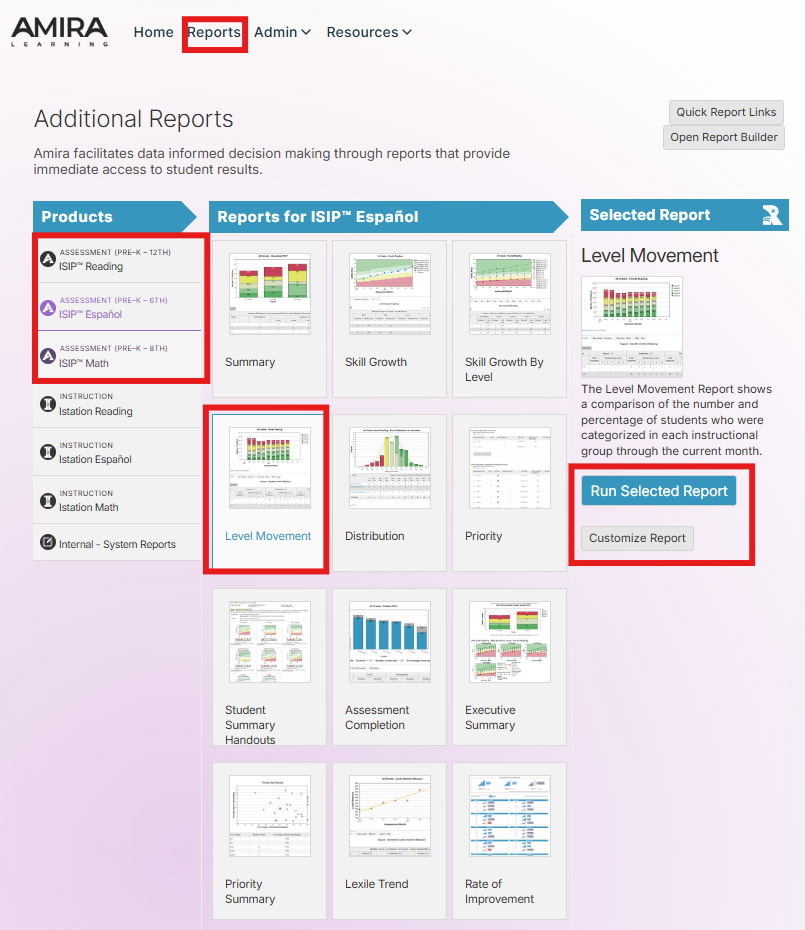
Step 1: Log in to secure.app.amiralearning.com and select Lectura & Math.
Step 2: Select the Report tab.
Step 3: Select an Assessment product.
Step 4: Select Level Movement from the choices.
Step 5: Click Run Selected Report or Customize Report.
Suggested Instructional Uses
- Review monthly or after the most recent assessment
- Evaluate student growth through the school year.
- Evaluate the effectiveness of instructional support.Monitor for an increase of Tier 1/Level 3, 4 and 5 students and decrease of Tier 2 and Tier 3 students or Level 2 and 1 students.