| Math/Lectura |
Regardless of tier/level, Rate of Improvement (ROI) is calculated by gauging the change in a student’s percentile rank over time (i.e., comparing a student’s past ISIP performance to that of their peers across multiple months). Only the last assessment score for each month is used in this calculation. ROI does not take tier/level into account in its calculation.
Note: A student must be assessed in three different calendar months before ROI can be calculated.
Run the Rate of Improvement Report
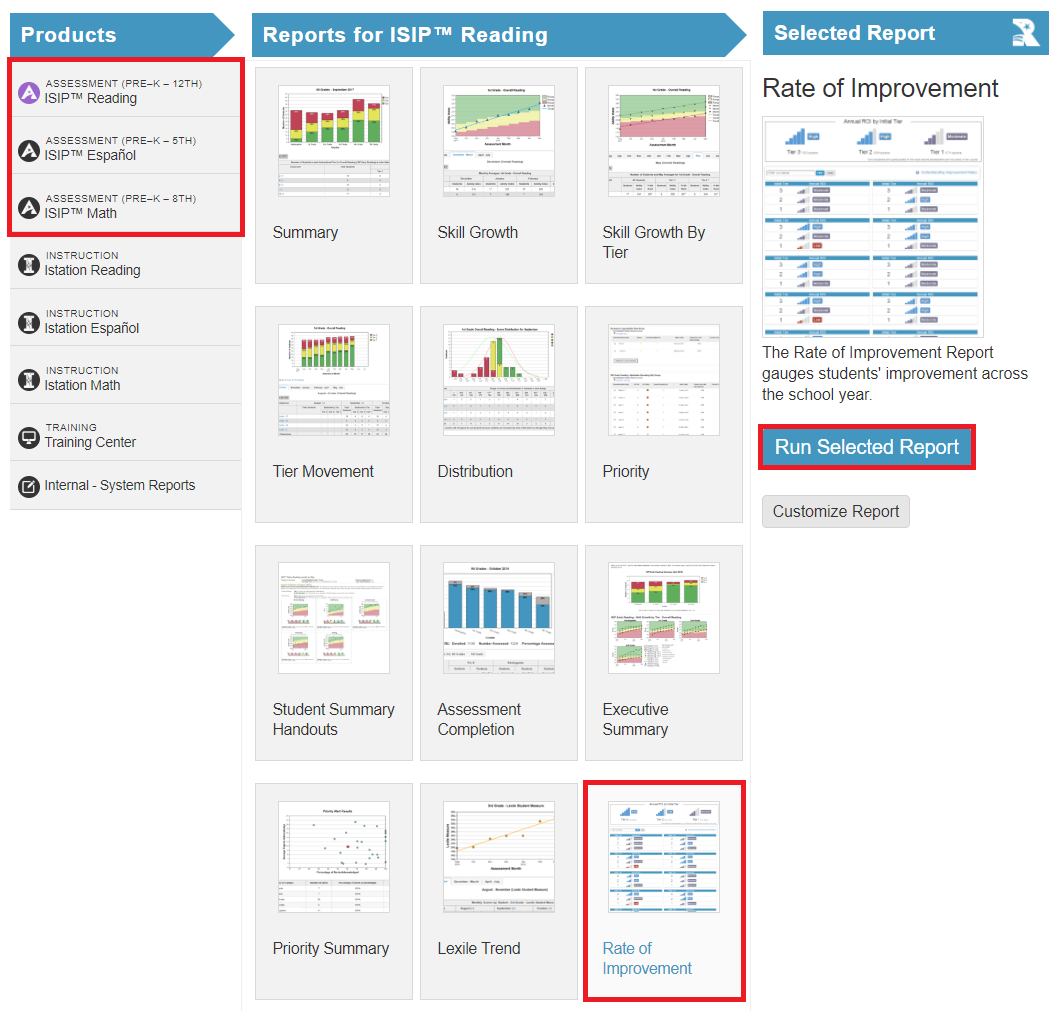
In the Report tab, select one of the Assessment Products, then choose Rate of Improvement (ROI) in the reports section, and click Run Selected Report.
About the Rate of Improvement Report
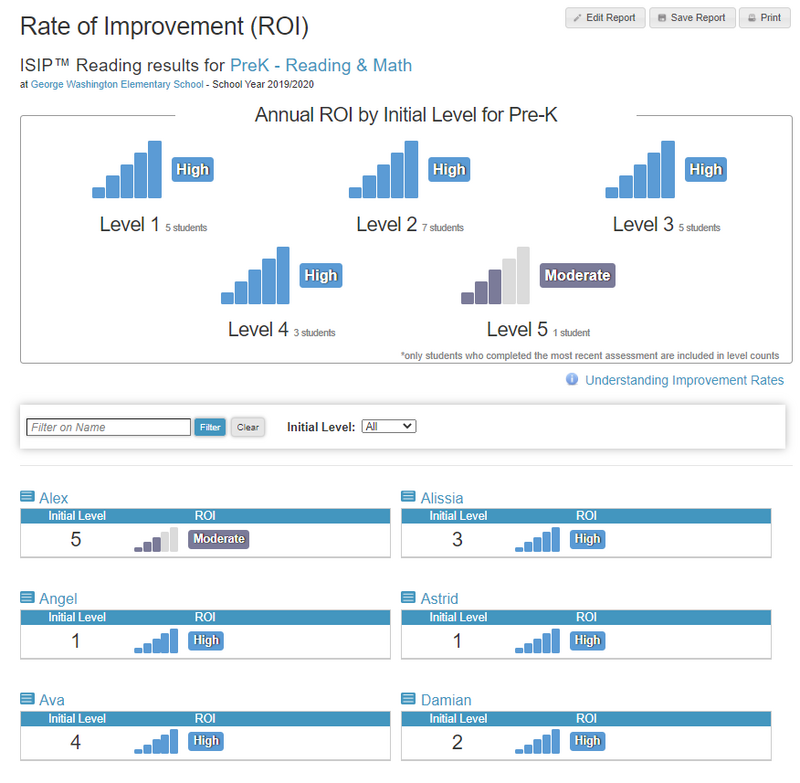
The Rate of Improvement Report can be run at the district, campus, or classroom level. Improvement will be shown as low, moderate, or high. Students are grouped by their initial tier/level. The more bars shown, the more growth has taken place. Click on a student name to see their Student Information Page and current scores.
Ratings
The ratings indicate the average annual percentile change of the ISIP Overall Ability Score.
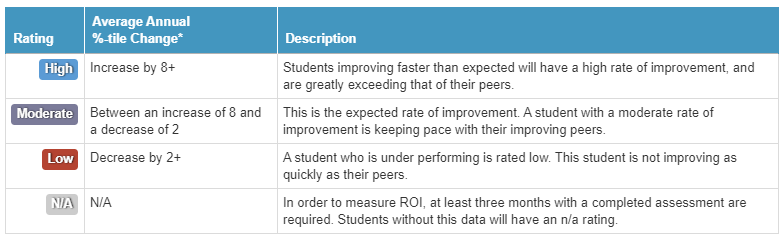
*Theoretical improvement/regression based on the student's trend of change in percentile rank over the year. The rating does not guarantee the student will end the year at a higher/lower percentile rank than the initial score. The ROI rating measures the average change in percentile rank across the school year.