| Math/Lectura |
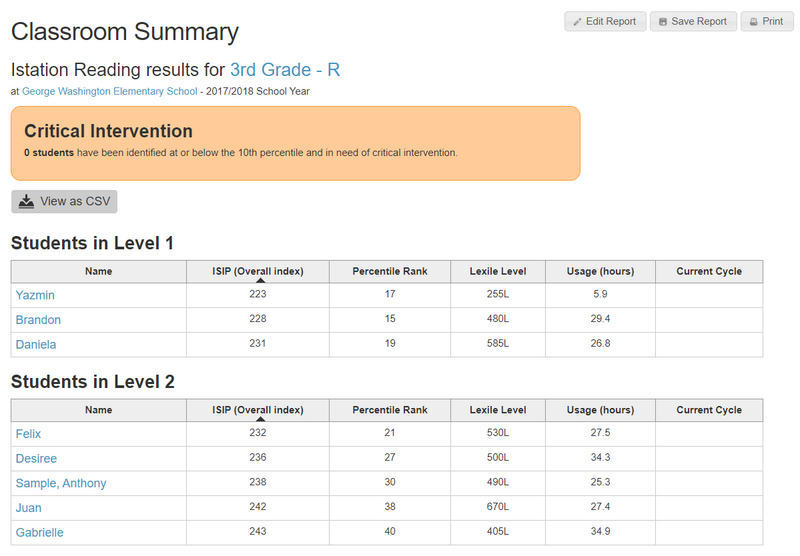
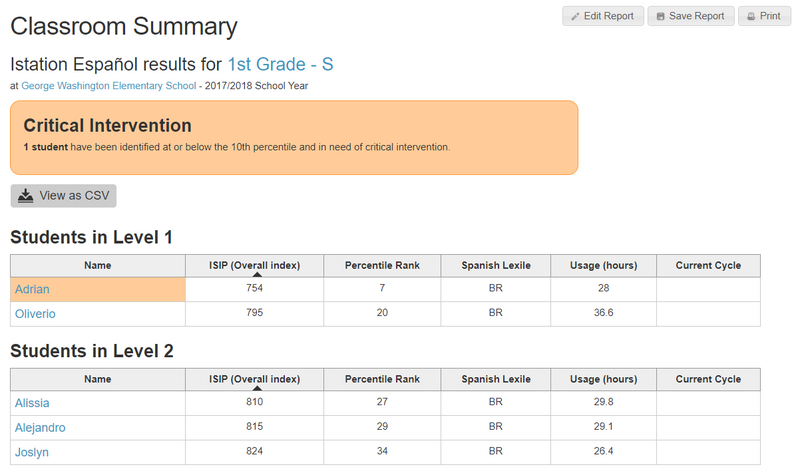
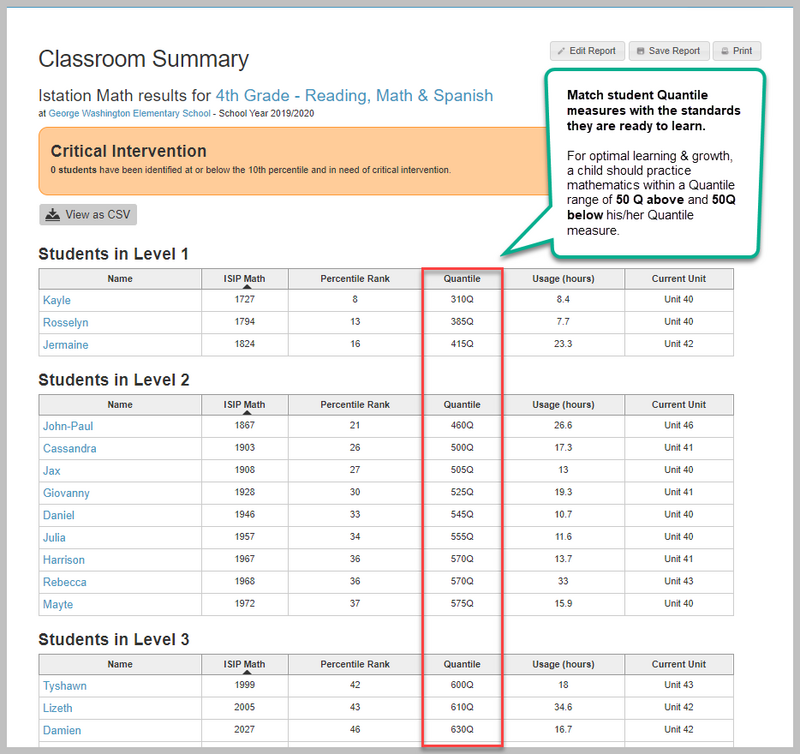
The Classroom Summary provides student performance data from the most recently completed assessment and their Learning Path.
The Classroom Summary gives teachers a snapshot of data from their students' most recent assessment and their current instructional cycle/unit. Students who score in the 10th percentile or lower will be highlighted as Critical Intervention students. Students will be grouped by instructional tier or level based on their most recent ISIP assessment. This report is available for all three products and can combine Reading and Lectura for biliteracy reporting.
Reading
Lectura
Math
Biliteracy Reporting
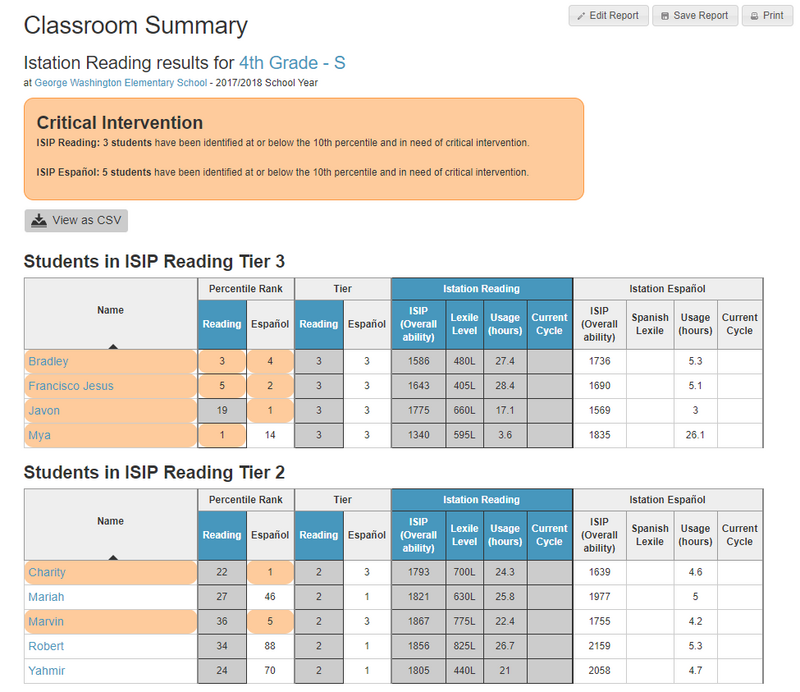
Data can be sorted in ascending or descending order by clicking on a column header.
Who is listed on this report?
This classroom-level report groups all students students by their instructional tier/level. Clicking on a student provides more detailed individual information.
How to navigate this report?
Educators will see their students' ISIP Scores, percentiles, Lexile/Quantile scores, usage, and current cycle/unit. Students are grouped into separate tables based on their instructional tier/level.
Clicking on a specific student takes you to their Student Summary Handout.
How can I run this report?
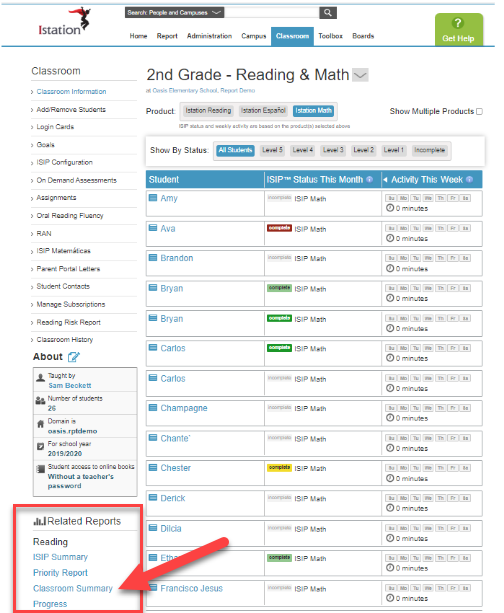
From Classroom
Step 1: Log in to secure.app.amiralearning.com.
Step 2: Click on the Classroom tab.
Step 3: Under Related Reports, click Classroom Summary for Reading, Lectura, or Math.
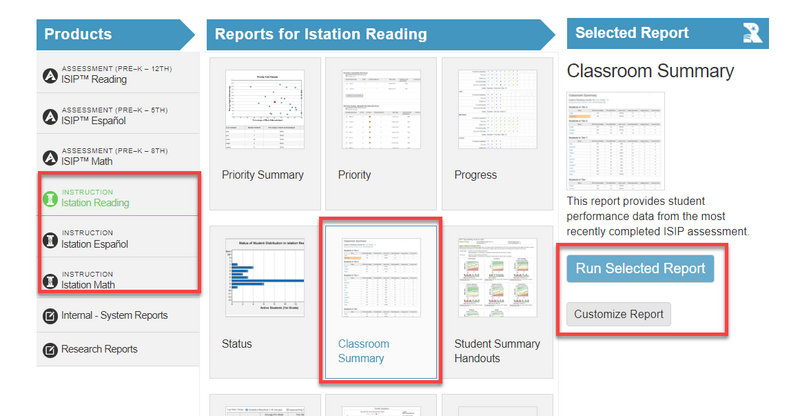
From Reports
Step 1: Log in to secure.app.amiralearning.com.
Step 2: Click on the Reports tab.
Step 3: Choose the appropriate product, scroll down to click the Classroom Summary tile, and click either Customize Report or Run Selected Report.
Suggested Instructional Uses
-
Identify skill strengths and areas for growth that need emphasis in the classroom.
-
Identify students in need of additional support.
-
Group students for small-group instruction.
-
Identify skill level of materials for small-group instruction