| Math |
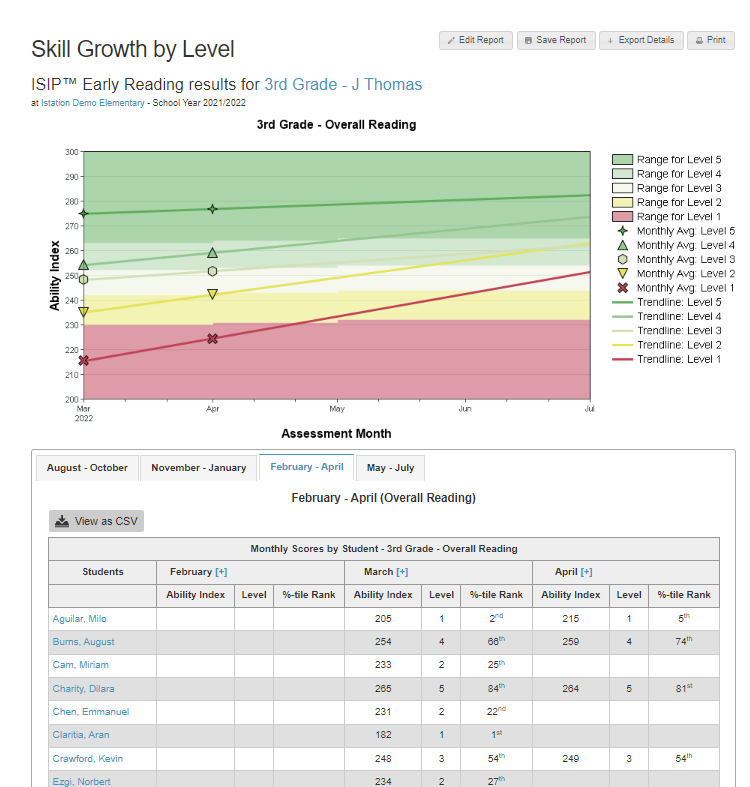
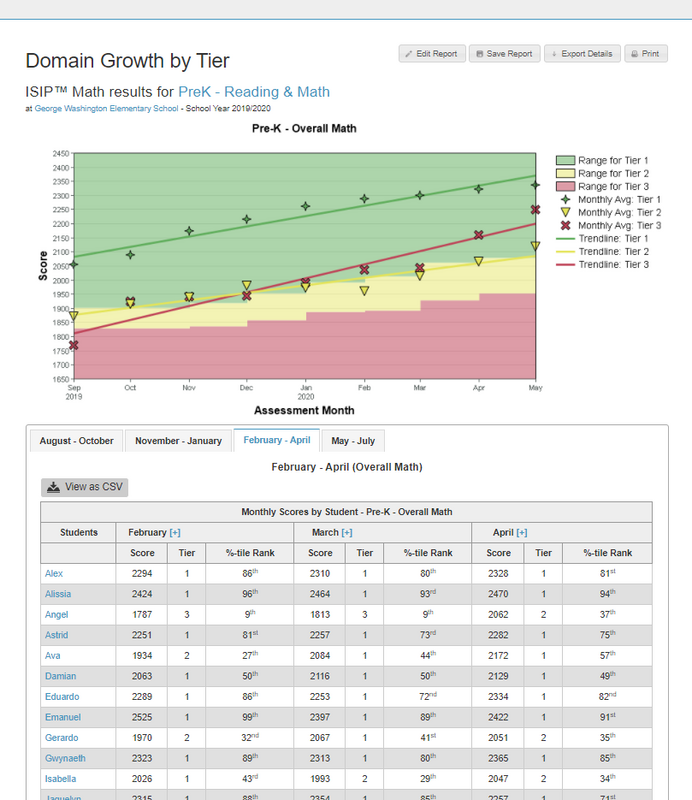
Domain Growth by Tier/Level report shows each domain assessed and the progress made by students through the current month as measured against performance goals within tier/level groups.
Run the ISIP Domain Growth by Tier/Level Report
Once logged in, this report can be found in the Report tab.
In the Report tab, click on Assessment ISIP Math in the Products column, Domain Growth by Tier/Level in the Reports area, then click on Run Selected Report, or Customize Report to filter between view-able classes.
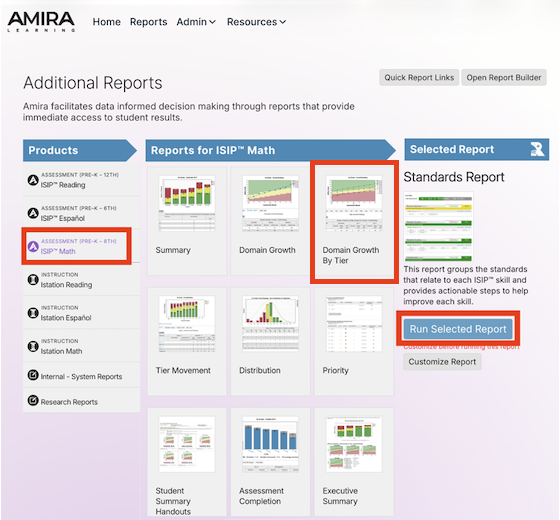
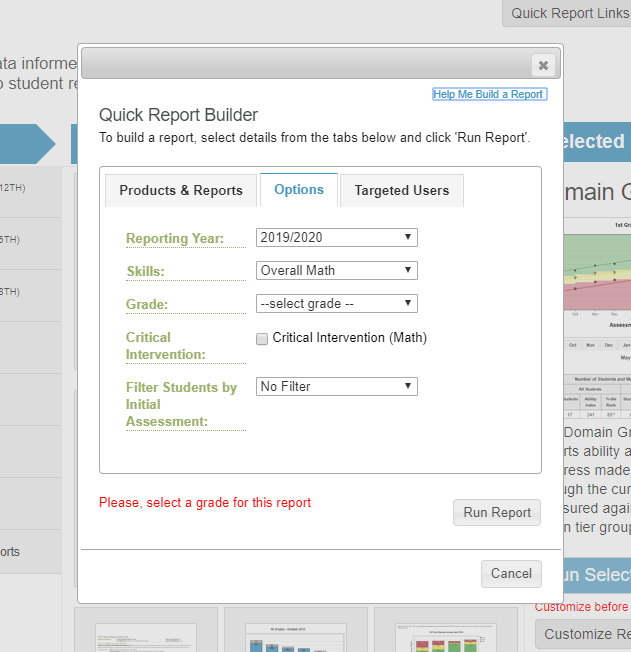
If running this report as a manager or with a multi-grade classroom, it is necessary to Customize the report to reflect the grade level you wish to see. You can also edit the Reporting Year, Skill, Grade, and show students by tier/level on their first assessment.
About This Report
- Each line represents the growth of students grouped by instructional tier/level as determined by the beginning of the year assessments.
- The ability index for each student is presented in the table below the graph.
- Students are placed in tier groups based on their initial assessment and remain in that group all year even when their scores move out of their initial tier/level.
- You can click on a student’s name to see the Domain Growth Details for that student.
Levels
Tiers
Administrator View
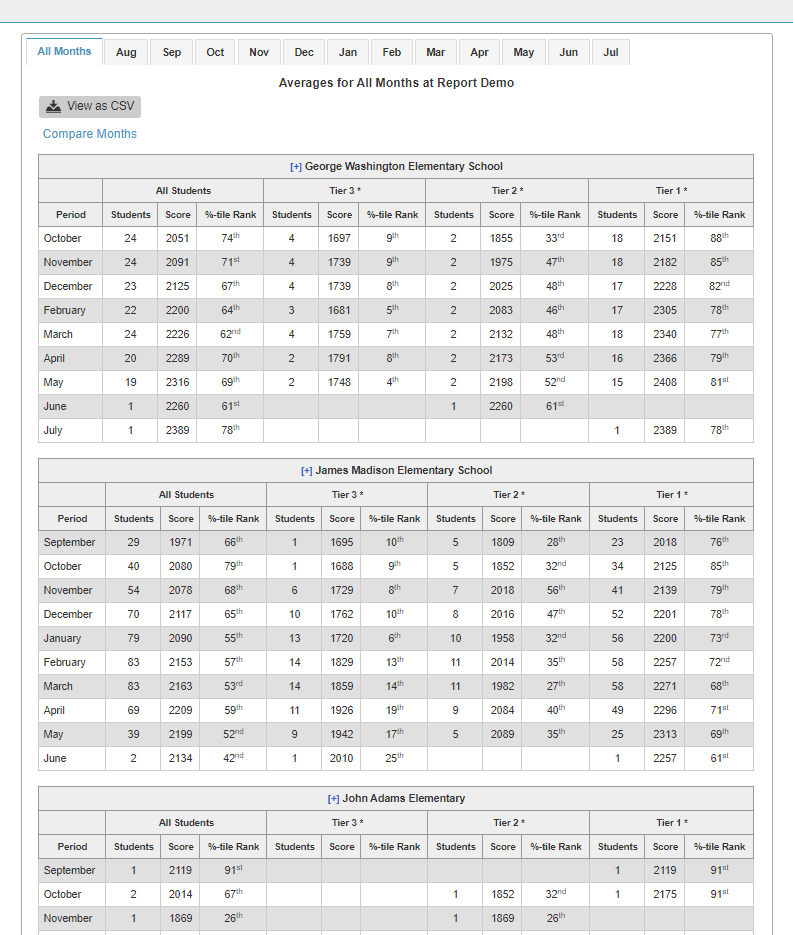
District/campus administrators can track monthly growth for each grade level at the campus/classroom level by selecting the All Months tab below the graph. This table shows the number of students within each instructional level/tier for each month assessed, along with the average ability index (score) and percentile rank. Levels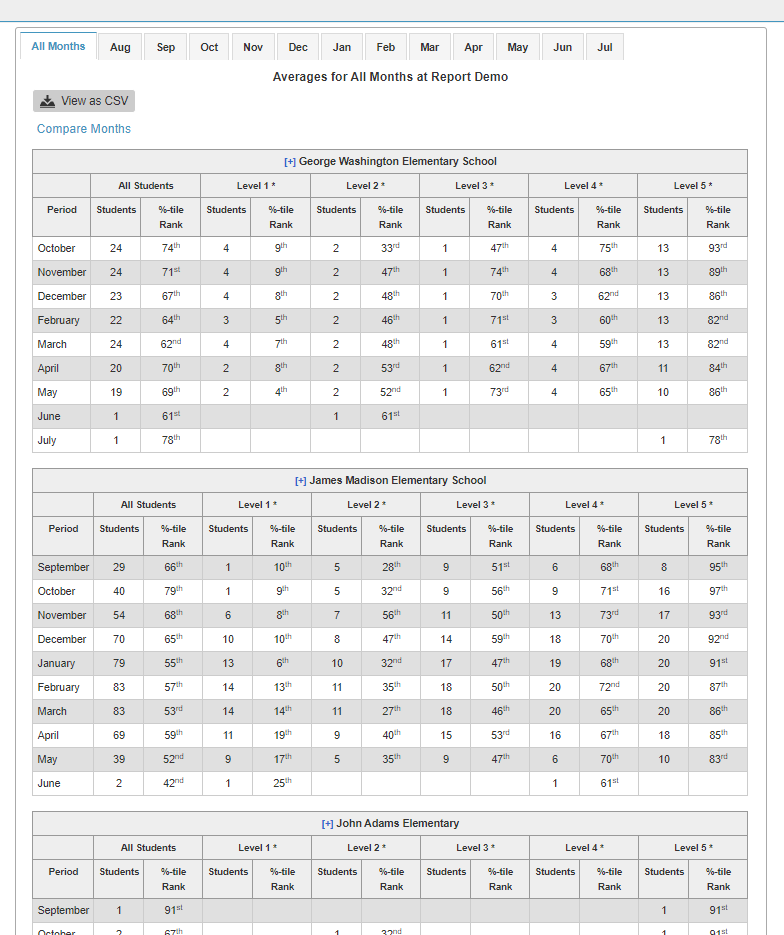 Tiers
Suggested Uses
- Monitor the class’s tier/level movement by skill and overall math ability.
- Identify the level of student support needed.
- Evaluate the effectiveness of instructional support.
Frequency of Review
- Monthly after the most recent assessment