| Math |
Domain Growth shows student growth in a single grade, class, or for an entire grade level at the campus or district as a monthly ISIP Ability Index average.
Run the ISIP Domain Growth Report
Once logged in, this report can be found in the Reports tab.
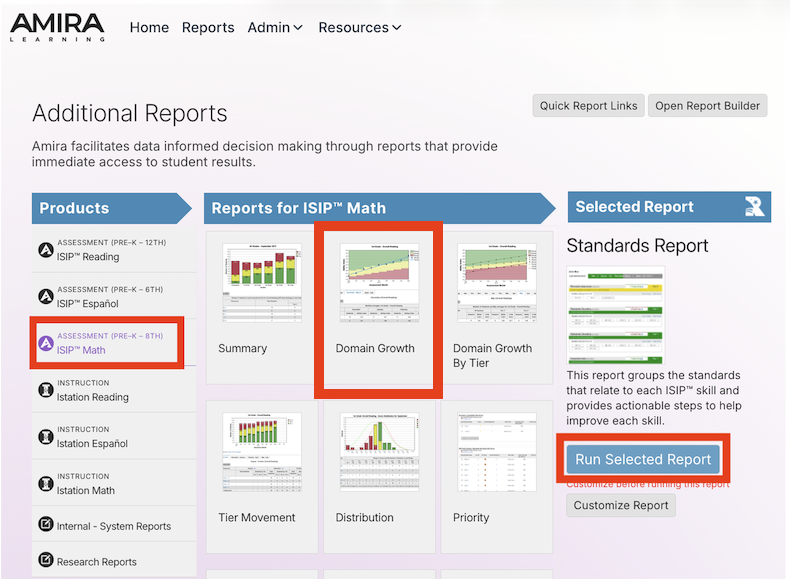
- In the Report tab, click on Assessment ISIP Math in the Products column, Select the Domain Growth Report, then click Run Selected Report.
- To view the Domain Growth Details for a specific student, click the Customize Report button, then select the student's name from the Targeted Users tab.
Customize Report
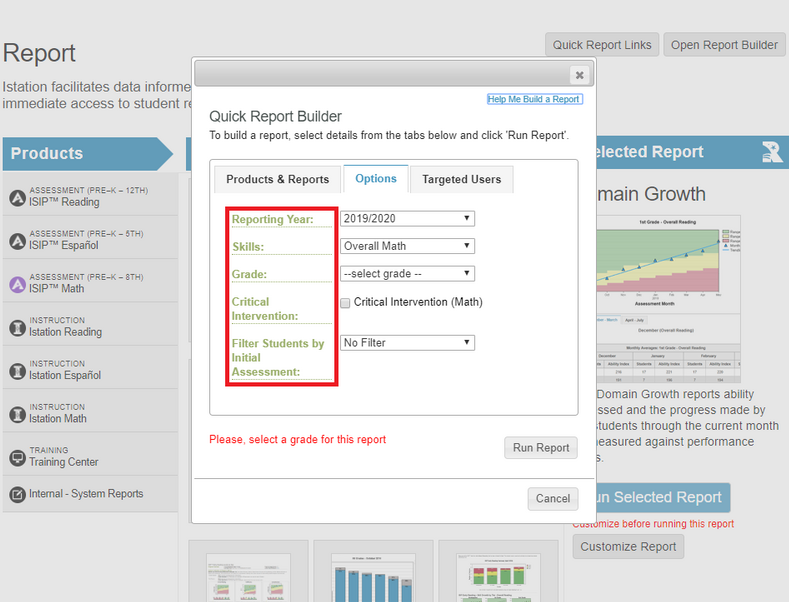
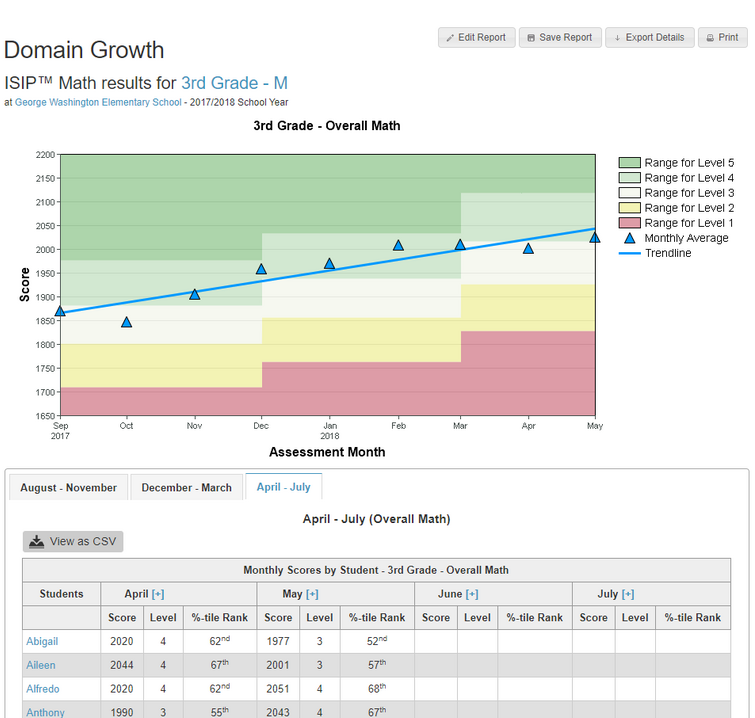
If running this report as a manager or with a multi-grade classroom, it is necessary to Customize the report to reflect the grade level you wish to see. You can also edit the Reporting Year, Skill/Domain, Grade, and show students by tier/level on their initial assessment.
About Domain Growth Report
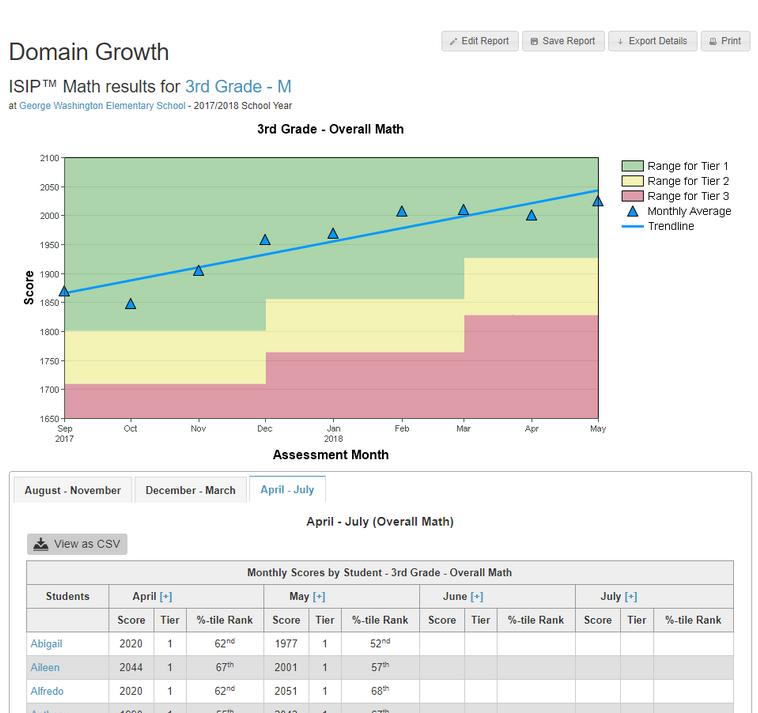
This report shows each student's Math Ability Index for each domain assessed, the class average for each month, and the progress made by the class through the current month. It can also be displayed as averages for individual campuses and districts.
- The graph represents the average student performance for the class.
- The blue triangles represent the monthly average for the chosen group.
- The Ability Index for each student is presented in the table below the graph.
- The graph represents a measure of growth over the entire school year.
Tiers
Levels
Suggested Uses for Instructional Purposes
- Monitor the class’s progress in skill acquisition
- Evaluate the effectiveness of instructional support
- Determine the need for whole group instruction
Frequency of Review
- Monthly or after the most recent assessment