| Math/Lectura |
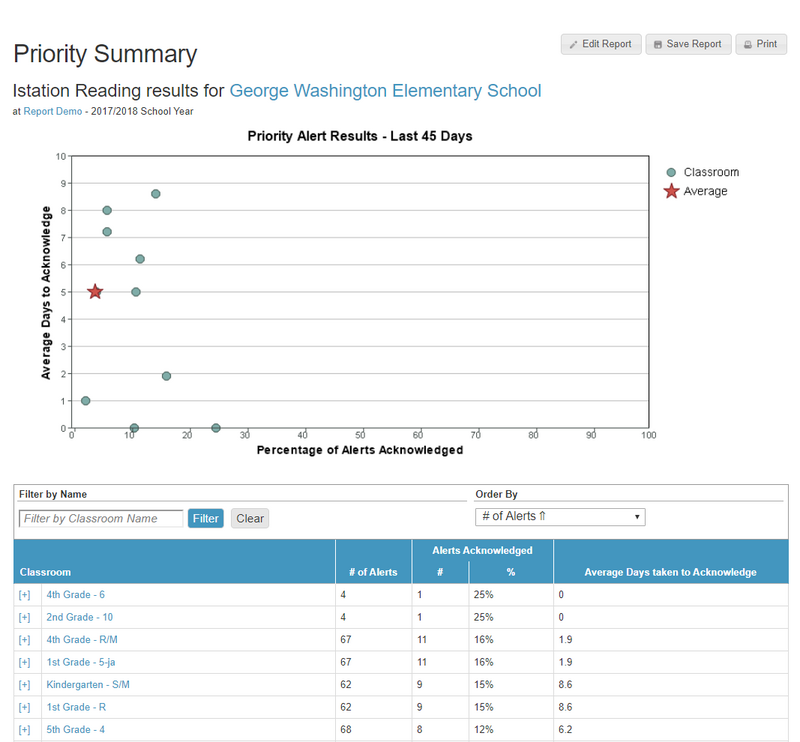
The Priority Summary report is a manager level report than can be used to monitor teachers' usage of the Priority Report.
The Priority Summary Report shows the:
- The total number of alerts per class.
- Percentage of alerts acknowledged on the Priority Report.
- The average number of days taken to acknowledge alerts on the Priority Report.
Run the Priority Summary Report
Once logged in, this report can be found in the Reports tab.
- In the Report tab, click on one of the Assessment or Instruction Products (Español or Math), select the Priority Summary Report, click on Run Selected Report.
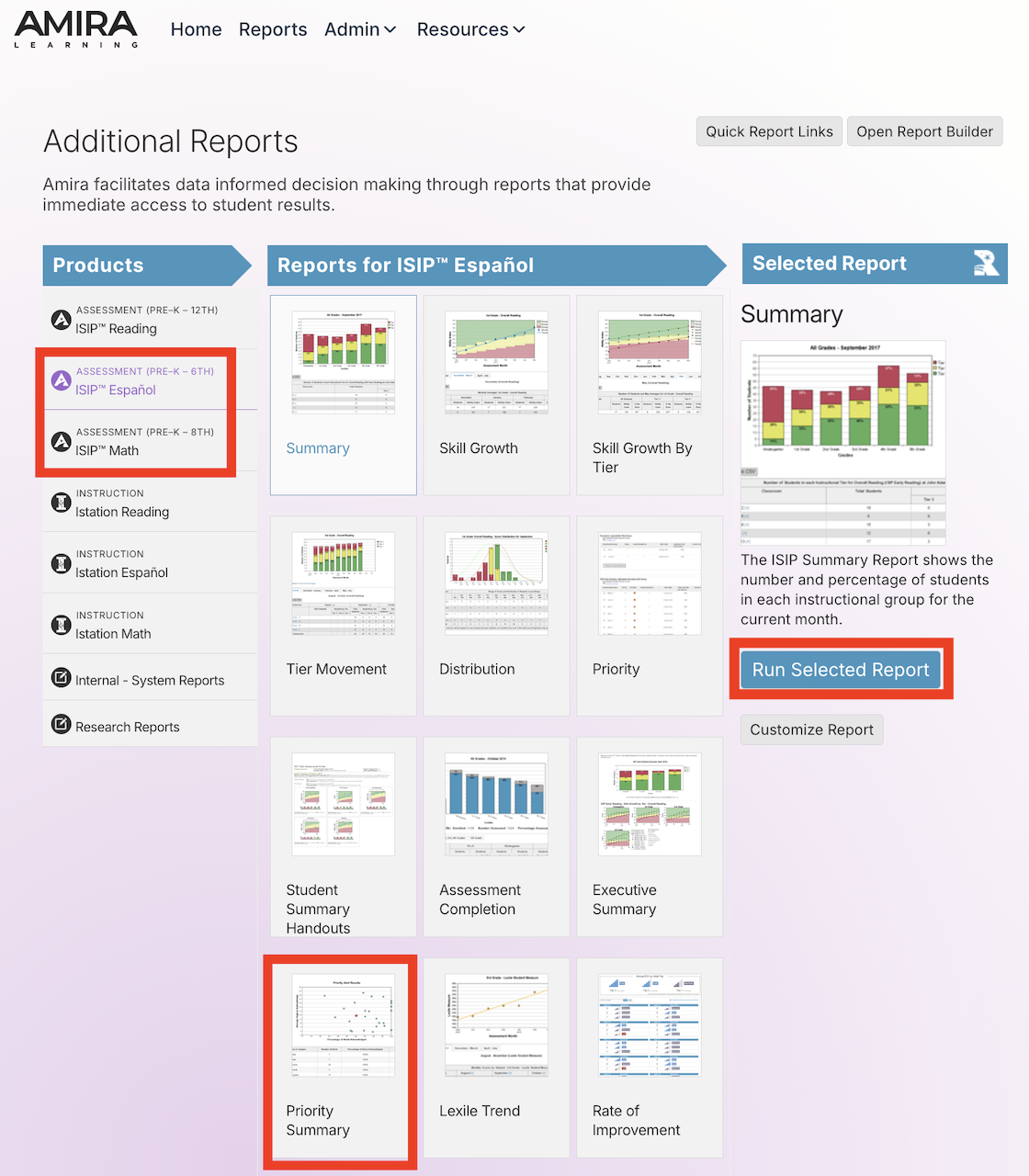
- In the Administration or Campus tab, click View Reports under Español or Math in the Related Reports area, select the Priority Summary Report, and click on Run Selected Report
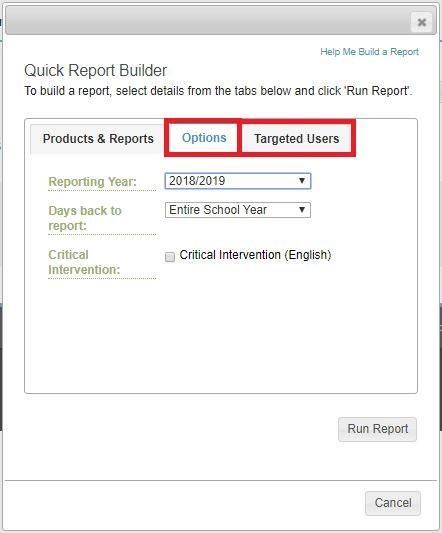
The report can be edited to show desired:
- Options tab
- Reporting Year
- Reporting Period (the entire school year or last 45 days)
- Critical Intervention students only
- Targeted Users
- Classroom
About This Report
- Hover over a dot to view the percentage of alerts acknowledged and the number of days to be acknowledged on the priority report for a particular campus or classroom.
- Individual campuses or classes are listed in the table below the graph.
Suggested Uses
- To look at trends across the district or campus in order to identify which systems, initiatives or intervention teams need to be put in place.
Frequency of Review
- Monthly