| Math/Lectura |
Performance scales default to the intervention three-tier scale. However, they can be changed to show quintile levels or RTI+ tiers.
Performance scales can only be adjusted at the district level. Once updated, the new scale will be seen district-wide.
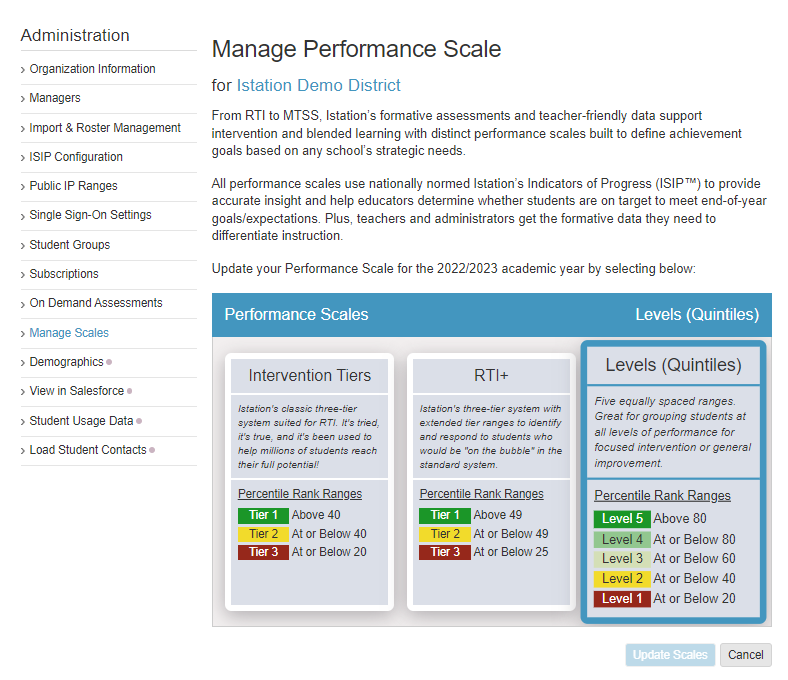
Step-by-Step Guide for Updating Performance Scales
Step 1: Log in to secure.app.amiralearning.com and select Lectura & Math.
Step 2: Expand the Admin tab and select Admin.
Step 3: Select Manage Scales from the left panel.
Step 4: Choose the scale that you want to use to view your Lectura/Math data.
Step 5: Click Update Scale.